
Disclosure: This page may contain affiliate links. Prices were checked on the date shown and may change.
An introduction to Waves OneKnob Phatter, based on information from the maker and distributors: what it does, how to use it and who it may suit. It is not scored.
OneKnob Phatter creates an intelligent low-end boost.
— Waves official site
What is OneKnob Phatter?
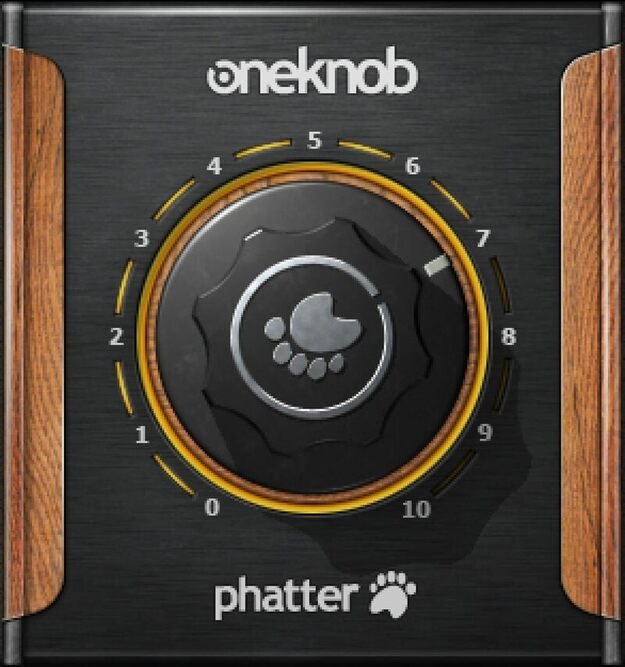
OneKnob Phatter from Waves adds weight to the low end with a single knob. The sales page describes an intelligent low-end boost: the higher you turn it, the more it tilts the response toward the low end.
Rather than simply boosting, it tilts the bass response, and it is said to reach into the sub-bass range. It is intended for giving bass more space or kick more thickness.
At subtle settings it can add warmth and depth to vocals; turned all the way up, it can produce heavy dance-floor bass.
The page also describes accenting the natural body of acoustic guitar and piano, and giving dynamic and condenser mics a ribbon-mic sound.
Key features
One-knob control
A single big knob keeps it simple and may suit quick work.
Tilts the low end
It tilts the whole response toward the lows instead of just boosting, and the tilt grows as you turn it up.
Reaches sub-bass
The low-end treatment is said to reach down into the sub-bass range, which may help when adding depth to bass and kick.
Subtle to extreme
Subtle settings add warmth and power, while full settings give dance-floor bass.
Acoustic instruments and mics
It is presented for accenting acoustic guitar and piano body and giving dynamic and condenser mics a ribbon-like sound.
Specifications
| Item | Details |
|---|---|
| Type | Low-end enhancer (EQ) |
| Control | One knob |
| Mac | macOS Monterey 12 to Sequoia 15, VST, AU, AAX |
| Windows | Windows 10 or later, VST, AAX |
| List price | $49 (Plugin Boutique) |
What is included and system requirements
- OneKnob Phatter
- Formats: Mac VST/AU/AAX; Windows VST/AAX
- Requirements: macOS Monterey 12, Ventura 13, Sonoma 14, Sequoia 15 (VST, AU, AAX); Windows 10 or later (VST, AAX)
How to use it
- Create a Waves account, or log in if you already have one.
- Register the serial number shown in your Plugin Boutique account under Register New Products in your Waves account.
- Download, install and log in to the Waves Central app.
- In the Install Products tab, choose the product and click Install & Activate.
- Open your DAW and load the Waves plug-in from the plug-in list.
- Insert it on a track that needs low end, such as bass or kick.
- Raise the knob gradually and listen to the low-end change.
- Compare on and off to avoid overdoing it.
Where it may come in handy
Bass and kick weight
It may help when you want more space or thickness in the low end.
Vocal warmth
A subtle setting may add depth to a voice.
Acoustic instruments
It may suit accenting the body of guitar or piano.
Who it may suit
- People who want a quick low-end adjustment
- People who find detailed EQ settings daunting
- People who want more weight in bass and kick
Good to know before you buy
- A Waves account and installation via Waves Central are required.
- The list price is the strike-through price on the sales page.
How it differs from similar products
We do not pick a winner; the official figures are placed side by side.
Waves OneKnob Brighter
Both are single-knob designs; Phatter handles the low end and Brighter the high end.
Price
$49 (Plugin Boutique, checked 2026-10-27). Prices can vary by region and promotion, so check the official page before buying.
See OneKnob Phatter on the product page
More of the same kind
Other introduction articles of the same kind.
- Solid State Logic SSL SubGen
- HeadRush ReValver Suite
- Sugar Bytes Transfigure
- Sonarworks SoundID VoiceAI ROCK Voice pack
- Karanyi Sounds Playmod
- MeldaProduction MMorph
We have introduced 215 other products from Waves.
- Waves Curves Resolve
- Waves S1 Stereo Imager
- Waves NLS Non-Linear Summer
- Waves Center
- Waves Playlist Rider
See the full list in Product database: Effects.
Sources: pluginboutique.com (checked 2026-10-27)










Comments