
Disclosure: This page may contain affiliate links. Prices were checked on the date shown and may change.
An introduction to Sound Particles Density, based on information from the maker and distributors: what it does, how to use it and who it may suit. It is not scored.
Density is an audio effect plugin that creates various layers of sounds based on the input.
— Sound Particles official site
What is Density?
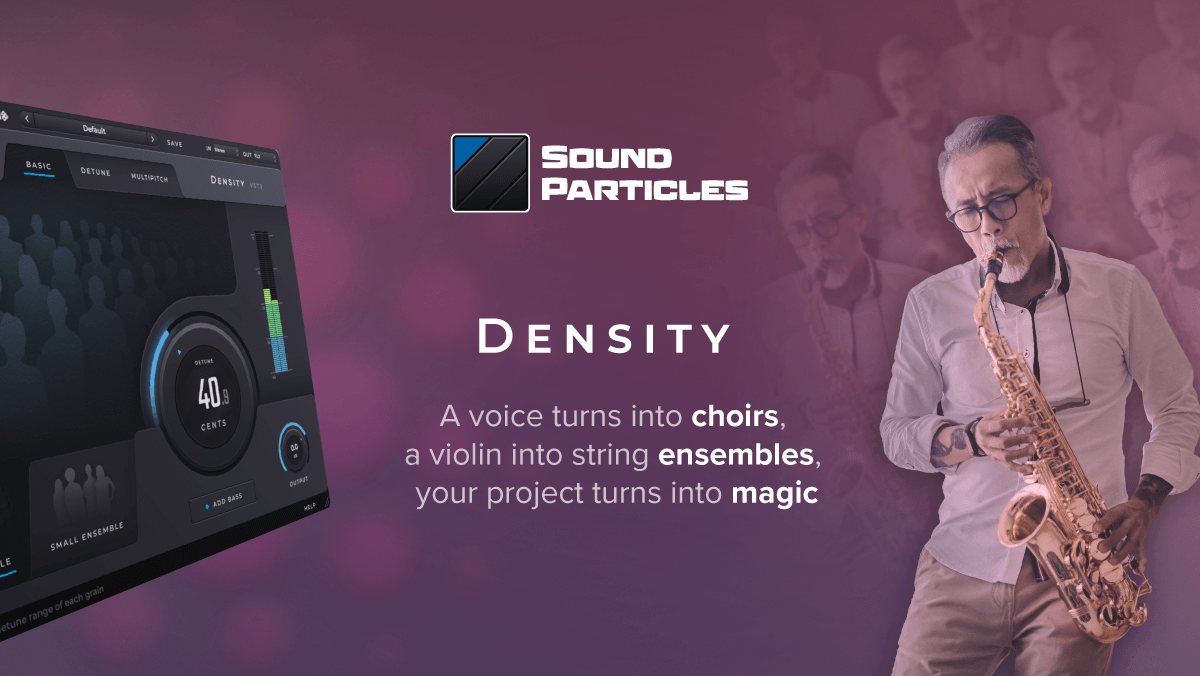
Density is an effect from Portugal's Sound Particles that creates layers of sound from a single input. The official page illustrates it with a voice becoming a choir and a violin becoming a string ensemble.
It uses granular technology. The input is divided into small grains and layered to create the thickness of many voices. It is described as usable not only in stereo but also in 5.1, 7.1, Ambisonics, binaural and Dolby Atmos.
There are three modes. Basic is a quick mode with few controls, Detune offers detailed control of grain generation and movement, and Pitch builds groups of voices with separate pitch, voice count and gain for choir-like harmonies.
Formats are AAX, AU, AUv3 and VST3 on Mac and AAX and VST3 on Windows. A trial is available. It may be worth trying for vocal thickening as well as sound effects and sound design.
Key features
Basic mode
This mode creates small to large ensembles with a few controls. It may suit situations where you want to thicken a sound quickly.
Detune mode
This mode creates the feeling of several layers, with more detailed controls for grain generation and voice movement.
Pitch mode
It builds several groups of voices with individual pitch, voice count and gain, producing choir-like harmonization.
XY pad and movement
The XY pad controls two parameters at once, and you can choose movement patterns to make the grains move.
Surround and immersive formats
It works in stereo, 5.1, 7.1, Ambisonics, binaural, Dolby Atmos and more. A top view shows the layers' placement in a circular display.
Layering and randomization
Input and generated voices have separate gain, so the generated amount can be automated. Presets and a randomization tool help you explore unexpected results.
Specifications
| Item | Details |
|---|---|
| Type | Granular layering effect |
| Modes | Basic / Detune / Pitch |
| Formats (Mac) | AAX / AU / AUv3 / VST3 |
| Formats (Windows) | AAX / VST3 |
| OS (Mac) | macOS 10.13 or later (Intel / Apple Silicon) |
| OS (Windows) | Windows 10 or later (64-bit) |
| Recommended | 4+ cores, 8 GB+ RAM |
| Disk space | 200 MB |
| Channel formats | Stereo, 5.1, 7.1, Ambisonics, binaural, Dolby Atmos and more |
What is included and system requirements
- Plug-in (Mac: AAX / AU / AUv3 / VST3, Windows: AAX / VST3)
- A trial is available (official page)
- Density is also part of the official 10FX II bundle
How to use it
- Install the trial and insert it on a single track, such as a vocal.
- Start in Basic mode and raise the voice count gradually.
- Balance the generated voices against the original signal.
- Use Detune mode for finer control of grain movement.
- Use Pitch mode to set harmony pitches and voice counts.
- Check the spread of the layers in the top view.
Where it may come in handy
Thickening vocals
A light amount on a lead vocal may add chorus-like thickness.
Turning one voice into a choir
Pitch mode can build voices at several pitches for a choir-style sound.
Sound for video and games
Because it supports surround and immersive formats, it could be tried in spatial audio production.
Who it may suit
- People who want thick backing vocals from limited recordings
- People wanting to try large string- or choir-like sounds
- People looking for a tool for surround or immersive production
Good to know before you buy
- Because it uses granular processing, 4 or more CPU cores and 8 GB or more of RAM are recommended.
- AU is not available on Windows. Check the formats against your DAW.
- The price is the same on the official site and at Plugin Boutique (US$119).
How it differs from similar products
We do not pick a winner; the official figures are placed side by side.
Polyverse Manipulator
Density builds many voices or layers from a single input and supports surround formats. Manipulator is a vocal-processing tool with 10 effects and up to four polyphonic voices via MIDI.
Price
$119 (Sound Particles official site, checked 2026-10-27). Prices can vary by region and promotion, so check the official page before buying.
See Density on the product page
More of the same kind
Other introduction articles of the same kind.
- Universal Audio UAD Sound City Studios Plug-In
- Waves Cobalt Saphira
- Antelope Audio RD47
- LEWITT Space Replicator
- McDSP 6034 Multi-Band Compressor
- United Plugins Voxessor
We have introduced 14 other products from Sound Particles.
- Sound Particles AudioMatrix
- Sound Particles Energy Panner 2
- Sound Particles Brightness Panner 2
- Sound Particles Doppler
- Sound Particles Air
See the full list in Product database: Effects.
Sources: soundparticles.com pluginboutique.com (checked 2026-10-27)










Comments