
Disclosure: This page may contain affiliate links. Prices were checked on the date shown and may change.
An introduction to Sound Particles AudioMatrix, based on information from the maker and distributors: what it does, how to use it and who it may suit. It is not scored.
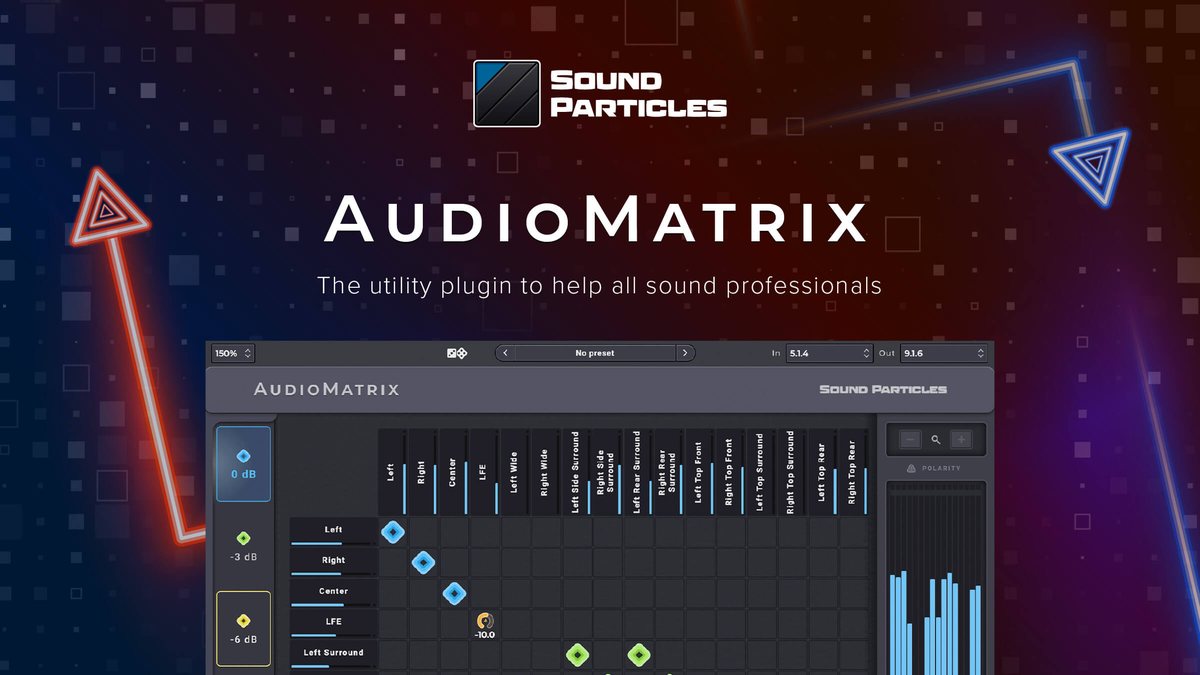
AudioMatrix is a channel routing utility plugin, capable of re-routing any input channel to any output channel, with gain and polarity controls.
— Sound Particles official site
What is AudioMatrix?
AudioMatrix is a channel-routing utility plug-in from the Portuguese developer Sound Particles. Any input channel can be routed to any output channel, with gain and polarity controls on each connection.
Gain can be set with regular connections, -3 dB, -6 dB or a custom value. Polarity inversion is supported, and the official description gives Mid-Side conversion and sub-woofer alignment as examples. It handles up to 64 channels and can be used in stereo, surround and immersive work.
Output format conversion is another purpose. Translating a 9.1.6 mix to 5.1, or changing a 5.1 channel order from Film to SMPTE, can be done inside the plug-in. Formats from mono up to 64 channels, and anything in between, can be specified.
It supports AAX, AU and VST3 on macOS 13.3 or later (Intel and Apple silicon) and Windows 11 or later. A trial version and a PDF manual are available on the official site.
Key features
Any-to-any channel routing
Any input channel can be assigned to any output channel, which may help when building detailed routing to match a bus's channel layout.
Gain and polarity per connection
Each connection can have -3 dB, -6 dB or custom gain, and polarity can be inverted, which suits phase-sensitive work such as building Mid-Side signals.
Up to 64 channels and any output format
Formats from mono up to 64 channels are supported, so when a delivery format changes the output can be reformatted in the same plug-in.
Mid-Side conversion
Stereo can be converted to Mid-Side and back, which is handy for applying effects separately to mid and side signals on ordinary stereo tracks.
Bring to Center, Mirror and Big Mono
Operations include sending a signal temporarily to the center channel, flipping left and right, and combining immersive audio into one large mono sound, which is useful for checking while working.
LFE, sub-woofer and up/down mixing
The LFE level can be set independently, all channels can be gathered into the sub-woofer where no bass management exists, and simple upmixing and downmixing can be done.
Specifications
| Item | Details |
|---|---|
| Type | Channel routing utility |
| Maximum channels | 64 |
| Supported OS | macOS 13.3 or later (Intel and Apple silicon); Windows 11 or later |
| Formats | AAX Native, AUv2, VST3 |
| Minimum requirements | 2-core or faster CPU, 4 GB RAM or more, 200 MB disk space |
| Trial | Available on the official site |
What is included and system requirements
- AudioMatrix plug-in
- Formats: AAX Native, AUv2, VST3
- PDF manual and release notes (official site)
How to use it
- Get the trial or full version from the official site and install it.
- Insert AudioMatrix on a track or bus in the DAW.
- Check the channel count of the track or bus (stereo, 5.1, 7.1.2 and so on).
- On the matrix, select the crossing of an input channel and an output channel to connect them.
- Set gain (-3 dB, -6 dB or custom) and polarity for each connection.
- Choose settings such as Mid-Side conversion or Mirror if needed.
- Check the output and adjust the connections as required.
Where it may come in handy
Surround and immersive mixing
It may help translate a mix made in 9.1.6 to 5.1 or another format required by the client.
Mid-Side processing
A stereo track can be converted to Mid-Side so an effect can be applied to only one of them.
Downmixing game audio
Fold-downs to 5.1 and stereo can be created from a 7.1 mix.
Playback for a different speaker layout
When playing 5.1 material in a 7.1 studio, signals can be distributed to the rear speakers.
Who it may suit
- People who mix or deliver surround or immersive audio
- Audio engineers who change channel assignments frequently
- People who want easy Mid-Side processing
- People who convert game or film audio between formats
Good to know before you buy
- Supported systems are macOS 13.3 or later and Windows 11 or later.
- The official site lets you switch the displayed currency to USD.
- It is also included in bundles on the official site, such as the 10FX II BUNDLE.
- It is a routing utility rather than an effect that colors sound.
Price
$132 (Sound Particles official site, checked 2026-10-27). Prices can vary by region and promotion, so check the official page before buying.
See AudioMatrix on the product page
More of the same kind
Other introduction articles of the same kind.
- Arturia Efx REFRACT
- Polyverse Music I Wish
- United Plugins FireCobra
- PSP Audioware PSP HertzRider2
- BOOM Library ENRAGE
- Slate Digital Fresh Air
We have introduced 14 other products from Sound Particles.
- Sound Particles Beat Panner
- Sound Particles Brightness Panner 2
- Sound Particles Energy Panner 2
- Sound Particles Air
- Sound Particles Doppler
See the full list in Product database: Effects.
Sources: soundparticles.com pluginboutique.com (checked 2026-10-27)










Comments