
Disclosure: This page may contain affiliate links. Prices were checked on the date shown and may change.
An introduction to Sonnox ListenHub, based on information from the maker and distributors: what it does, how to use it and who it may suit. It is not scored.
A monitoring and referencing hub for macOS. Line up commercial track, match loudness, switch between them and your mix instantly, and check mono, sides and balance without stringing together utility plug-ins.
— Sonnox official site
What is ListenHub?
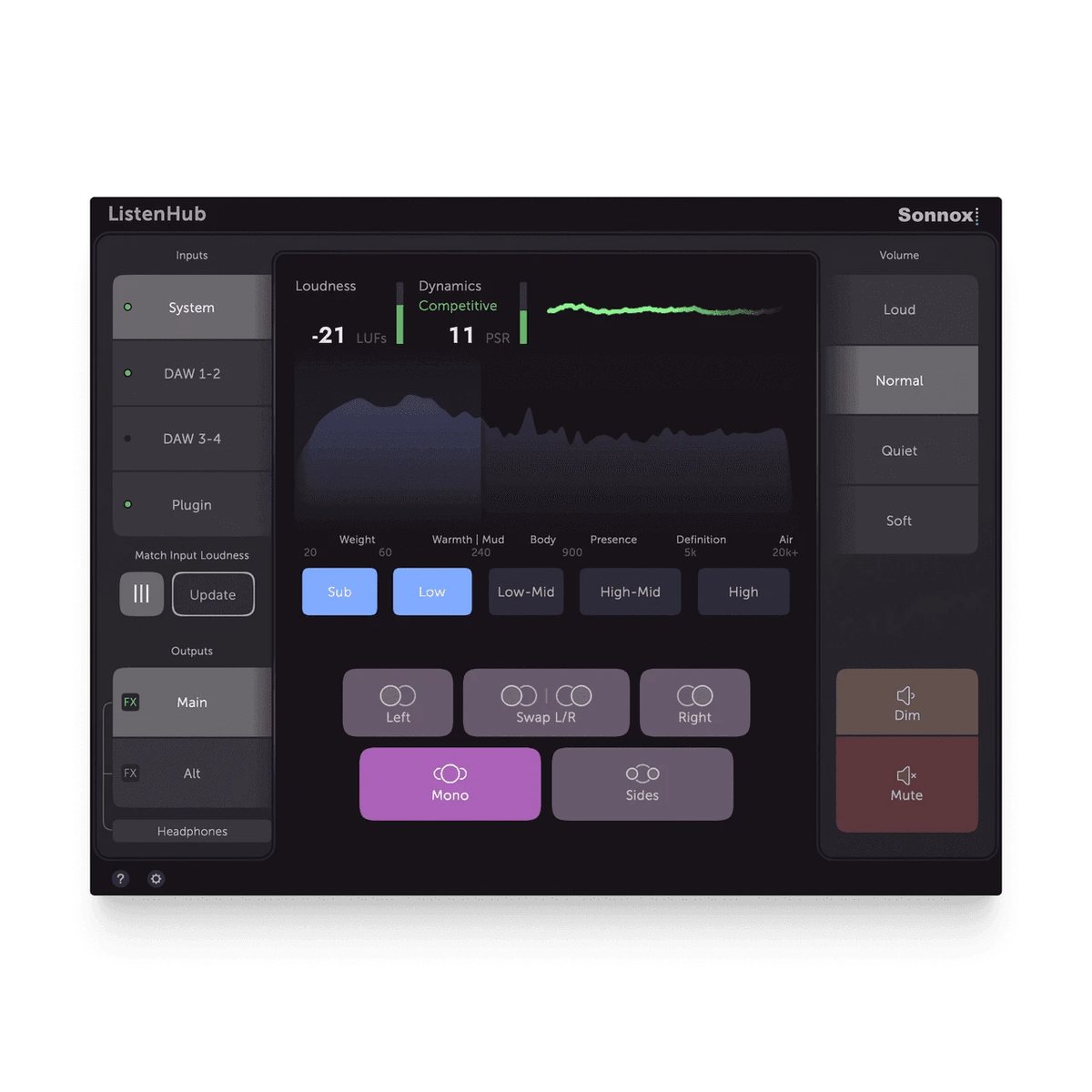
ListenHub is a macOS-only monitoring and referencing application from Sonnox. It is designed for lining up commercial tracks, matching loudness and switching quickly between them and your own mix. It does not run on Windows.
Sonnox says reference tracks can be played from streaming services such as Spotify, Apple Music, YouTube and Tidal, or from local files. Because nothing has to be imported into the DAW, it may suit people who want less friction when comparing.
It offers band solos for low, mid and high ranges, channel solos for checking mid and sides, a short-term LUFS meter and spectral meters, and is positioned as an alternative to chaining several utility plug-ins.
A free iOS and Android remote app lets a phone or tablet act as a monitor controller. Sonnox says levels, source switching and output management can be handled over the local network from anywhere in the studio.
Key features
A/B switching with references
Switch between your mix and a reference track on the fly. References can come from streaming services or local files.
Match Input Loudness
The Match Input Loudness button levels the inputs automatically to reduce the bias of louder sounding better.
Band and channel solos
Band solos and mid/side solos let you examine kick and bass relationships and mono compatibility.
Meters and auto-mute
A short-term LUFS meter and spectral meters are included, plus an auto-mute that catches loud bursts to protect ears and speakers.
Multiple outputs and AU hosting
You can switch between sets of speakers or headphones and host AU plug-ins on each output, including room correction per output.
Remote app for phone and tablet
The free iOS and Android app lets you control levels and sources from a handheld device, which may free up screen space.
Specifications
| Item | Details |
|---|---|
| Supported OS | macOS 10.14 Mojave or later (per Sonnox; Plugin Boutique lists 10.13 or later) |
| Chip | Intel / Apple Silicon |
| Formats | Standalone, VST3, AU, AAX (Pro Tools 11 or later) |
| Licensing | Two activations per licence; an iLok account is required (local machine, iLok device or iLok Cloud) |
| Remote app | iOS 9.3+ / iPadOS 13+ / Android 9+ (per Plugin Boutique) |
| Windows | Not supported |
What is included and system requirements
- ListenHub (standalone / VST3 / AU / AAX)
- A free iOS and Android remote app
- A free trial is offered (per the official page)
How to use it
- Create a free iLok account and authorise the ListenHub licence.
- Install on macOS and launch it as the standalone app or as a plug-in.
- Connect the input of your own mix and the input for reference tracks.
- Play reference tracks from a streaming service or local files.
- Use Match Input Loudness to level the inputs.
- Check differences with band solos, channel solos and the meters.
- Optionally install the remote app on a phone or tablet to control it by hand.
Where it may come in handy
Comparing a mix with commercial tracks
You might switch between a commercial track and your mix at matched volume to check differences in the low end or width.
Software monitor control
It could cover output switching between several speakers or headphones when you prefer software to a hardware controller.
Resetting your ears in long sessions
Sonnox notes that listening to the same thing on repeat makes you fixate on details; switching to other material is one way to reset.
Combining with room correction
AU plug-ins can be hosted on outputs, so you might keep a different correction for each set of speakers or headphones.
Who it may suit
- Mac users who want to compare their mix with commercial tracks quickly
- Those who want to use streaming audio as references
- Anyone switching between several speaker or headphone outputs
- People who want to use a phone or tablet as a monitor controller
Good to know before you buy
- It is macOS only and does not work on Windows.
- A free iLok account is required for authorisation.
- One licence allows two activations; iLok Cloud requires a constant internet connection.
- Plugin Boutique and Sonnox list different minimum macOS versions, so check against Sonnox's macOS 10.14 or later.
Price
Please check the official page for the price.
See ListenHub on the product page
More of the same kind
Other introduction articles of the same kind.
- Digital Brain Instruments Voxpat Pro
- Digital Brain Instruments Podcaster
- Krisp Krisp
- MAAT DROffline MkII
- Waves COSMOS Sample Finder
- VB-Audio Voicemeeter Banana
We have introduced 11 other products from Sonnox.
- Sonnox Oxford Inflator
- Sonnox Oxford TransMod
- Sonnox Oxford Drum Gate 2
- Sonnox Oxford Envolution
- Sonnox Oxford EQ
See the full list in Product database: Streaming and recording software and others.
Sources: sonnox.com pluginboutique.com (checked 2026-10-27)










Comments