
Disclosure: This page may contain affiliate links. Prices were checked on the date shown and may change.
An introduction to TAQS.IM MicroToner, based on information from the maker and distributors: what it does, how to use it and who it may suit. It is not scored.
MicroToner is a powerful oriental-style MIDI scale conversion plugin that instantly transforms any virtual instrument into a fully microtonal tool.
— TAQS.IM official site
What is MicroToner?
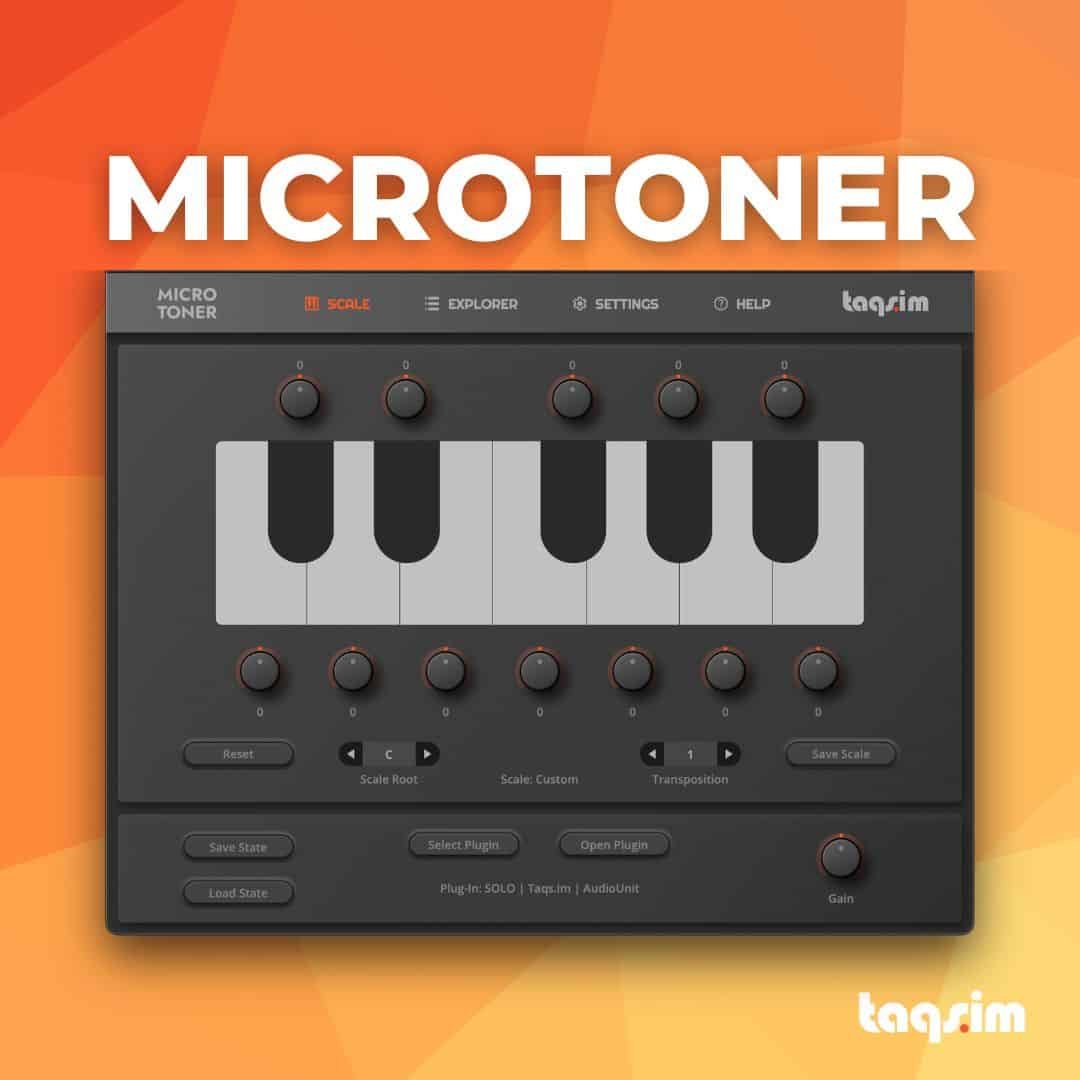
MicroToner is a MIDI plug-in from TAQS.IM for working with microtonal scales, meaning pitches finer than a semitone. It is inspired by traditional oriental scale converters and aims to let the instruments you already own play microtones.
It works by modifying MIDI pitch-bend data, so many instruments that have no microtonal support can still be made to sound finer pitches. A dedicated microtonal synth is not required.
The product pages mention scales from around the world, including Arabic maqam, Turkish makam, Balkan, Persian and Mediterranean modes. You can also design your own scales, save them and recall them.
It runs as a standalone app and as a VST, AU or AAX plug-in. The maker says it is used as an instrument plug-in in Cubase, FL Studio, Pro Tools and Studio One, and as a MIDI effect in Logic Pro, Ableton Live, Reaper and Pro Tools.
Key features
Microtones through pitch bend
Pitch-bend data is rewritten to move pitch in fine steps. Even instruments without microtonal support may be able to follow a scale.
Library of world scales
Modes from Arabic, Turkish, Balkan, Persian and Mediterranean traditions are listed. It may be a way to explore unfamiliar modes by ear.
Custom scale designer
Create your own tuning, save it and recall it later. It may be handy for reusing a custom tuning across songs.
DAWs and formats
VST, AU and AAX are supported, and a standalone app is included. Depending on the DAW, it is used as an instrument or as a MIDI effect.
Works with MIDI controllers
MPE devices and standard keyboards are listed as supported, so you can play microtonal phrases from the keyboard you already have.
Specifications
| Item | Details |
|---|---|
| Type | MIDI processor (microtonal scale converter) |
| Formats | VST / AU / AAX, standalone app |
| Mac | macOS 10.15 or later, Intel CPU or Apple M1, 64-bit |
| Windows | Windows 10 or later, 64-bit |
| Activation | Internet connection required for authorization |
What is included and system requirements
- MicroToner (plug-in and standalone app)
- Supported OS: macOS 10.15 or later, Windows 10 or later (64-bit)
- A manual is available on the official site
How to use it
- Install MicroToner and complete authorization.
- In your DAW, set up MicroToner on a MIDI or instrument track separate from the sound source.
- In Logic Pro, Ableton Live and similar hosts, insert it as a MIDI effect.
- Route MicroToner's output to the instrument you want to play in microtones.
- Choose the scale you want.
- Play a MIDI keyboard and listen to the pitch changes.
- Adjust the scale if needed and save it.
Where it may come in handy
Middle Eastern or Balkan style tracks
You may be able to try melodies in those scales with synths or orchestral libraries you already own.
Scoring for picture
It may help add microtones to a scene with an ethnic flavor using existing instruments.
Microtonal experiments
It may be useful for trying harmony outside the usual twelve tones with your usual sounds.
Who it may suit
- People who want microtonal scales with instruments they already own
- Producers who want Middle Eastern or Mediterranean scales in their tracks
- Composers working on ethnic-flavored or film music
Good to know before you buy
- It relies on MIDI pitch bend, so the instrument's pitch-bend range may need to match.
- If an instrument assigns another function to the mod wheel, pitch changes may be affected.
- An internet connection is required for authorization.
Price
Please check the official page for the price.
See MicroToner on the product page
More of the same kind
Other introduction articles of the same kind.
- Blue Cat Audio Blue Cat's Re-Guitar
- Waves Eddie Kramer Effects Channel
- McDSP 6060 Ultimate Module Collection Native v7
- Audified RZ062 Equalizer
- NUGEN Audio Halo Downmix
- Waves UltraPitch
We have introduced 1 other product from TAQS.IM.
See the full list in Product database: Effects.
Sources: taqs.im pluginboutique.com (checked 2026-10-27)










Comments