
Disclosure: This page may contain affiliate links. Prices were checked on the date shown and may change.
An introduction to Stagecraft Software Universal Plug, based on information from the maker and distributors: what it does, how to use it and who it may suit. It is not scored.
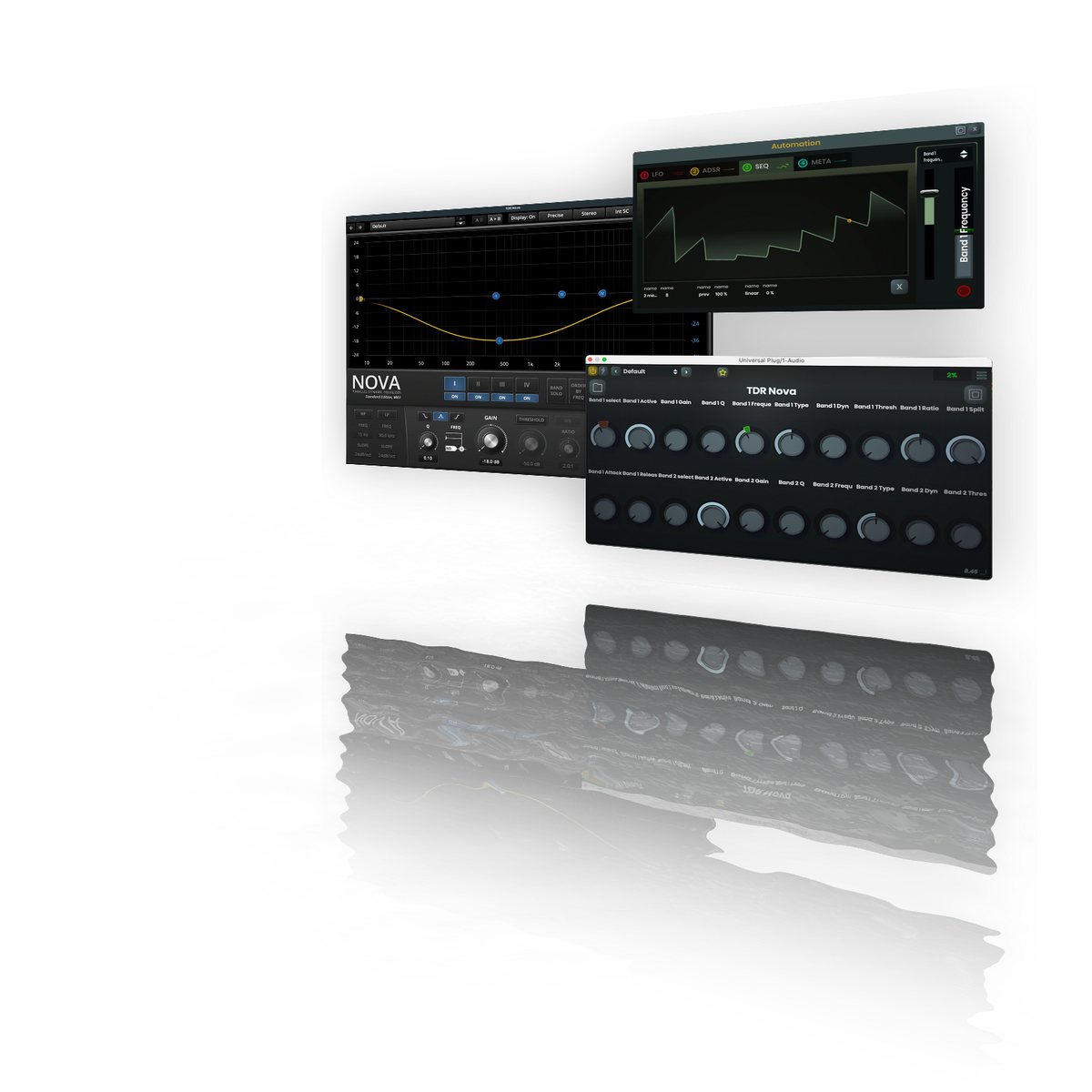
With Universal Plugin, you can load any VST/VST3/AU plugin in any host, allowing you to use your favorite plugins everywhere.
— Stagecraft Software official site
What is Universal Plug?
Universal Plug is a wrapper plug-in from Stagecraft Software. It lets you open plug-in formats that your DAW does not host, inside the wrapper.
For example, Logic Pro loads AudioUnits but not VSTs, Pro Tools loads only AAX, and Bitwig loads VSTs but not AUs. Universal Plug is meant to close such gaps.
It is described as loading any 64-bit VST, VST3 or AU plug-in in any host. It does not work inside 32-bit plug-in hosts.
The Mac version comes as AAX, AU and VST3, and the Windows version as AAX and VST3. A 15-day trial is available from the maker after registration.
Key features
Crossing formats
VST, VST3 and AU plug-ins can be opened in hosts that support only another format, which helps when moving to a new DAW.
Host limitations
The maker names Logic Pro, Pro Tools, Bitwig, GarageBand, Luna and Cubase as examples of format limits.
64-bit support
It supports 64-bit VST, VST3 and AU plug-ins; 32-bit hosts are not supported.
Mac and Windows
The Mac version supports macOS 10.13 or newer on Intel and Apple Silicon, and the Windows version supports Windows 7 or newer.
Trial
A full version can be tried for 15 days from the official site, so you can check that your plug-ins load.
Specifications
| Item | Details |
|---|---|
| Type | Plug-in wrapper |
| Loads | 64-bit VST, VST3, AU |
| Formats (Mac) | AAX, AU, VST3 |
| Formats (Windows) | AAX, VST3 |
| Mac | macOS 10.13 or newer (Intel / Apple Silicon, 64-bit only) |
| Windows | Windows 7 or newer (64-bit only) |
What is included and system requirements
- Universal Plug (wrapper plug-in)
- Supported systems: Mac and Windows (64-bit)
How to use it
- Download the trial or purchased version from the official site.
- Run the installer.
- Register the license.
- Load Universal Plug as an insert in your DAW.
- Choose the VST, VST3 or AU plug-in you want to host.
- The plug-in's window opens; set it up as usual.
- Save the project and reopen it to confirm that it loads.
Where it may come in handy
Switching DAWs
It may help when you want to keep using plug-ins from a previous host in a new DAW.
Working in Pro Tools
It may help when you want to use plug-ins in other formats in an AAX-only host.
VSTs in Logic Pro
It could be used to run a VST-only plug-in in a host that loads only AudioUnits.
Who it may suit
- People who use several DAWs
- People whose plug-in formats do not match their host
- People considering a move to a new DAW
Good to know before you buy
- It does not work in 32-bit plug-in hosts.
- Behavior can differ by plug-in; the trial is useful for checking.
- The Plugin Boutique page notes that Ableton Live already loads VST, AU and VST3.
Price
$70 (Stagecraft Software official site, checked 2026-10-27). Prices can vary by region and promotion, so check the official page before buying.
See Universal Plug on the product page
More of the same kind
Other introduction articles of the same kind.
- Logitech G Blue BLUE VO!CE
- Digital Brain Instruments Digital Brain Instruments cMixer
- Digital Brain Instruments Oscar
- Digital Brain Instruments DSP Manager 2
- Waves Waves SuperRack SoundGrid
- AHSAH-Software VOICEPEAK
We have introduced 5 other products from Stagecraft Software.
- Stagecraft Software Theremin
- Stagecraft Software Picante
- Stagecraft Software Cenere
- Stagecraft Software Parity EQ
- Stagecraft Software Overdrive 5
See the full list in Product database: Streaming and recording software and others.
Sources: stagecraftsoftware.com pluginboutique.com (checked 2026-10-27)










Comments