
Disclosure: This page may contain affiliate links. Prices were checked on the date shown and may change.
An introduction to Waves OneKnob Driver, based on information from the maker and distributors: what it does, how to use it and who it may suit. It is not scored.
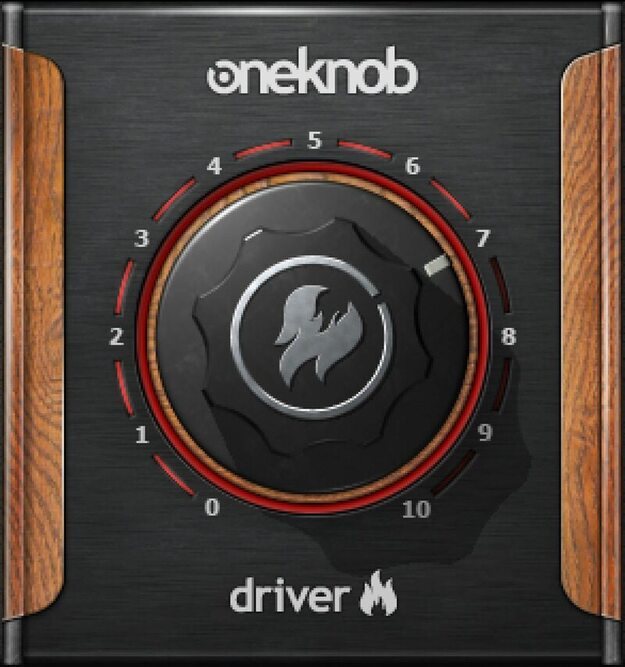
OneKnob Driver is like having several guitar overdrive pedals, but with one knob across all their overdrive characteristics.
— Waves official site
What is OneKnob Driver?
OneKnob Driver is an overdrive plug-in in Waves' OneKnob series. A single knob covers settings from subtle crunch to heavy overdrive.
The official text says turning it up moves from no distortion to 2nd and 3rd harmonic distortion and finally to heavy 3rd harmonic distortion, while EQ tracks the crunch to boost the frequencies that suit each setting.
It is described as having several guitar overdrive pedals under one knob. Its use is not limited to guitar; kick, bass and vocals are mentioned.
It supports VST, AU and AAX on macOS Monterey 12 to Sequoia 15 and VST and AAX on Windows 10 or later.
Key features
One knob
One knob changes the amount and character of distortion, described as quicker than trying several pedals.
Harmonic progression
Turning up moves from 2nd and 3rd harmonics to heavy 3rd harmonics, changing the quality of distortion continuously.
EQ that follows
EQ boosts suitable frequencies as the crunch changes. Level, EQ and saturation are designed to work together.
From analog to digital
At higher settings the sound is described as moving from traditional analog to digital.
Beyond guitar
Use on kick, bass and vocals is mentioned, as well as rhythm guitars and aux channels.
Easy operation
With few controls, there is less to decide, which may suit quick experiments.
Specifications
| Item | Details |
|---|---|
| Type | One-knob overdrive |
| Mac | macOS Monterey 12 / Ventura 13 / Sonoma 14 / Sequoia 15 (VST, AU, AAX) |
| Windows | Windows 10 or later (VST, AAX) |
What is included and system requirements
- Plug-in (VST, AU, AAX)
How to use it
- Insert the plug-in on a track in the DAW.
- Raise the knob gradually from a low position.
- Listen for the positions where the distortion changes character.
- Compensate for level changes in the plug-in or the DAW.
- Compare with bypass.
Where it may come in handy
Presence for kick and bass
Low settings may add harmonics and presence.
Distortion on rhythm guitar
It may add pedal-style grit.
Light coloring on vocals
A small amount may help define a vocal.
Who it may suit
- Users who want distortion from one knob
- Those who prefer not to test several pedals
- Producers adding harmonics to kick or bass
Good to know before you buy
- Descriptions follow the retailer text; they are not listening impressions.
- Waves prices change often with promotions.
- OS support is as listed on the product page; check it before buying.
How it differs from similar products
We do not pick a winner; the official figures are placed side by side.
Waves Greg Wells ToneCentric
OneKnob Driver is overdrive-oriented, with harmonics moving from 2nd and 3rd to heavy 3rd. ToneCentric focuses on tube-style overtones. Both have one knob.
Price
Please check the official page for the price.
See OneKnob Driver on the product page
More of the same kind
We have introduced 82 saturation and distortion effects. Here are some of the others.
- Black Rooster Audio Magnetite
- BLEASS Fusion
- Kuassa EFEKTOR FZ3603 Fuzz
- Newfangled Audio Saturate
- AudioThing Things – Fold
- Kuassa Efektor DS3603 Distortion
We have introduced 215 other products from Waves.
- Waves MDMX Distortion Modules
- Waves J37 Tape
- Waves Kramer Master Tape
- Waves Berzerk Distortion
- Waves Manny Marroquin Distortion
For a side-by-side comparison scored on the same criteria, see our comparison of saturation and distortion effects.
See the full list in Product database: Effects.
Sources: pluginboutique.com (checked 2026-10-27)










Comments