
Disclosure: This page may contain affiliate links. Prices were checked on the date shown and may change.
An introduction to IK Multimedia T-RackS TASCAM PORTA ONE, based on information from the maker and distributors: what it does, how to use it and who it may suit. It is not scored.
The T-RackS TASCAM PORTA ONE honors the original's spirit with simplified controls to help you create just the sound you're looking for.
— IK Multimedia official site
What is T-RackS TASCAM PORTA ONE?
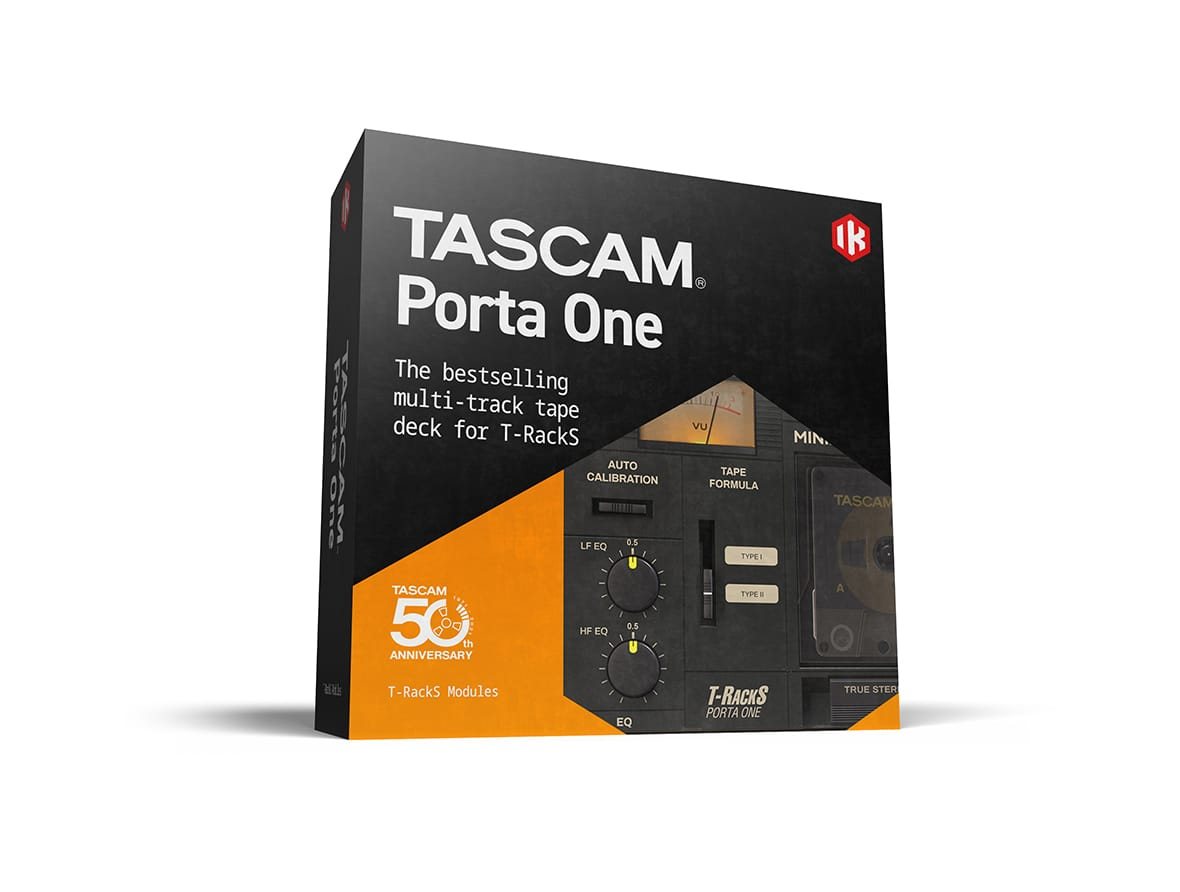
T-RackS TASCAM PORTA ONE is an officially licensed tape emulation of TASCAM's cassette multitrack recorder, made by IK Multimedia. It runs as a T-RackS plugin inside your DAW.
The PORTA ONE ran on batteries and used affordable cassettes, so it could go in a backpack. The maker credits it with helping home and mobile recording spread.
The plugin offers simplified controls: bias and EQ of the record head, a 2-band EQ for the stereo channels, and a choice of two tape formulations (Type I and Type II). Presets are included and you can save your own.
It is one of the T-RackS TASCAM Tape collection, whose machines were chosen by TASCAM and TEAC, restored by IK and modelled by analysis. The maker says it can be used from lo-fi texture to warm, clear sound at standard settings.
Key features
Officially certified tape model
Machines chosen by TASCAM and TEAC were restored by IK and analyzed, and the whole tape recording process was modelled. It works with a dynamic convolution engine, according to the maker.
Two cassette formulations
You can choose Type I or Type II. The machine was meant for Type II, which gives a warm and pleasing result, while Type I gives a lo-fi feel, according to the maker.
Bias and EQ controls
You can adjust the record head bias and EQ and the stereo 2-band EQ. Overbiasing gives a warmer, gently saturated sound, while underbiasing boosts the highs and adds distortion and non-linear effects, per the maker.
Signal path selection (Input and Repro)
Input passes only through the input and output electronics, while Repro goes through the recording amp, head, tape and playback head. This makes comparisons easy.
True stereo
This recreates the slight differences between left and right channels of real machines. It can be disabled if you need identical processing.
Tape speed and transport modeling
Tape speed can be 15 or 30 ips; the faster speed gives more fidelity and the slower speed a warmer, rounder tone, per the maker. Transport modeling for small irregularities can be switched on or off.
Presets and saving
Presets are included and you can save your own.
Specifications
| Item | Details |
|---|---|
| Maker | IK Multimedia (licensed by TASCAM) |
| Type | Tape emulation (T-RackS) |
| Formats (Mac) | Audio Units, VST 3, AAX |
| Formats (Windows) | VST 3, AAX |
| Mac requirements | Apple M1 or Intel Core i5, 8 GB RAM, macOS 10.15 or later, 9 GB disk space |
| Windows requirements | Core i5 equivalent, 8 GB RAM, Windows 10 (64-bit) or later, 9 GB disk space, ASIO compatible sound card |
| Other | OpenGL 2 compatible graphics; internet connection required for authorization |
| Tape speed | 15 / 30 ips |
| Cassette formulations | Type I / Type II |
What is included and system requirements
- T-RackS TASCAM PORTA ONE plugin (Mac: Audio Units / VST 3 / AAX; Windows: VST 3 / AAX)
- Presets
- Official requirements: macOS 10.15 or later on Mac; Windows 10 (64-bit) or later on Windows
- Internet connection required for authorization
How to use it
- Register the product with your IK Multimedia account and install it.
- Insert PORTA ONE on a track or bus in your DAW.
- Compare the Type I and Type II cassette formulations.
- Switch the signal path between Input and Repro to hear the effect of the tape.
- Move the record head bias and EQ little by little to set the texture.
- Shape highs and lows with the stereo 2-band EQ.
- Switch tape speed and transport modeling to find a setting you like.
- Save settings you like as presets.
Where it may come in handy
Creating lo-fi texture
Choosing Type I or lowering the bias may create a lo-fi mood. It may suit beats, samples and home demo recordings.
Adding warmth at standard settings
The maker says standard settings give a warm and clear sound. A light touch on vocals or guitar recordings is one possible use.
Light use on a bus or the master
A light touch on a drum bus or the whole mix could help glue it together. Switching between Input and Repro lets you check how much changes.
Recreating a cassette multitrack feel
It may help when you want the atmosphere of a song recorded on an old cassette multitrack.
Who it may suit
- Those who want a cassette multitrack texture in their DAW
- Those who want a lo-fi tape atmosphere
- Those who want to adjust tape speed and bias with few controls
- Fans of TASCAM equipment
Good to know before you buy
- An internet connection is required for authorization, and Custom Shop operations are web based, according to the maker.
- 9 GB of disk space is required.
- The IK Multimedia page shows the price in euros while Plugin Boutique shows it in US dollars.
Price
Please check the official page for the price.
See T-RackS TASCAM PORTA ONE on the product page
More of the same kind
We have introduced 82 saturation and distortion effects. Here are some of the others.
- Signum Audio SKYE Clipper Surround
- AudioThing Things – Fold
- United Plugins DarkFire
- Black Rooster Audio Magnetite
- Universal Audio Oxide Tape Recorder
- Kuassa EFEKTOR GrandMaster
We have introduced 45 other products from IK Multimedia.
- IK Multimedia Tape Machine 80
- IK Multimedia CSR Hall Reverb
- IK Multimedia AmpliTube 5 MAX v2
- IK Multimedia IK Multimedia ONE T-RackS
- IK Multimedia AmpliTube MESA/Boogie
For a side-by-side comparison scored on the same criteria, see our comparison of saturation and distortion effects.
See the full list in Product database: Effects.
Sources: ikmultimedia.com pluginboutique.com (checked 2026-10-27)










Comments