
Disclosure: This page may contain affiliate links. Prices were checked on the date shown and may change.
An introduction to Slate Digital MetaPitch, based on information from the maker and distributors: what it does, how to use it and who it may suit. It is not scored.
MetaPitch packs all your essential pitch-manipulation tools into a single inspiring interface.
— Slate Digital official site
What is MetaPitch?
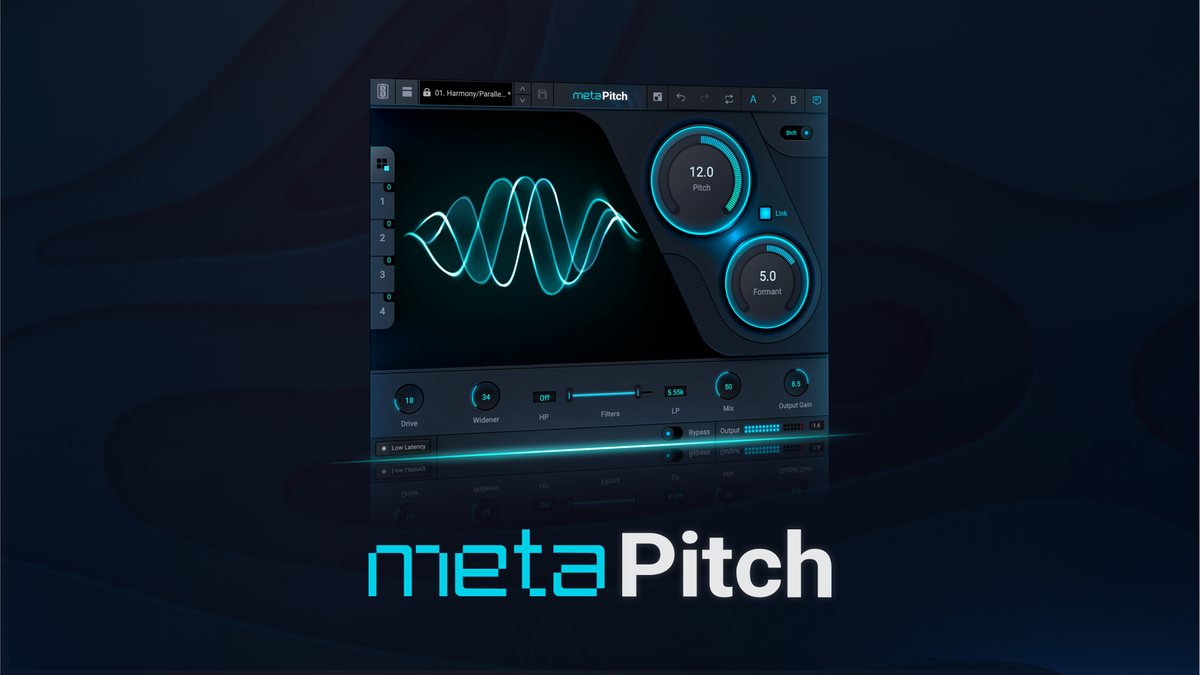
MetaPitch is a pitch and formant shifting plug-in from Slate Digital. Separate knobs move the pitch and the voice character (formant) of a voice or single-note instrument up or down. It gathers harmony generation and voice-altering processing into one interface.
The official description presents it for monophonic sources such as vocals and single instruments. Pitch can be moved up to 12 semitones in either direction, and formant likewise, and a Link button makes the two knobs move together.
It also has built-in Drive (saturation), a Widener for stereo width, and high-pass and low-pass filters. The Robot mode applies a vocoder-style effect and lets you draw custom melodies via MIDI, which can be used to have a voice follow a melody different from the original.
Grouped Instances apply the same settings across several tracks at once. A Low Latency mode is meant for recording and live monitoring and can be turned off while mixing for the highest quality. MetaPitch is also listed as part of Slate Digital's All Access Pass and Complete Access.
Key features
Independent pitch and formant control
Pitch and formant can each be moved up to 12 semitones in either direction, and Link makes them move together. This may let you raise a voice without it sounding thin, or change just the voice character.
Grouped Instances
Several instances on different tracks share the same settings. Changing one updates all in the group, which may be convenient for processing multiple backing vocal tracks the same way.
Robot mode and MIDI
A vocoder-style effect is applied to the source and the pitch follows a melody drawn in MIDI. It may be worth trying when you want to rewrite the melody of a recorded voice.
Drive and Widener
Built-in Drive adds saturation color and the Widener adds stereo width. They may help finish a shifted voice without extra plug-ins.
High-pass and low-pass filters
Low or high frequencies of the processed sound can be cut to fit around other parts. They may help reduce muddiness in a voice pitched downward.
Low Latency mode
This mode greatly reduces delay when recording or monitoring. It can be turned off while mixing to prioritize quality. It may be useful when you want to hear the effect while singing.
Large and compact views
You can switch between a default and a compact view, both with the full feature set. The compact view may help in sessions with many tracks.
Specifications
| Item | Details |
|---|---|
| Type | Pitch / formant shifter |
| Pitch range | Up to 12 semitones up or down |
| Formant range | Up to 12 semitones up or down |
| Main functions | Link, Robot mode, Grouped Instances, Drive, Widener, high-pass / low-pass, Low Latency mode |
| macOS | macOS 13+ (Intel / Apple Silicon, 4GB RAM), AU / VST2 / AAX (64-bit) |
| Windows | Windows 10 / 11 (4GB RAM), VST2 / VST3 / AAX (64-bit) |
| Authorization | Free iLok account required |
What is included and system requirements
- MetaPitch plug-in
- Factory presets
- Formats: AU / VST2 / AAX (macOS), VST2 / VST3 / AAX (Windows)
How to use it
- Prepare a free iLok account and register the license.
- Install the plug-in and scan for it in your DAW.
- Load MetaPitch on the vocal or single-note instrument track you want to process.
- Pick a preset with a similar mood in the preset browser.
- Move the pitch knob, and the formant knob if needed.
- Enable Link when you want the two to move together.
- Shape the sound with Drive, Widener and the filters, and set the balance with the Mix knob.
- Turn on Low Latency when recording and turn it off for mixing.
Where it may come in handy
Layering harmonies
Shifting the same voice to different pitches and layering it may create harmonies. Grouped Instances let several tracks share the same settings.
Changing voice character
Moving the formant may let you push a voice toward a different character without raising its pitch.
Rewriting a vocal melody
Drawing a MIDI melody in Robot mode may let you replace the melody of a recorded voice.
Processing samples and drums
Official videos show it used on hi-hats and other material. Pitch and filters may support experiments with single-note sounds.
Who it may suit
- People who want to build vocal harmonies and layers easily
- People who want to adjust pitch and formant separately
- People who want to draw a MIDI melody and process a voice with it
- People who want to monitor the effect while recording
Good to know before you buy
- It is designed for monophonic sources, so chordal material may not suit it.
- Authorization through a free iLok account is required.
- It is also included in Slate Digital's All Access Pass and Complete Access.
- Price displays differ between Slate Digital and Plugin Boutique at times, so check each page before buying.
How it differs from similar products
We do not pick a winner; the official figures are placed side by side.
Slate Digital MetaTune
On the official page, MetaPitch is presented as a shifter that moves pitch and formant, while MetaTune is presented as an automatic tuner with grouped instances and a built-in doubler. Both offer Grouped Instances.
Price
Please check the official page for the price.
See MetaPitch on the product page
More of the same kind
Other introduction articles of the same kind.
- Eventide H949 Harmonizer
- United Plugins FirePreamp
- Waves CLA EchoSphere
- accentize dxLevel
- Klevgrand Haaze 2
- W. A. Production BassShaper
We have introduced 21 other products from Slate Digital.
- Slate Digital Rotary SD-147
- Slate Digital Infinity Horizon
- Slate Digital Fresh Air
- Slate Digital Murda Melodies
- Slate Digital Custom Opto
See the full list in Product database: Effects.
Sources: slatedigital.com pluginboutique.com (checked 2026-10-27)










Comments