
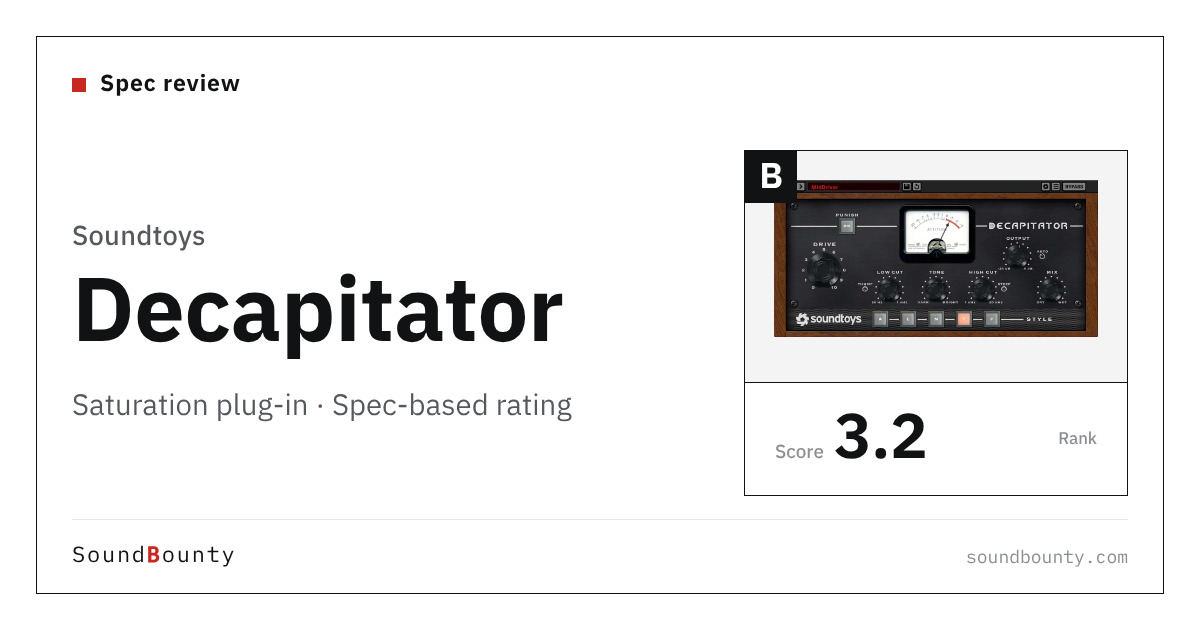
Soundtoys’ Decapitator is a saturation plug-in with five kinds of analog saturation modeled on studio gear. It has tone adjustment, a mix that blends in the original sound, and a Punish button that distorts even harder.
A saturation plug-in adds a faint distortion, as if the sound had passed through analog gear, to add thickness and warmth.
In this article we compare Decapitator with 12 saturation plug-ins and rate how well it serves its purpose on three criteria. The basis is official manufacturer information.
Disclosure: This article contains affiliate links. If you buy through them, SoundBounty may earn a commission at no extra cost to you. Prices and sale information are as of the date we checked them and can change.
Score 3.3 / 5 (average of the 12 products compared: 3.0)
- Specs last checked
- 2026/09/25
- Range of texture
- 5 types
- Per-band processing
- None
- Mix and tone control
- Mix + tone
- Price (store, date)
- $199 [PB, checked Oct 26]
Summary
Among the 12 saturation plug-ins, Decapitator is rank B. The ranks run S, A, B and C, and B is third from the top. Averaging the scores for each criterion (out of 5, with the one criterion that matters most for the purpose counted double) gives 3.3.
Strengths
- Range of texture (4 points): you can choose from a wide range, from subtle warmth to strong distortion.
- Mix and tone control (4 points): you can adjust in detail how much is mixed with the original sound, and the tone.
Things to keep in mind
- Per-band processing (1 points): it has no function for changing the distortion by pitch range.
Who it suits: people who want to quickly add the coloration of analog gear driven hard to vocals and drums.
Main features of Decapitator
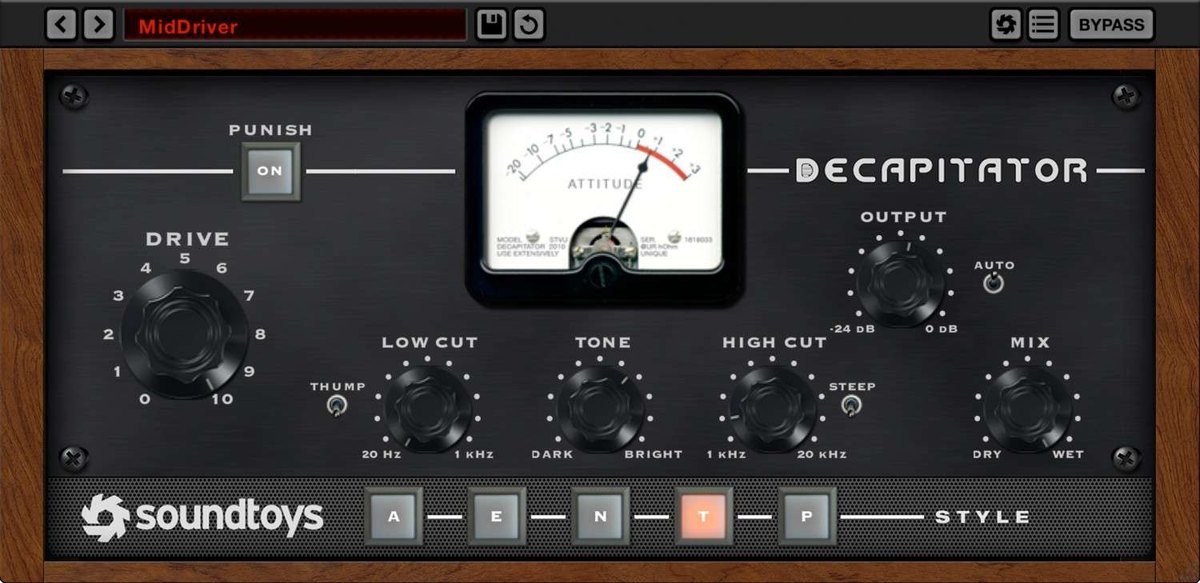
Five analog styles
Decapitator lets you choose from five styles (A, E, N, T and P) made by analyzing how studio gear distorts. Each style distorts the way the tubes or transistors of the original unit do. The manufacturer explains that it is not a fixed copy: it is a model whose reaction changes with the level of the incoming sound.
Punish for stronger distortion
Pressing the Punish button lifts the input greatly and gives a strong distortion, as if the gear were driven to its limit. You can make everything from subtle coloration to an obviously broken sound. How wildly each style behaves when punished also differs.
Mix and tone knobs
The Mix knob blends in the original sound, so you can do parallel processing (mixing the original with the distorted sound) without setting up another track. Tone adjusts brightness, Low Cut and High Cut set the bands before and after the distortion, and Thump adjusts the firmness of the low end. Pressing Steep makes the High Cut act more steeply.
Video: “Soundtoys Decapitator: A Quick-Start Guide” (official soundtoys YouTube channel; narration in English) Watch on YouTube
Where it is useful
- Using a modest Mix on a vocal to add a little thickness to the original
- Adding obvious distortion to drums or bass with Punish
- Using Low Cut so the lows are not distorted, and adding power to the mids and highs of a guitar
Rating by criterion
Range of texture: 4 / 5
We check the range of distortion types you can choose, from subtle warmth to strong distortion.
It has five kinds of analog saturation based on studio gear, plus a Punish button for even stronger distortion.
Per-band processing: 1 / 5
We check whether the distortion can differ for low and high pitches.
It has no per-band processing.
If “per-band processing” matters most to you, Saturn 2 (5 points) is a better fit.
Mix and tone control: 4 / 5
We check whether you can adjust how much is mixed with the original sound, and the tone.
It has a mix with the original sound and tone adjustment.
How we score (Saturation plug-ins)
| Criterion | Basis | 5 pt | 4 pt | 3 pt | 2 pt | 1 pt |
|---|---|---|---|---|---|---|
| Range of texture | The range of distortion types you can choose, from subtle to strong | Choose from 20 or more kinds of distortion | Choose from 5 or more kinds of distortion | 2 to 4 kinds | 1 kind | — |
| Per-band processing | Whether the distortion can differ for lows and highs | Multiband processing of up to 6 bands | 2 to 3 bands | — | — | No per-band processing |
| Mix and tone control | Control of how much is mixed with the original sound, and of the tone | Mix, tone, dynamics and more can be adjusted for each band | Both mix and tone are available | One of the two | — | Not mentioned on the official page |
Each criterion is scored from 1 to 5 on how well the product serves one goal: adding thickness and presence to vocals and backing tracks. Scores follow the conditions in the table above, and the rank is based on an average in which "Range of texture" counts double. The basis is official manufacturer information. Sound quality and CPU load are not measured, so they are not scored; reviews from trade magazines are introduced in the articles for reference. Price is not part of the score. Features that cannot be confirmed from the manufacturer's or a retailer's description are scored as if absent. The "OBS (streaming)" column in the table shows whether the official page lists the VST2 format that the streaming software OBS Studio can use (○). OBS does not support the VST3 format. It is not part of the score.
Decapitator system requirements and getting started
| Operating system | Windows 10 or later / Mac (macOS 10.15 or later). Windows on ARM is not supported |
|---|---|
| Plug-in formats | VST2, VST3, AU, AAX |
| Other | An internet connection is needed for activation |
| Trial | 30-day trial available |
| OBS (streaming) | Works as it is (VST2 is listed) |
Checked on the manufacturer’s official pages on September 27, 2026. How to use plug-ins in the OBS streaming software is explained in How to use VST3 plug-ins in OBS.
Compared with other saturation plug-ins
Click a heading to sort. On a phone, the table scrolls sideways.
| Product | RankAvg. score | Range of texture | Per-band processing | Mix and tone control | Free | OBS (streaming) | Price (store, date) |
|---|---|---|---|---|---|---|---|
| FabFilterSaturn 2 | S 5.0 | 28 types | Up to 6 bands | Adjust per band | — | ○ | $149 [PB, checked Oct 26] |
| SoundtoysDecapitator | B 3.3 | 5 types | None | Mix + tone | — | ○ | $199 [PB, checked Oct 26] |
| MeldaProductionMSaturator | C 2.0 | Tube-style + harmonics | None | Dry/Wet + harmonics | Free | ○ | Not listed |
| SoundtoysRadiator | C 2.3 | One tube type | None | Mix + bass/treble | — | ○ | $99 [PB, checked Oct 26] |
| SoftubeSaturation Knob | C 2.0 | 3 modes | None | One knob | Free | ○ | Not listed |
| KlanghelmSDRR | B 3.3 | 4 modes x 2 models | None | Mix + RESPONSE | — | ○ | ≈$25.78 [Official, checked Oct 26] |
| KlanghelmIVGI | C 2.0 | 1 type | None | RESPONSE | Free | ○ | Not listed |
| OutputThermal | A 3.8 | 19 types | Band split | Tone, width | — | ○ | $149 [PB, checked Oct 26] |
| KazrogTrue Iron | B 3.0 | 6 transformers | None | Strength + mix | — | Not confirmed | $39.99 [Official, checked Oct 26] |
| iZotopeTrash | S 4.5 | 60+ types | 3 bands | Mix + Tilt + envelope | — | × (VST3 only) | $99 [Official, checked Oct 26] |
| Plugin Alliancebx_saturator V2 | B 2.8 | 1 type | 4 bands + M/S | Drive and mix per band | — | ○ | $100 [Official, checked Oct 26] |
| Plugin AllianceHG-2 | B 2.8 | 4 tube stages + switch | None | Mix + Air + Calibration | — | ○ | $125 [Official, checked Oct 26] |
Features checked on each manufacturer's official website on September 25, 2026. Check the store page behind the buy button for the price.
Read next
- SDRR: features and rating (rank B)
- True Iron: features and rating (rank B)
- Saturn 2: features and rating (rank S)
- MSaturator: features and rating (rank C)

Comments