
Disclosure: This page may contain affiliate links. Prices were checked on the date shown and may change.
An introduction to Avid EQ III, based on information from the maker and distributors: what it does, how to use it and who it may suit. It is not scored.
High-resolution, double-precision 48-bit EQ plugin available for Pro Tools and Media Composer systems.
— Avid official site
What is EQ III?
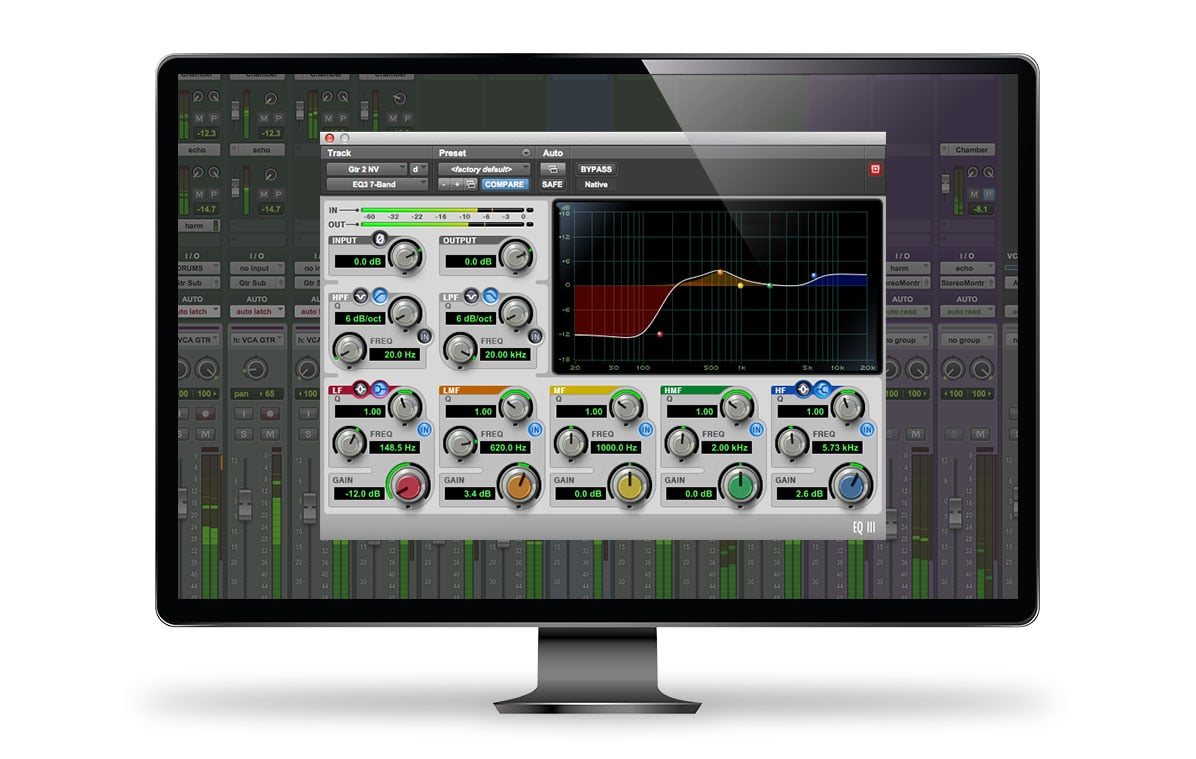
EQ III is an equalizer plugin from Avid for Pro Tools and Media Composer systems. It is described as a high-resolution, double-precision 48-bit EQ.
It comes in 1-band, 4-band and 7-band configurations, so you can pick the one that suits CPU/DSP efficiency. It may be handy in sessions with many tracks when you want only as many bands as you need.
Its fully parametric design is complemented by selectable shelving filters, separate high-pass and low-pass filters and a variable-Q notch filter.
The interface has an interactive frequency graph where you can see and adjust each band and filter directly. EQ III is bundled with Pro Tools | First, Pro Tools, Pro Tools Ultimate and Avid VENUE software.
Key features
1-, 4- and 7-band versions
Three configurations let you choose the number of bands you need while managing CPU and DSP load.
Parametric design
Each band offers frequency, gain and Q control, useful for targeting and cutting a problem region in a vocal.
Shelving filters
Selectable shelving filters and settings on the LF and HF bands suit gentle changes to overall brightness or weight.
High-pass, low-pass and notch
Separate high-pass, low-pass and variable-Q notch filters may help reduce low-end noise or hum.
Three EQ process types
The page says three selectable EQ process types provide flexibility and optimal DSP use.
Interactive frequency graph
Bands and filters can be adjusted on the graph, making it easy to see which frequencies you are touching.
Specifications
| Item | Details |
|---|---|
| Type | EQ (parametric) |
| Processing | Double-precision 48-bit |
| Configurations | 1-band / 4-band / 7-band |
| Filters | High-pass, low-pass, notch, shelving |
| Formats | AAX Native, AAX DSP (Pro Tools / Media Composer) |
What is included and system requirements
- Bundled with Pro Tools | First, Pro Tools, Pro Tools Ultimate and Avid VENUE software
- 1-, 4- and 7-band versions
- High-pass, low-pass and notch filters
- System requirements are listed on the official requirements section
How to use it
- Open an insert slot on a Pro Tools track.
- Choose EQ III from the EQ list.
- Pick the 1-, 4- or 7-band version you need.
- Start by setting the high-pass filter to tidy unwanted low end.
- Adjust problem regions with the parametric bands.
- Use shelving to shape overall brightness or weight.
- Set the frequency and Q of the notch if needed.
- Bypass to compare before and after.
Where it may come in handy
Everyday EQ in Pro Tools
Since it comes with Pro Tools, it can handle basic correction of vocals and instruments with no extra purchase.
Many-track sessions
Choosing 1-band or 4-band versions can help keep load down in sessions with many tracks.
Hum and muddiness
The notch and high-pass filters may help when you want to reduce hum or unwanted low end.
Who it may suit
- Pro Tools users
- People who want to do basic processing with the bundled EQ
- Those with many tracks who want to keep load down
Good to know before you buy
- It is in AAX format, so it targets compatible Avid products such as Pro Tools and Media Composer.
- The official feature list mentions '5-band' while the headline says 7-band.
- It is bundled with Pro Tools; no standalone price was confirmed.
Price
Please check the official page for the price.
See EQ III on the product page
More of the same kind
We have introduced 122 EQs. Here are some of the others.
- Waves Silk Vocal
- Universal Audio Hitsville EQ Collection
- Antelope Audio VEQ-STU 089
- McDSP 6020 Ultimate EQ
- Pulsar Audio 8200 Analog Parallel Equalizer
- Tokyo Dawn Labs TDR SlickEQ M
For a side-by-side comparison scored on the same criteria, see our comparison of EQs.
See the full list in Product database: Effects.
Sources: avid.com (checked 2026-10-27)









Comments