
Disclosure: This page may contain affiliate links. Prices were checked on the date shown and may change.
An introduction to LANDR LANDR FX Bass, based on information from the maker and distributors: what it does, how to use it and who it may suit. It is not scored.
Get the deep low end you crave with over 40 presets to help you with tonal shaping, compression, effects and everything bass.
— LANDR official site
What is LANDR FX Bass?
LANDR FX Bass is a multi-effect plugin for bass from LANDR. It is built around choosing a preset to shape low-end parts such as electric bass, synth bass and 808s, and is designed for people who would rather avoid complicated settings.
There are 49 presets in three categories: Mix Tools, Amp FX and Modulation FX. Mix Tools are EQ settings matched to styles and genres, Amp FX adds amp-style grit and distortion, and Modulation FX covers wah, flanger, chorus and similar movement.
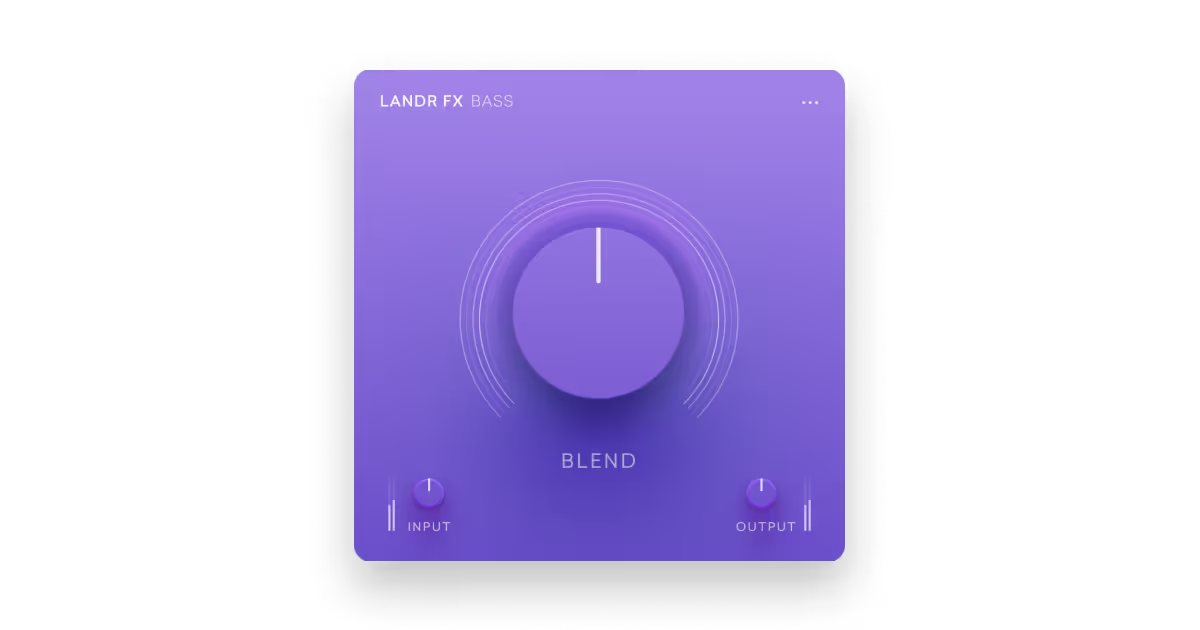
The main control is a blend dial that sets how strong the effect is. For finer work, input and output levels can also be adjusted. LANDR also describes stacking several instances to combine effects.
It is described as usable at any stage of production, with mixing, songwriting and tracking/monitoring given as examples. It is also included with a LANDR Studio subscription and can be bought on its own.
Key features
49 presets in three categories
With Mix Tools, Amp FX and Modulation FX separated, you can start from the category that fits your goal, whether that is EQ, grit, or movement.
Mix Tools: style-based EQ
These are EQ presets matched to styles, genres and familiar bass tone directions. They may serve as a starting point when you want to shape the outline of the low end in a mix.
Amp FX for amp-style character
These presets lean toward stage-amp textures such as garage-style grit and heavier tones, and can be tried when a clean bass line needs rougher character.
Modulation FX for wah and flanger
Wah, flanger, chorus, phaser and similar effects are available. Switching presets lets you try adding movement to a bass line.
Blend dial for intensity
After choosing a preset, a dial sets the strength of the effect, giving a simple way to judge the amount by ear.
Input and output levels
For those who want more precision, input and output levels are provided, useful for matching the bass recording level.
Stacking multiple instances
Running several instances to stack effects is suggested, for example EQ first, then an amp-style preset, then modulation.
Specifications
| Item | Details |
|---|---|
| Type | Multi-effect for bass |
| Presets | 49 (Mix Tools / Amp FX / Modulation FX) |
| Mac | macOS 10.14 or later, Apple Silicon native or Intel (VST3, AU, AAX) |
| Windows | Windows 10 (64-bit) or later (VST3, AAX) |
| Price | $29 (Plugin Boutique); also included with LANDR Studio |
What is included and system requirements
- Plugin (Mac: VST3, AU, AAX / Windows: VST3, AAX)
- 49 presets
- Also included with a LANDR Studio subscription
How to use it
- Prepare a LANDR account and link the purchased or subscribed product to it.
- Download and install the plugin, then open your DAW.
- Insert LANDR FX Bass on a bass track.
- Choose a preset from Mix Tools, Amp FX or Modulation FX that matches your goal.
- Set the effect strength with the blend dial.
- Adjust input and output levels if needed.
- Add another instance if you want to stack effects.
Where it may come in handy
Shaping 808s or synth bass
Trying a Mix Tools preset on a low-end part may give you a starting point for the outline of the bass in a mix.
Adding grit to a bass
Inserting an Amp FX preset on a clean bass and raising the blend gradually may let you compare changes in texture.
Adding motion to a bass line
Trying wah or flanger from Modulation FX may add variation to a repetitive phrase.
Checking the tone while tracking
Since it is described as usable for tracking/monitoring, you may be able to settle on a direction while recording.
Who it may suit
- People who want to start bass tone-shaping quickly from presets
- Those looking for an entry point to shape 808s or synth bass in a mix
- LANDR Studio users who want to try the included plugins
- Users who prefer setting intensity with one dial over complex settings
Good to know before you buy
- Activation uses a LANDR account.
- It is included with LANDR Studio; check the retailer for the standalone price.
- The official page mentions both 'over 40' and 49 presets; this article uses 49 from the feature list and Plugin Boutique.
How it differs from similar products
We do not pick a winner; the official figures are placed side by side.
United Plugins Bassment
LANDR FX Bass works from 49 presets and a blend dial. Bassment puts an amp, 15 cabinet types (over 200 models), a compressor, a tuner and more on one screen for detailed tweaking.
Price
$29 (Plugin Boutique, checked 2026-10-27). Prices can vary by region and promotion, so check the official page before buying.
Also included with LANDR Studio (from $8.25/month).
See LANDR FX Bass on the product page
More of the same kind
Other introduction articles of the same kind.
- UJAM Finisher DYNAMO
- accentize dxLevel
- IK Multimedia ReSing MAX
- Mellowmuse IR1A Convolver
- Sonnox Oxford Envolution
- Sound Particles AudioMatrix
We have introduced 10 other products from LANDR.
- LANDR LANDR FX Acoustic
- LANDR LANDR FX Electric
- LANDR LANDR FX Beats
- LANDR LANDR Ultimate Bundle
- LANDR VoxVerb
See the full list in Product database: Effects.
Sources: landr.com pluginboutique.com (checked 2026-10-27)










Comments