
Disclosure: This page may contain affiliate links. Prices were checked on the date shown and may change.
An introduction to Mastering The Mix FASTER MASTER, based on information from the maker and distributors: what it does, how to use it and who it may suit. It is not scored.
It analyzes your track, generates tailored Smart Presets, and lets you fine-tune EQ, transients, compression, stereo width, and limiting, all with precise loudness matching
— Mastering The Mix official site
What is FASTER MASTER?
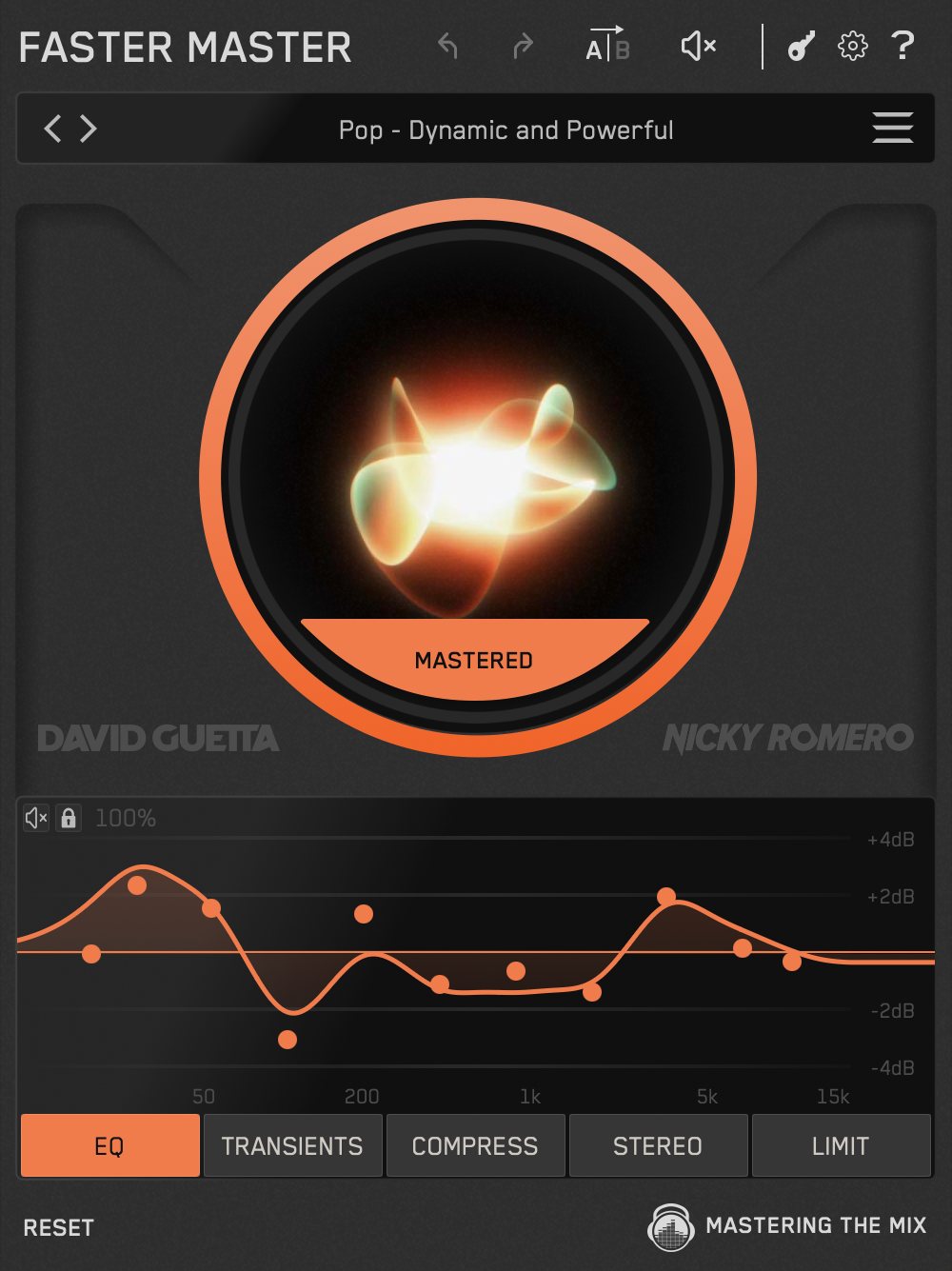
FASTER MASTER is a mastering plug-in from Mastering The Mix that the maker says was co-created with David Guetta and Nicky Romero. It analyses a song, generates 10 tailored Smart Presets and lets you fine-tune EQ, transients, compression, stereo width and limiting from there.
The workflow is to load it as the last plug-in in the mastering chain, play the loudest section of the track and click Analyze. Unlike online AI mastering services, it processes inside your DAW, so the maker says you hear changes in real time and your files stay private.
Each of the EQ, Transient, Compress, Stereo and Limit modules is automatically loudness-matched, so when you bypass it to compare, the result is less affected by volume differences.
You can also import tracks you like and match their sonic profile through reference tracks. A Lock function keeps one module's settings fixed while you switch presets, for example keeping a stereo setting while auditioning other EQ settings.
Key features
Analysis and Smart Presets
After analysis, 10 presets tailored to the track are created. You flip through them with the arrows and pick one as a starting point.
Reference track matching
Import favourite tracks and match their sonic profile. The reference plays auto-looped and level-matched for direct comparison.
EQ module
Filters aim to minimise phase distortion and transient smearing, and every adjustment is level-matched. A mix percentage can be set by dragging.
Transient and Compress modules
Dragging up adds punch to transients and down softens them. Compression has Off, Light, Dynamic and Tight settings and a low-cut sidechain.
Stereo across four bands
The width of the low, low-mid, high-mid and high ranges can be narrowed or widened by moving nodes.
Limiter and Lock
Song-specific limiter settings are provided and you set your preferred maximum loudness, with drive, ceiling and true-peak options. Lock freezes a module's settings across presets.
Specifications
| Item | Details |
|---|---|
| Plug-in formats | Mac: AU, VST3, AAX (Apple Silicon native) / Windows: VST3, AAX (64-bit) |
| Supported OS | Mac: OS X 10.15 or later / Windows 10 or later |
| Modules | EQ, Transient, Compress, Stereo (four bands), Limit |
| Presets | 10 Smart Presets per analysis |
| Compressor settings | Off, Light, Dynamic, Tight |
What is included and system requirements
- FASTER MASTER plug-in (AU / VST3 / AAX)
- A free trial is offered (per the official page)
- A 30-day money-back policy (per the official page)
- The official store shows a Mastering Essentials bundle (EXPOSE 2, LEVELS, LIMITER) offered free with purchase
How to use it
- Load FASTER MASTER as the final plug-in in the mastering chain.
- Play the loudest section of the track.
- Click Analyze.
- Use the preset arrows to audition the 10 Smart Presets in turn.
- Adjust EQ, transients, compression, stereo width and limiting from your chosen preset.
- Lock a module that you like before trying other presets.
- To use a reference, import it from the preset panel and compare.
- Set your target loudness in the limiter and export.
Where it may come in handy
Finding a direction quickly
When you want a starting point for a master, you might audition the presets generated by the analysis.
Moving toward a reference
You could import the profile of a track you like and check how your song differs.
Comparing without loudness bias
Because adjustments are level-matched automatically, bypass comparisons may be less affected by volume differences.
Short sessions
If you want EQ through limiting in one plug-in, it may help condense the mastering steps.
Who it may suit
- People who want a quick starting point for mastering
- Those who want to finish a track while matching a reference
- Anyone who wants EQ to limiting in a single plug-in
- Producers interested in mastering electronic music
Good to know before you buy
- It is designed to be placed last in the mastering chain.
- The analysis result is a starting point; the final result still depends on the material and your taste.
- When used through Rent to Own or similar plans, periodic internet validation of the licence may be required (per Plugin Boutique).
Price
Please check the official page for the price.
The official store shows pounds and Plugin Boutique shows dollars, and a regular price could not be confirmed on equal terms, so none is listed.
See FASTER MASTER on the product page
More of the same kind
Other introduction articles of the same kind.
- Klevgrand Klevgrand Gaffel
- Metric Halo MH Thump v4
- W. A. Production Obsidian
- Slate Digital Fresh Air
- Waves Greg Wells ToneCentric
- Cockos ReaFIR ReaPlugs
We have introduced 6 other products from Mastering The Mix.
- Mastering The Mix ANIMATE
- Mastering The Mix FUSER
- Mastering The Mix REFERENCE 3
- Mastering The Mix BASSROOM
- Mastering The Mix MIXVAULT
See the full list in Product database: Effects.
Sources: masteringthemix.com pluginboutique.com (checked 2026-10-27)










Comments