
Disclosure: This page may contain affiliate links. Prices were checked on the date shown and may change.
An introduction to Mastering The Mix ANIMATE, based on information from the maker and distributors: what it does, how to use it and who it may suit. It is not scored.
ANIMATE helps you bring your mix to life with energy, precision, and control.
— Mastering The Mix official site
What is ANIMATE?
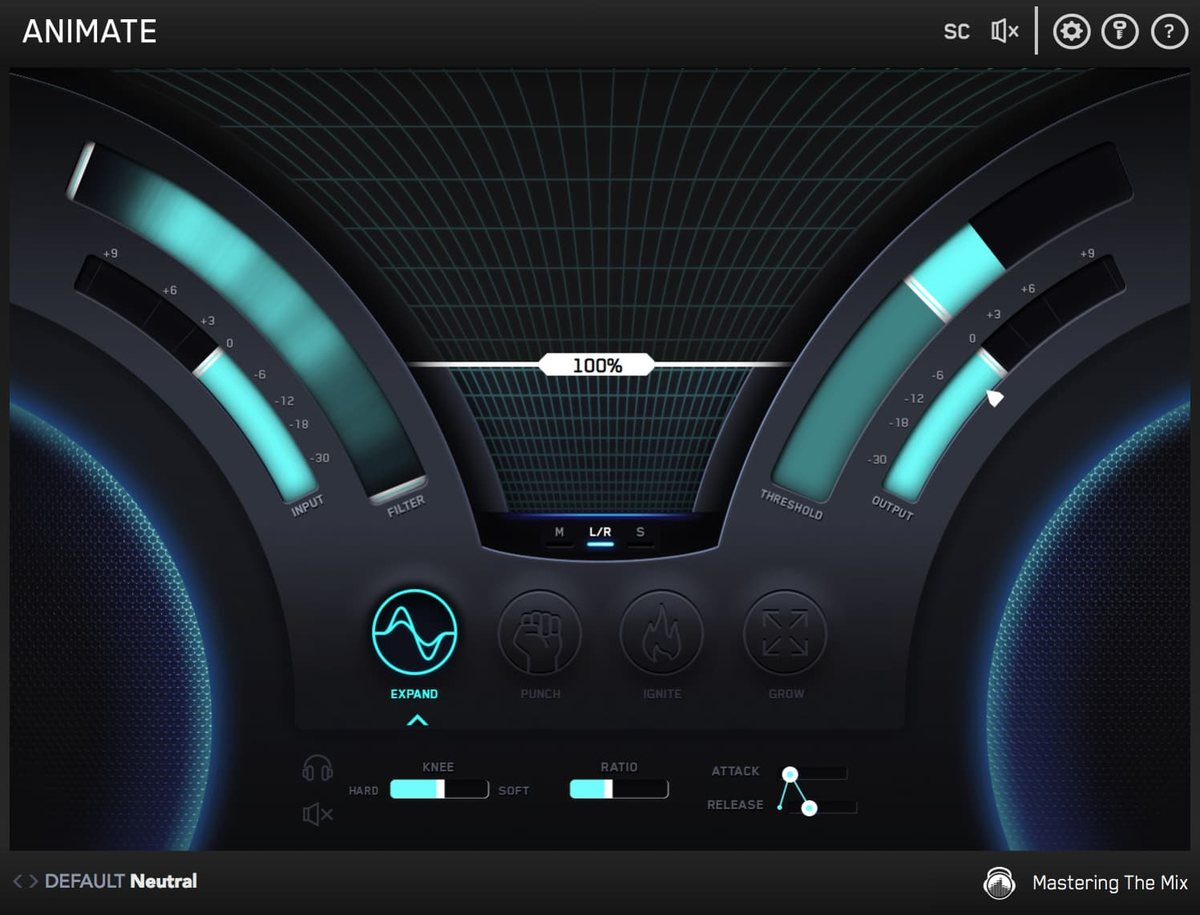
ANIMATE is a multi-effect from Mastering The Mix that puts four modes into one plug-in to add movement and energy to mixes and masters. Each mode has its own frequency targeting and mid/side processing, according to the description.
The four modes are Expand, Punch, Ignite and Grow. Expand is upward expansion that lifts signals over a threshold, Punch emphasizes transients, Ignite adds harmonic distortion that depends on the input, and Grow widens the stereo image of selected frequencies.
The official description says phase-reducing all-pass filters are used, which makes it suited to mastering work as well. The aim is to avoid the transient smearing that other filters can cause.
Each module is also sold as a separate product, and ANIMATE combines them. It supports VST3 and AAX on 64-bit Windows and AU, VST3 and AAX on Mac. A free trial and a 30-day money-back period are listed.
Key features
Expand
Raises levels above the threshold to widen dynamic range in a transparent way. It may help restore contrast to a track flattened by compression.
Punch
Emphasizes attacks so a sound can cut through the mix. The description says it can accent high-frequency transients in the mid channel of a master or add punch to a single channel.
Ignite
Adds harmonics according to the input, aiming to increase presence without the pumping of a compressor.
Grow
Uses a psychoacoustic precedence effect to widen selected frequencies. It can also be applied to just the part of the signal above the threshold.
Frequency targeting and mid/side
Each mode has its own frequency assignment and handles mid and side separately, making it easier to leave the low end alone and move only the highs.
Phase-conscious filters
All-pass filters that reduce phase movement are used to avoid smearing transients.
Specifications
| Item | Details |
|---|---|
| Type | Multi-effect (four modes) |
| Modes | Expand, Punch, Ignite, Grow |
| Formats (Windows) | VST3, AAX (64-bit) |
| Formats (Mac) | AU, VST3, AAX (64-bit, Apple Silicon native) |
| Supported OS | Windows 10 or later / macOS (OS X) 10.15 or later |
| Note | AAX requires Pro Tools 11 or later |
| Trial and refund | Free trial and 30-day money-back period (official) |
What is included and system requirements
- ANIMATE plug-in (Expand, Punch, Ignite and Grow modes)
- Windows: VST3, AAX
- Mac: AU, VST3, AAX (Apple Silicon native)
- Free trial
How to use it
- Buy or start the trial with a Mastering The Mix account and run the installer.
- Rescan plug-ins in your DAW and insert ANIMATE on a track or the master bus.
- Choose a mode: Expand, Punch, Ignite or Grow.
- Set the frequency range to target.
- Decide whether it should act on mid or side.
- Adjust threshold and amount and compare with the original.
- Stack several modes if needed.
Where it may come in handy
Finishing a mix bus
Light use of Punch or Ignite on the bus may add energy.
Adjusting master stereo width
Grow may suit widening specific frequency ranges.
Adding presence to drums and bass
Ignite harmonics may add presence to kick or bass.
Material with squashed dynamics
Expand may help restore contrast to heavily compressed material.
Who it may suit
- People who mix or master their own tracks
- Users who want transients, harmonics and stereo width in one plug-in
- Those who want to process by band and mid/side
- Anyone who wants to try before buying
Good to know before you buy
- Each module is also sold as a separate product.
- There is no AU on Windows, and AAX targets Pro Tools 11 or later.
- With Plugin Boutique rent-to-own or Beatport Studio, an internet connection is needed every 30 days to validate the license.
- The official site shows prices in British pounds.
Price
Please check the official page for the price.
See ANIMATE on the product page
More of the same kind
Other introduction articles of the same kind.
- Wave Alchemy Tapewave
- NUGEN Audio Halo Downmix
- Slate Digital Fresh Air
- Sound Particles Brightness Panner 2
- Klevgrand DAW Cassette
- Mellowmuse Mellowmuse ATA Auto Time Adjuster
We have introduced 6 other products from Mastering The Mix.
- Mastering The Mix FASTER MASTER
- Mastering The Mix REFERENCE 3
- Mastering The Mix FUSER
- Mastering The Mix MIXVAULT
- Mastering The Mix STEREOVAULT
See the full list in Product database: Effects.
Sources: masteringthemix.com pluginboutique.com (checked 2026-10-27)










Comments