
Disclosure: This page may contain affiliate links. Prices were checked on the date shown and may change.
An introduction to Mastering The Mix BASSROOM, based on information from the maker and distributors: what it does, how to use it and who it may suit. It is not scored.
BASSROOM is a final mix and mastering EQ that helps beginners and pros nail their low-end in seconds.
— Mastering The Mix official site
What is BASSROOM?
BASSROOM is an equalizer from Mastering The Mix designed to balance the low end in final mixing and mastering. It deals with the problem of bass that makes a track bloated or too weak.
Its main feature is genre-specific EQ targets. Targets built from analysis of well-regarded mixes in each genre are displayed, and the difference from the current sound suggests how to move the EQ. Users can also load reference tracks to create their own targets.
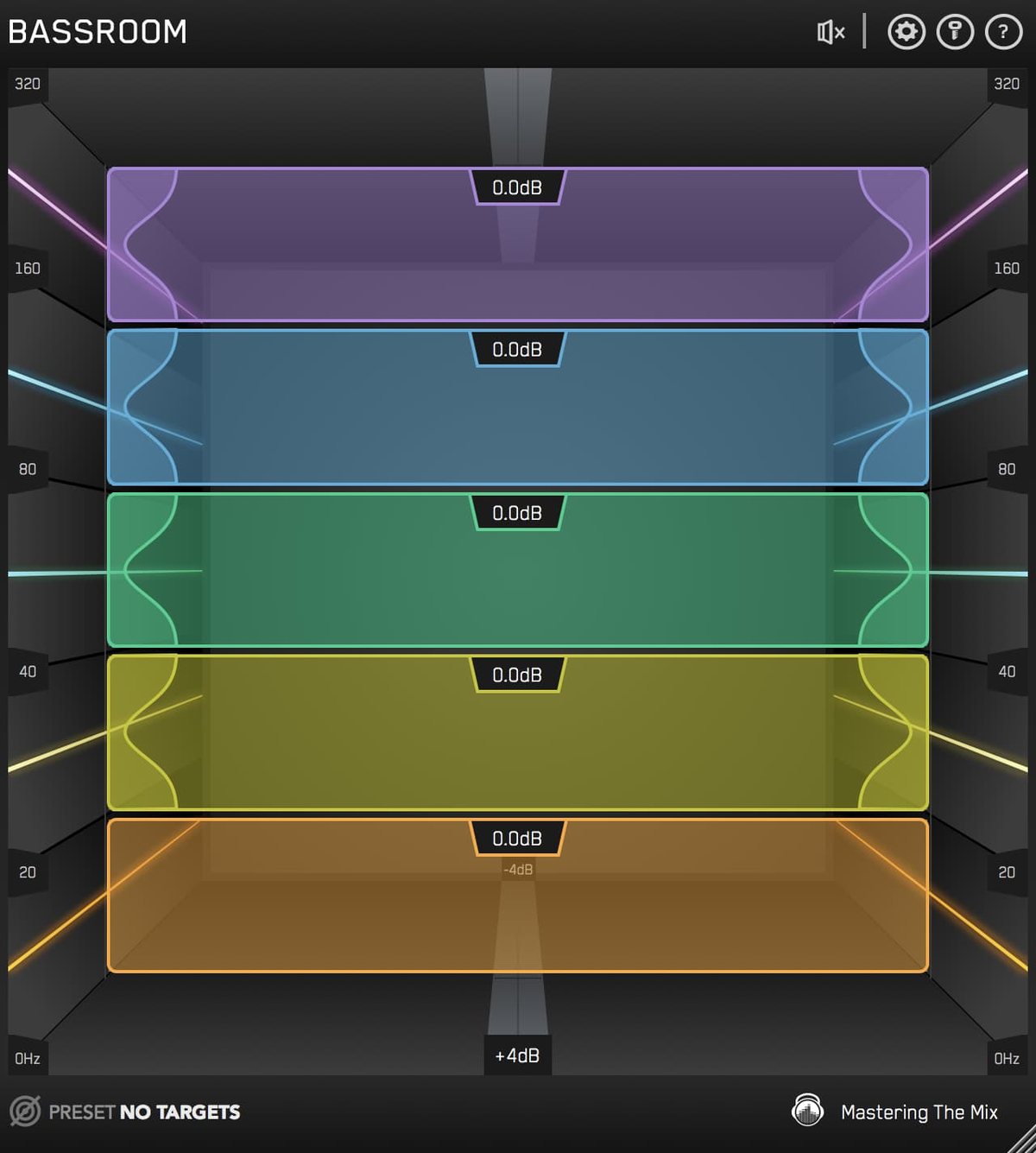
The interface is a so-called 3D room, where frequency runs vertically and gain is shown as depth. The 0 dB line sits at the center of the room; pushing a band back lowers gain and pulling it forward raises it.
The filters designed for low frequencies are described as keeping phase distortion and transient ringing low, helping preserve the attack of a kick. It is meant to be placed on the master channel and supports AU, VST3 and AAX.
Key features
Genre-specific EQ targets
Targets analyzed for each genre are displayed on the walls, and users can decide the EQ direction by comparing with the current sound. Final adjustment is still made by ear.
Custom targets
By loading reference tracks and selecting a representative section such as a drop or chorus, users can build their own targets.
3D room display
With frequency vertical and gain as depth, users can see intuitively how the low end is being moved.
Low-frequency filters
Filters designed to keep phase distortion and ringing low are described as more transparent at low frequencies than standard linear-phase filters.
Level match
If gain changes by more than 2 dB, an indicator changes and a pointer shows how to match perceived loudness.
Master channel analysis
Because analysis compares low-end perception to the balance of the whole mix, the plug-in is meant for the master channel.
Specifications
| Item | Details |
|---|---|
| Type | Low-end focused mixing and mastering EQ |
| Highlights | Genre targets / 3D room display / level match |
| Formats (Mac) | AU, VST3, AAX (Apple Silicon native) |
| Formats (Windows) | VST3, AAX |
| Operating systems | macOS 10.15 or higher, Windows 10 or higher (64-bit only) |
| Note | AAX requires Pro Tools 11 or later |
What is included and system requirements
- BASSROOM plug-in
- The official site mentions Mastering Essentials offered with purchase at certain times
- Money-back guarantee (per the official site)
How to use it
- Install BASSROOM and restart your DAW.
- Insert BASSROOM on the master channel.
- Choose a preset that suits the genre.
- Play a bass-heavy section such as a drop or chorus.
- Watch where the targets move and adjust the bands.
- Use level match to compare at equal loudness.
- Toggle bypass to check the change.
Where it may come in handy
Final low-end check
With targets as a guide, it may help check whether the low end of your own track is too heavy.
Comparing with reference tracks
Because targets can be built from favorite tracks, it may be worth trying when aiming for a balance close to a reference.
Support for home studios
Even in rooms where bass is hard to judge, the targets may offer an objective cue.
Who it may suit
- People who are unsure about low-end balance
- People who want to get closer to a reference track
- People who want to fix only the low end in final mastering
Good to know before you buy
- It is designed to be inserted on the master channel.
- Targets are a guide; final decisions are expected to be made by ear.
- Plugin Boutique also lists a monthly payment option.
Price
Please check the official page for the price.
See BASSROOM on the product page
More of the same kind
We have introduced 122 EQs. Here are some of the others.
- McDSP AE400 Active EQ Native v7
- MeldaProduction MeldaProduction MFreeformEqualizer
- Cockos ReaEQ ReaPlugs
- IK Multimedia T-RackS Linear Phase Equalizer
- Antelope Audio VEQ-STU 089
- IK Multimedia Master EQ 432
We have introduced 6 other products from Mastering The Mix.
- Mastering The Mix MIXVAULT
- Mastering The Mix STEREOVAULT
- Mastering The Mix FASTER MASTER
- Mastering The Mix ANIMATE
- Mastering The Mix FUSER
For a side-by-side comparison scored on the same criteria, see our comparison of EQs.
See the full list in Product database: Effects.
Sources: masteringthemix.com pluginboutique.com (checked 2026-10-27)










Comments