
Disclosure: This page may contain affiliate links. Prices were checked on the date shown and may change.
An introduction to Polyverse Music Polyverse Manipulator, based on information from the maker and distributors: what it does, how to use it and who it may suit. It is not scored.
Through unique granular algorithms, Polyverse Manipulator can dramatically alter the timbre and pitch of monophonic audio in new and unexplored ways.
— Polyverse Music official site
What is Polyverse Manipulator?
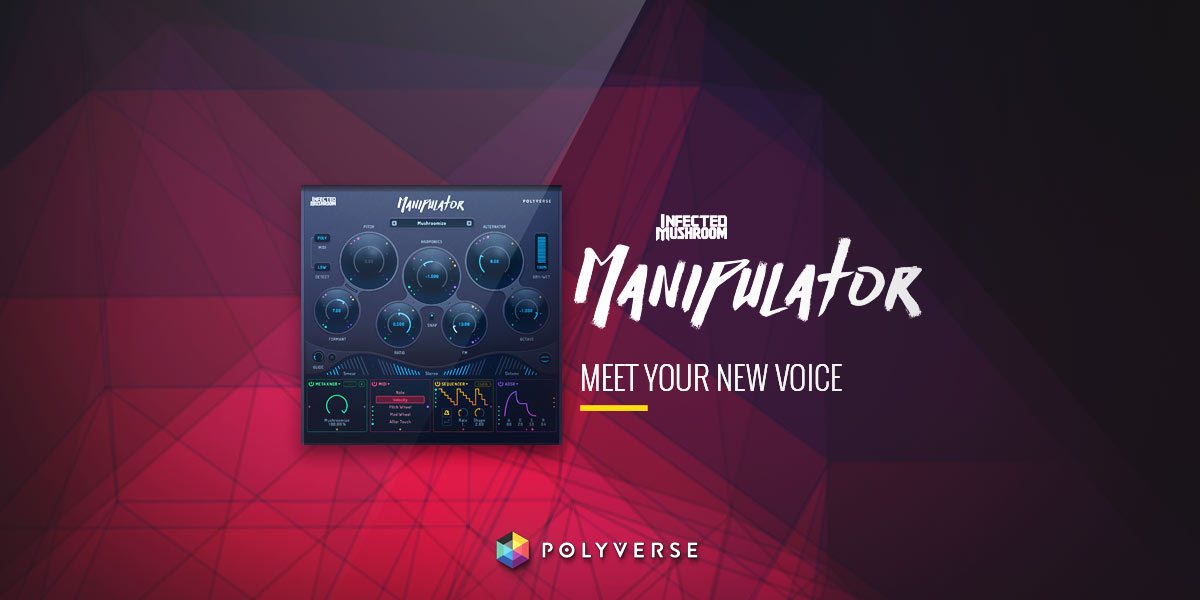
Manipulator is a vocal-transforming effect from Polyverse Music. It uses granular algorithms to change the timbre and pitch of monophonic audio dramatically. The official page says it works on instruments as well as vocals.
It is built around ten effects that can be combined, including a pitch shifter, a formant shifter, a harmonics shifter, sound smearing, a granular alternator and a pseudo stereo effect. There are five modulation sources and a large set of presets.
MIDI input is supported, so pitch can be controlled in real time from a keyboard. The official page suggests playing the melody you want when you are not satisfied with a recorded one. With MIDI, up to four polyphonic voices of harmony can be created.
It was developed in collaboration with the electronic duo Infected Mushroom, who used prototypes over a long development period in their recording and live work according to the store pages. It supports VST2, VST3, AU and AAX, on 64-bit Windows and Mac OS X 10.9 or later.
Key features
Granular transformation
Processes sound in small pieces to change timbre and pitch. The official page mentions turning a voice into something very different or giving it an instrument-like quality.
Ten effects
Pitch, formant and harmonics shifting, sound smearing, a pseudo stereo effect and more can be combined, and the result changes a lot with how they are layered.
Real-time pitch control by MIDI
MIDI data from a keyboard moves the pitch of the processed audio on the spot, much like replaying the melody.
Up to four polyphonic voices
With MIDI input, up to four polyphonic voices are handled, so a single vocal can be turned into chordal harmony.
Five modulation sources
Five modulation sources allow moving timbral changes, and you can start from the many presets and adjust.
Real-time processing
The official page describes real-time processing for live performance, which is relevant if you want to monitor while recording or use it live.
Specifications
| Item | Details |
|---|---|
| Maker | Polyverse Music |
| Type | Vocal-transforming effect (granular) |
| Mac formats | AAX, VST, VST3, AU (64-bit only) |
| Windows formats | AAX, VST, VST3 (64-bit only) |
| Mac OS | OS X 10.9 or later (Intel / Apple silicon) |
| Windows OS | Windows 7 SP1 or later |
| Requirements | Intel Core 2 Duo or AMD Athlon 64×2 or higher, 4GB RAM minimum |
| Effects | 10 |
| Modulation sources | 5 |
What is included and system requirements
- Manipulator (ten effects and five modulation sources)
- A large set of presets
- Mac: Intel and Apple silicon, 64-bit only
- Windows: 64-bit only
- At least 4GB of RAM
How to use it
- After purchase, download the installer from your store account.
- Install it and register the license (follow the steps on the store page).
- Insert Manipulator on a track carrying a monophonic sound such as a vocal.
- Start by choosing a preset to hear what kinds of change are available.
- Enable the effects you want from the ten and adjust the amounts.
- Send MIDI from a MIDI track to the plug-in to control pitch.
- Play chords to build harmony of up to four voices.
- Assign modulation sources to add movement over time.
Where it may come in handy
Turning a vocal into another texture
It may be useful when you want a voice to sound like a synth or like another person, and starting from presets is one way to explore.
Replacing a recorded melody
When you are not happy with a sung melody, you could play the notes you want over MIDI and replace the pitch.
Building chords from one vocal
You could play chords over MIDI to build harmony of up to four voices, which may help when making backing vocal material.
Processing instruments and drums
The official page says monophonic and rhythmic sources work particularly well, so a guitar line or percussion could be tried.
Who it may suit
- People who want to transform vocals heavily and search for new textures
- People who want to control the pitch of a vocal with MIDI
- People who want to build harmony from a single vocal
- Sound designers who want to create transformed material from voice or instruments
Good to know before you buy
- It is designed for monophonic sources and may not suit material containing chords.
- To use MIDI control, you need to route MIDI to the plug-in in your DAW.
- The listed OS requirements start from quite old systems (OS X 10.9, Windows 7 SP1), so confirm behavior on current operating systems with the maker.
- 32-bit environments are not supported.
How it differs from similar products
We do not pick a winner; the official figures are placed side by side.
iZotope VocalSynth 2
Manipulator has ten effects and five modulation sources, and handles up to four voices with MIDI. VocalSynth 2 has five modules and seven stompbox effects and works in Auto, MIDI and Sidechain modes.
Price
$149 (Polyverse Music official site, checked 2026-10-27). Prices can vary by region and promotion, so check the official page before buying.
See Polyverse Manipulator on the product page
More of the same kind
We have introduced 35 vocal processors. Here are some of the others.
- Waves Renaissance Vox
- Klevgrand Altitude
- W. A. Production VocalShaper
- LANDR LANDR FX Voice
- Antelope Audio InTune Harmony
- Techivation T-De-Breather
We have introduced 4 other products from Polyverse Music.
For a side-by-side comparison scored on the same criteria, see our comparison of vocal processors.
See the full list in Product database: Effects.
Sources: polyversemusic.com pluginboutique.com (checked 2026-10-27)










Comments