
sonible’s smart:EQ 4 is an EQ that automatically balances the sound according to a profile chosen by AI (smart:filter). It also has a function that reduces overlap (masking) between several tracks.
An EQ (equalizer) adjusts the amount of low and high frequencies in a sound. You use it to clear up a muddy voice or reduce sounds that hurt the ears.
In this article we compare smart:EQ 4 with 15 EQ plug-ins and rate how well it serves its purpose on three criteria. The basis is official manufacturer information.
Disclosure: This article contains affiliate links. If you buy through them, SoundBounty may earn a commission at no extra cost to you. Prices and sale information are as of the date we checked them and can change.
Score 4.0 / 5 (average of the 15 products compared: 3.1)
- Specs last checked
- 2026/09/25
- Handling problem bands
- Dynamic
- Speed
- AI auto-correction
- Stereo processing
- M/S
- Price (store, date)
- $129 [PB, checked Oct 26]
Image: from the sonible official press kit
Summary
Among the 15 EQ plug-ins, smart:EQ 4 is rank A. The ranks run S, A, B and C, and A is second from the top. Averaging the scores for each criterion (out of 5, with the one criterion that matters most for the purpose counted double) gives 4.0.
Strengths
- Handling problem bands (4 points): it has features that target problem sounds, so it is easy to fix them precisely.
- Speed (5 points): it has features that help you decide settings quickly, so it is easy to start even if you are new to EQ.
Who it suits: people who are not used to setting an EQ and want the balance set automatically first, then fine-tune it.
Main features of smart:EQ 4
smart:filter, AI that listens and balances the sound
The core feature of smart:EQ 4. It listens to the track and automatically fills in what is lacking and tames what sticks out so the sound moves closer to a chosen “target” (profile). Profiles are provided for instruments, vocals and whole songs, and you can also load a reference song to make your own profile. Even at the stage where you do not know how much to move where, it builds a foundation sound first.
A group function that clears overlap among up to 10 tracks
This reduces the “overlap of sounds” (masking) between tracks in the same group. Drag tracks to the front, middle or back on screen, and the same range of the other tracks is held back so that the sound placed in front is easier to hear. It suits mix problems such as a vocal being buried because a vocal and a guitar clash. You can control the other tracks from the screen of any track in the group.
Controls to tune the automatic processing to your taste
You do not have to leave everything to the AI. Smoothing, which smooths how the processing acts, Adaptive, which suits material with big changes in volume, and a function that sets only the ranges you want the AI to work on let you adjust the result. You can also set a maximum time for listening to the sound. It is built so that you can take the automatic result as a starting point and move it toward your taste.
The functions of an ordinary EQ are also there
Apart from the AI processing, you can use dynamic EQ bands that work only when the sound is loud, Mid/Side processing that separates the center from the sides, and Auto Gain, which matches the level before and after processing. The analyzer can also show the sound of the other tracks in the same group. As you get used to it, you can add bands yourself and shape the sound in detail.
Video: “smart:EQ 4 by sonible | the intelligent equalizer” (official sonible YouTube channel; narration in English) Watch on YouTube
Where it is useful
- First flattening the unevenness of muddy and harsh tones in a vocal recorded at home using AI
- Fixing a vocal that is hard to hear because it clashes with guitar or synth in the same range
- Using the balance of a favorite song as a reference to move the tone of your whole song closer to it
Rating by criterion
Handling problem bands: 4 / 5
We check whether you can target and fix only the sounds that bother you, such as boominess or harshness.
The standard bands have a dynamic filter. Processing by spectrum is not listed.
Speed: 5 / 5
We check whether it has features that get you to a good setting quickly, such as automatic settings and a function that matches a reference sound.
AI (smart:filter) automatically balances the sound, and there is also a group function that reduces overlap among several tracks.
Stereo processing: 3 / 5
We check whether you can adjust the center sound (such as the vocal) and the sound spread to the sides separately.
It supports Mid/Side processing.
How we score (EQ plug-ins)
| Criterion | Basis | 5 pt | 4 pt | 3 pt | 2 pt | 1 pt |
|---|---|---|---|---|---|---|
| Handling problem bands | The power to target and reduce boomy or harsh sounds | Dynamic EQ, plus processing that reacts only to specific frequencies inside a band | Dynamic EQ (works only when the sound gets loud), or separate processing of the attack and the sustained sound | A static EQ with many bands, or with a choice of processing quality such as linear phase | A static EQ with few bands | — |
| Speed | Features that help you decide settings quickly | AI balances the sound automatically and can also reduce overlap between tracks | Automatic EQ settings or EQ match, plus other aids | One aid, such as EQ match | Analyzer (a visual display of the sound) only | No aids listed |
| Stereo processing | Whether the center and the sides can be processed separately | Supports M/S, separate left/right and surround | Supports M/S plus either separate left/right or surround | M/S only | — | Not mentioned on the official page |
Each criterion is scored from 1 to 5 on how well the product serves one goal: balancing the sound of vocals and backing tracks in a mix. Scores follow the conditions in the table above, and the rank is based on an average in which "Handling problem bands" counts double. The basis is official manufacturer information. Sound quality and CPU load are not measured, so they are not scored; reviews from trade magazines are introduced in the articles for reference. Price is not part of the score. Features that cannot be confirmed from the manufacturer's or a retailer's description are scored as if absent. The "OBS (streaming)" column in the table shows whether the official page lists the VST2 format that the streaming software OBS Studio can use (○). OBS does not support the VST3 format. It is not part of the score.
smart:EQ 4 screens and images
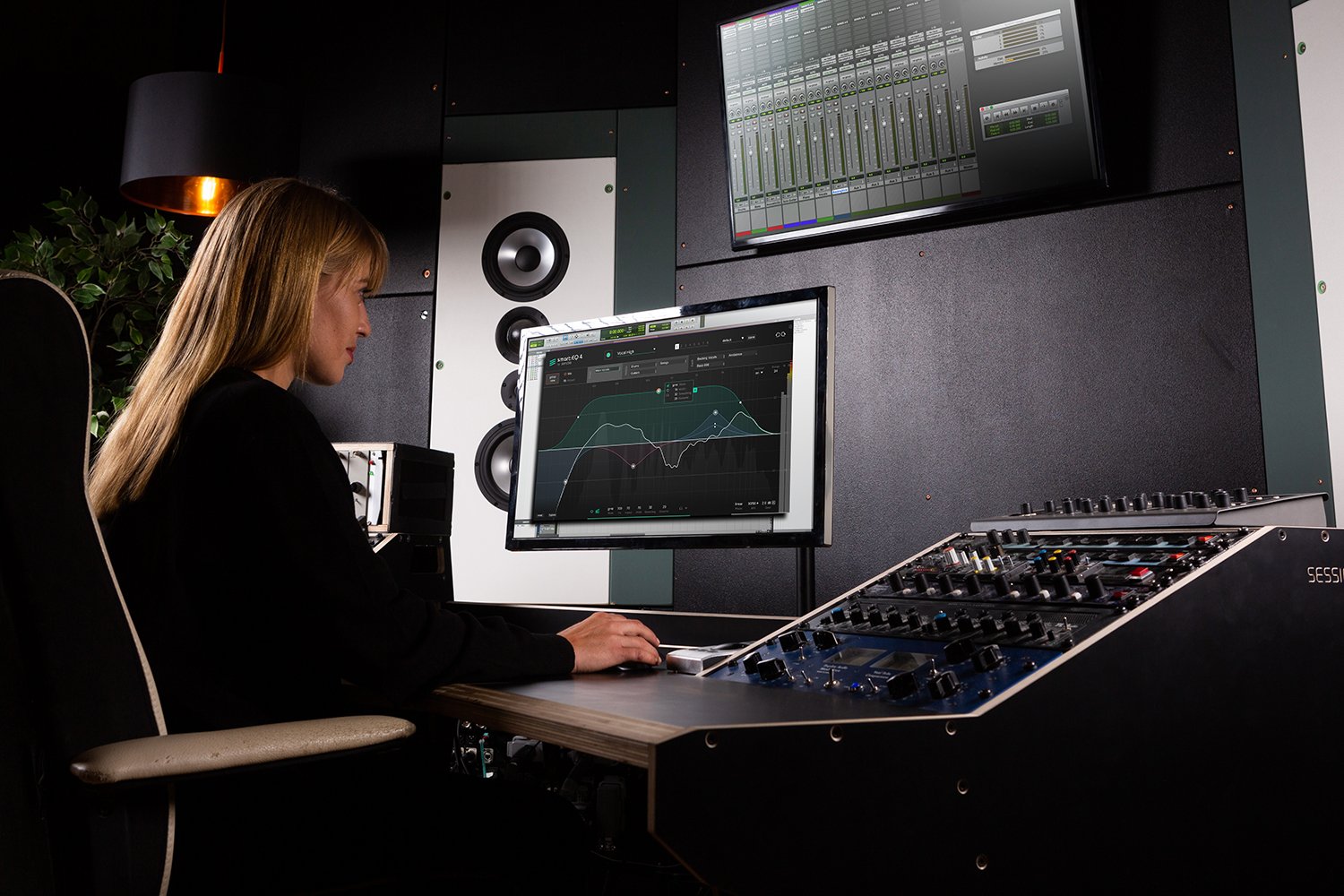
Image: from the sonible official press kit
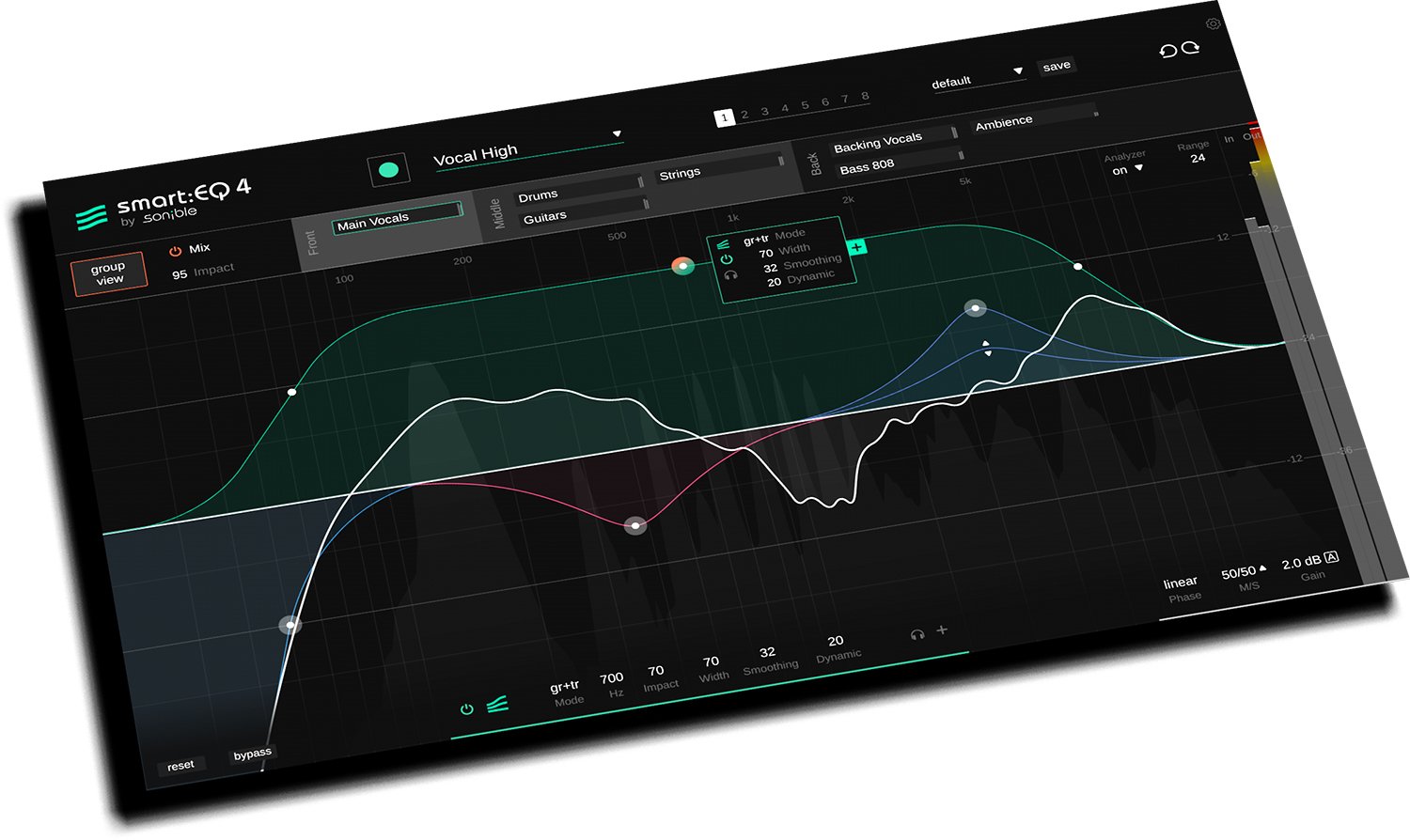
Image: from the sonible official press kit
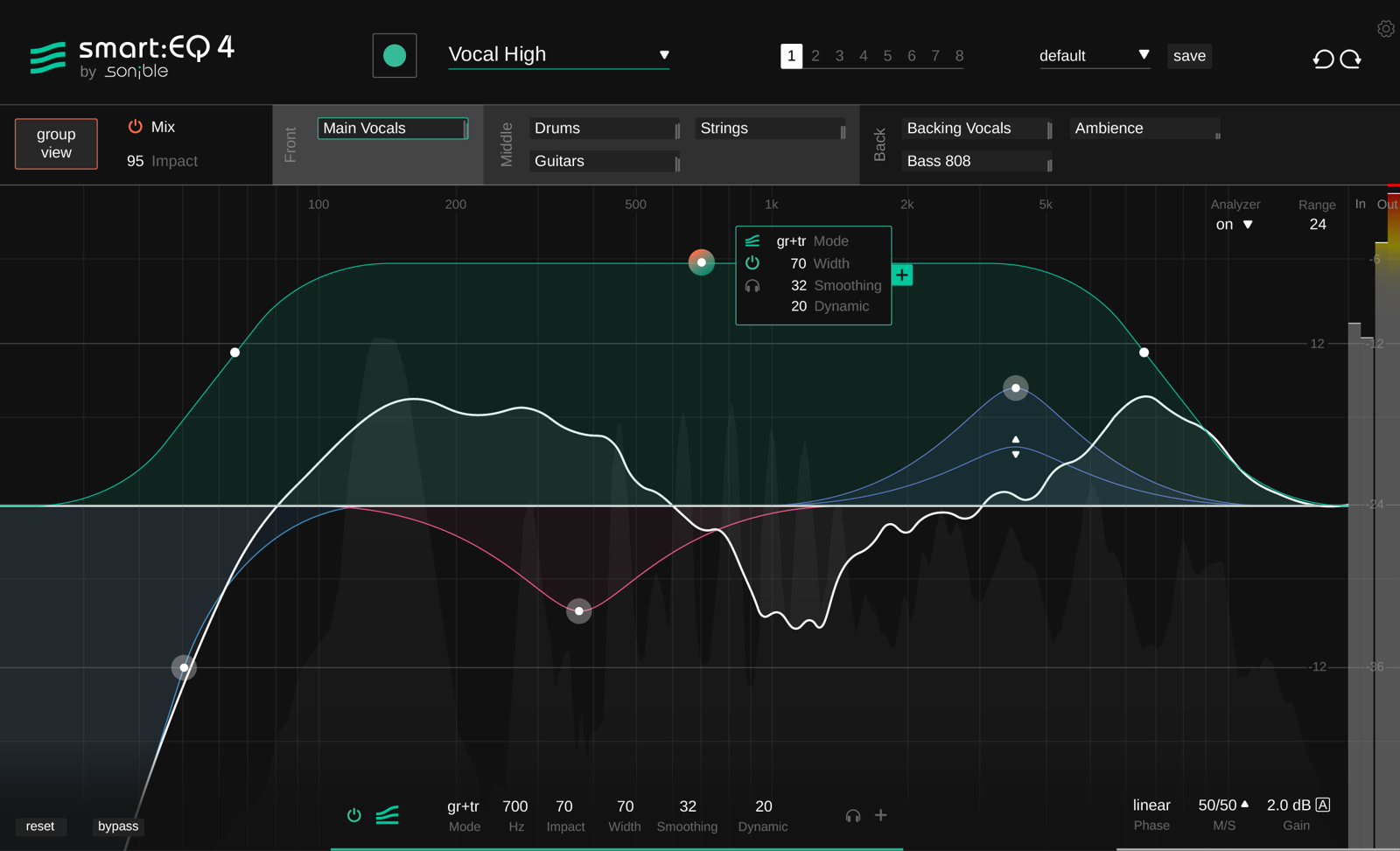
Image: from the sonible official press kit
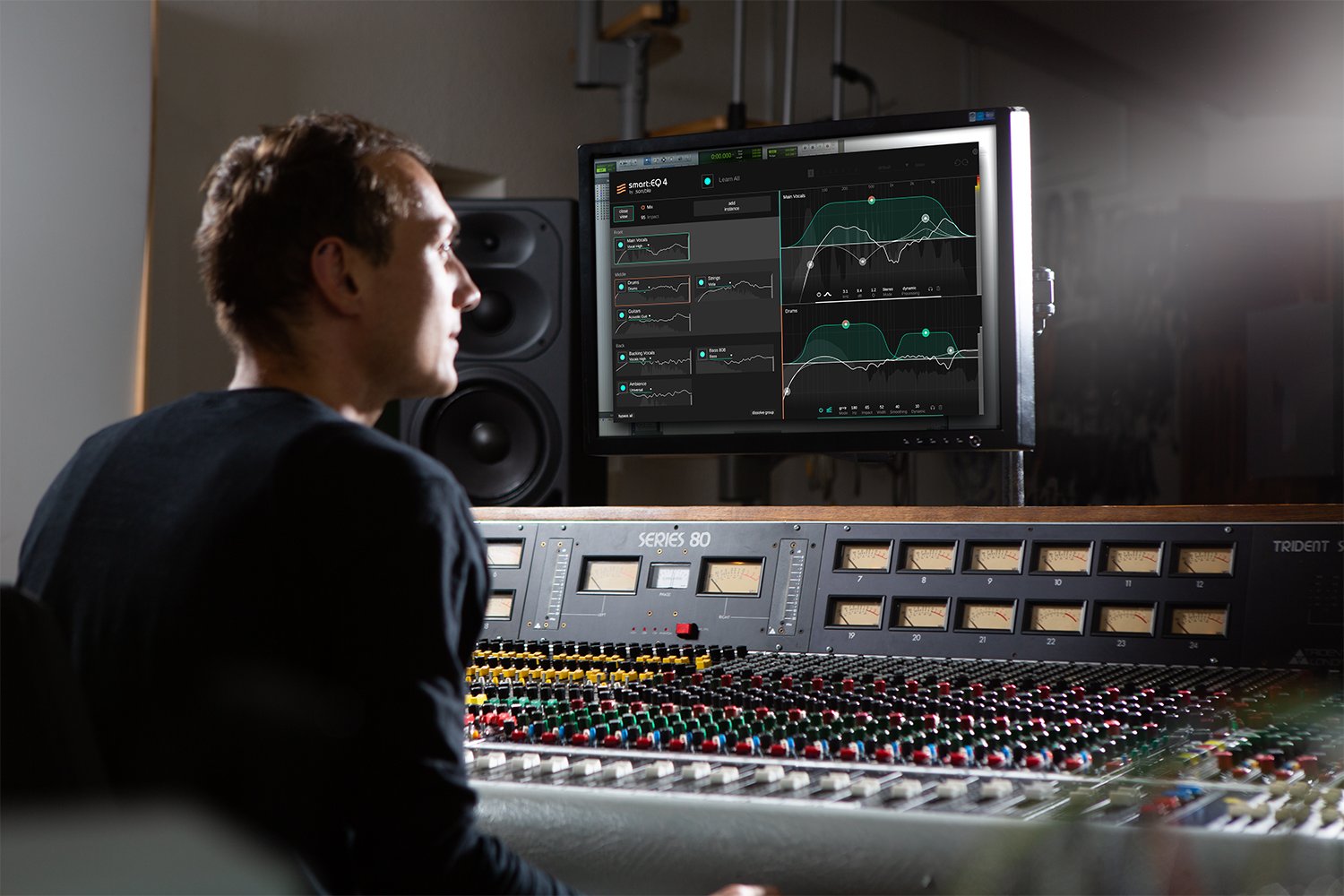
Image: from the sonible official press kit
smart:EQ 4 system requirements and getting started
| Operating system | Windows 10 (64-bit) / Mac (OS X 10.14 or later, native Apple silicon support) |
|---|---|
| Plug-in formats | VST, VST3, AAX (Windows); VST, VST3, AU, AAX (Mac) |
| Other | Activation per computer or with iLok. Student and educator discount of 40% |
| Trial | 30-day trial available (registration required) |
| OBS (streaming) | Works as it is (VST2 is listed) |
Checked on the manufacturer’s official pages on September 27, 2026. How to use plug-ins in the OBS streaming software is explained in How to use VST3 plug-ins in OBS.
Compared with other EQ plug-ins
Click a heading to sort. On a phone, the table scrolls sideways.
| Product | RankAvg. score | Handling problem bands | Speed | Stereo processing | Free | OBS (streaming) | Price (store, date) |
|---|---|---|---|---|---|---|---|
| FabFilterPro-Q 4 | S 4.5 | Dynamic + spectral | EQ match + aids | M/S + surround | — | ○ | $199 [PB, checked Oct 26] |
| soniblesmart:EQ 4 | A 4.0 | Dynamic | AI auto-correction | M/S | — | ○ | $129 [PB, checked Oct 26] |
| MeldaProductionMEqualizer | B 2.8 | 6 bands | Analyzer | M/S, L/R, surround | Free | ○ | Not listed |
| MeldaProductionMAutoEqualizer | A 3.8 | Linear phase | Auto EQ + match | M/S, L/R, surround | — | ○ | $165 [PB, checked Oct 26] |
| EventideSplitEQ | A 3.5 | Attack/sustain split | Analyzer | L/R + M/S | — | ○ | $149 [PB, checked Oct 26] |
| Slate DigitalInfinity EQ 2 | A 3.5 | Dynamic | Analyzer | M/S + L/R | — | ○ | $149 [PB, checked Oct 26] |
| Tokyo Dawn RecordsTDR Nova | A 3.5 | Dynamic | Analyzer | M/S + L/R | Free | ○ | Not listed |
| Universal AudioPultec Passive EQ Collection | C 1.5 | Few bands | Not listed | Not listed | — | × (VST3 only) | $39 (sale; regular $149) [PB, checked Oct 26] |
| WavesF6 | B 3.0 | Dynamic | Not listed | M/S | — | △ (via Waves StudioRack) | $39.99 (sale; regular $149) [PB, checked Oct 26] |
| Plugin Alliancebx_digital V3 | A 3.8 | Dynamic | Auto-Solo | M/S + L/R | — | ○ | Not listed |
| Tokyo Dawn RecordsSlickEQ | C 2.3 | 3 bands | Auto gain | M/S | Free | ○ | Not listed |
| DMG AudioEQuilibrium | A 3.5 | 32 bands + linear phase | Analyzer + Autolisten | M/S, L/R, surround | — | ○ | Not listed |
| SoundtheoryGullfoss | B 2.8 | Auto peak/valley balancing | Auto EQ + sidechain | Not listed | — | ○ | $199 [Official, checked Oct 26] |
| SonnoxOxford EQ | C 1.5 | 5 bands | Not listed | Not listed | — | × (VST3 only) | $279.99 [Official, checked Oct 26] |
| SonnoxOxford Dynamic EQ | C 2.5 | Dynamic | Not listed | Not listed | — | × (VST3 only) | $279.99 [Official, checked Oct 26] |
Features checked on each manufacturer's official website on September 25, 2026. Check the store page behind the buy button for the price.
Read next
- MAutoEqualizer: features and rating (rank A)
- SplitEQ: features and rating (rank A)
- Pro-Q 4: features and rating (rank S)
- MEqualizer: features and rating (rank B)

Comments