
IK Multimedia’s T-RackS 6 MAX is mastering software that lets you combine 63 mixing and mastering modules (individual processors you combine as you like). “Master Match X” finishes automatically to sound close to a song you like, and it works as a plug-in in your DAW (the software you make music in) and as standalone mastering software. Each module can also be used as a separate plug-in.
Mastering software finishes a completed mix to a loudness and tonal balance that suits streaming and CD.
In this article we compare T-RackS 6 MAX with 8 mastering programs and rate how well it serves its purpose on three criteria. The basis is official manufacturer information.
Disclosure: This article contains affiliate links. If you buy through them, SoundBounty may earn a commission at no extra cost to you. Prices and sale information are as of the date we checked them and can change.
Score 3.8 / 5 (average of the 8 products compared: 2.9)
- Specs last checked
- 2026/09/25
- AI finishing
- Automatic, matched to a reference
- Fine adjustment
- 63 modules, separate plug-ins
- Pre-release checks
- Few check features
- Price (store, date)
- $299.99 [PB, checked Oct 26]
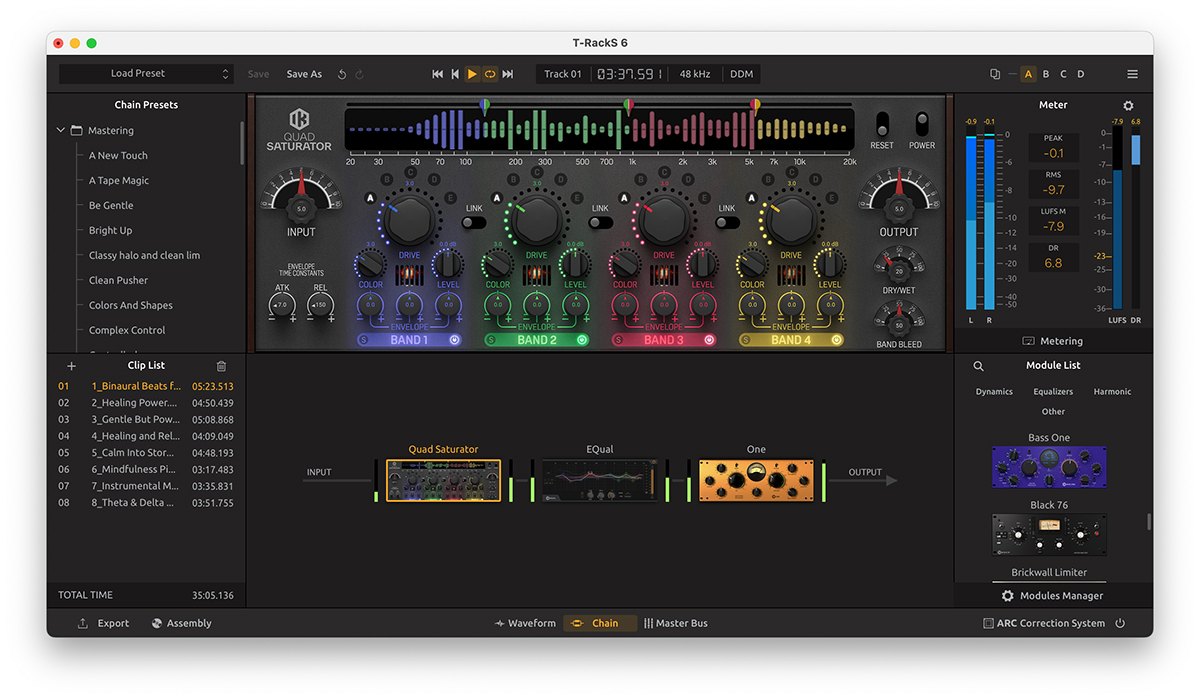
Image: from the IK Multimedia official website (product image for the press)
Summary
Among the 8 mastering programs, T-RackS 6 MAX is rank A. The ranks run S, A, B and C, and A is second from the top. Averaging the scores for each criterion (out of 5, with the one criterion that matters most for the purpose counted double) gives 3.8.
Strengths
- AI finishing (4 points): the AI listens to the song and makes the finishing settings for you.
- Fine adjustment (5 points): you can work in detail starting from the AI’s result.
Things to keep in mind
- Pre-release checks (1 points): it has few checking features before export.
Who it suits: people who want to finish quickly and automatically to match a reference song, and people who want to build up modules themselves.
Main features of T-RackS 6 MAX
63 modules
T-RackS 6 MAX includes 63 mixing and mastering modules, such as EQs, compressors and limiters that recreate classic gear. The modules can be arranged freely, and each one can also be inserted on a track as a separate plug-in. Version 6 added 11 modules.
Master Match X matches a reference song
Master Match X is a feature that, when you load a song you like (a reference), finishes automatically so the sound gets close to it. It gives you a starting point when you are not sure how to finish your own song.
Try modules one at a time
From the Module Manager you can try other modules for 14 days without limits. You can check the sound of a module you are curious about before you buy it.
Where it is useful
- Loading a reference song and making a finishing starting point with Master Match X
- Using a classic-style compressor or EQ as a separate plug-in on a vocal or drum track
- Changing the order of mastering processing to hear the difference
Rating by criterion
AI finishing: 4 / 5
We look at whether it can make a well-balanced sound without expert knowledge.
It has Master Match X, which finishes automatically to match a song you like (a reference song).
Fine adjustment: 5 / 5
We look at whether you can work on the AI’s result yourself.
You can operate 63 modules directly, and each module can also be used as a separate plug-in.
Pre-release checks: 1 / 5
We look at the checking features available before streaming or exporting.
Checking features before release (dither, before/after listening and listening for streaming) are not among the product’s features.
If “pre-release checks” matters most to you, Ozone 12 Advanced (5 points) is a better fit.
How we score (Mastering software)
| Criterion | Basis | 5 pt | 4 pt | 3 pt | 2 pt | 1 pt |
|---|---|---|---|---|---|---|
| AI finishing | Whether it can make a well-balanced sound without expert knowledge | Automatic finishing, plus comparison with a reference song and vocal-balance adjustment | Automatic finishing, plus either comparison with a reference song or vocal-balance adjustment | Automatic finishing only | — | — |
| Fine adjustment | Whether you can work on the AI's result yourself | 15 or more processing modules can all be operated directly, and can also be used as separate plug-ins | 10 or more processing modules can be operated directly | Some processing can be operated directly | You can only adjust the assistant's result with a few knobs | — |
| Pre-release checks | Checking features before streaming or exporting | Listening to the sound compressed for streaming, dither and before/after comparison of the processing are all included | Dither and before/after comparison | Either one | — | Not mentioned on the official page |
Each criterion is scored from 1 to 5 on how well the product serves one goal: finishing cover songs and your own songs for streaming. Scores follow the conditions in the table above, and the rank is based on an average in which "Fine adjustment" counts double. The basis is official manufacturer information. Sound quality and CPU load are not measured, so they are not scored; reviews from trade magazines are introduced in the articles for reference. Price is not part of the score. Features that cannot be confirmed from the manufacturer's or a retailer's description are scored as if absent. At the moment we compare only the three editions of iZotope Ozone 12 and one product from IK Multimedia. The "OBS (streaming)" column in the table shows whether the official page lists the VST2 format that the streaming software OBS Studio can use (○). OBS does not support the VST3 format. It is not part of the score.
T-RackS 6 MAX screens and images
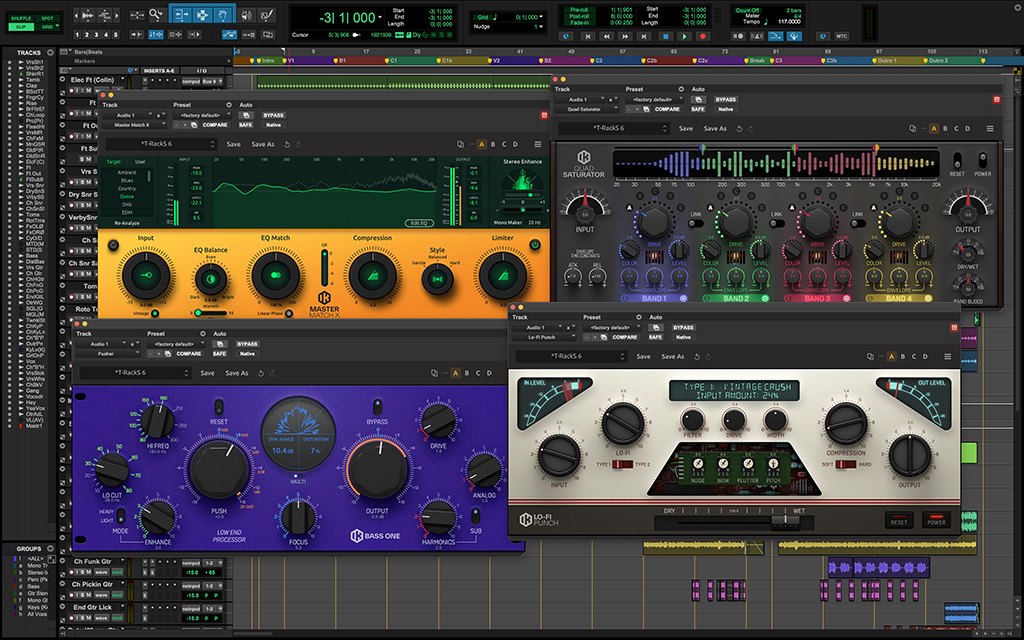
Image: from the IK Multimedia official website (product image for the press)
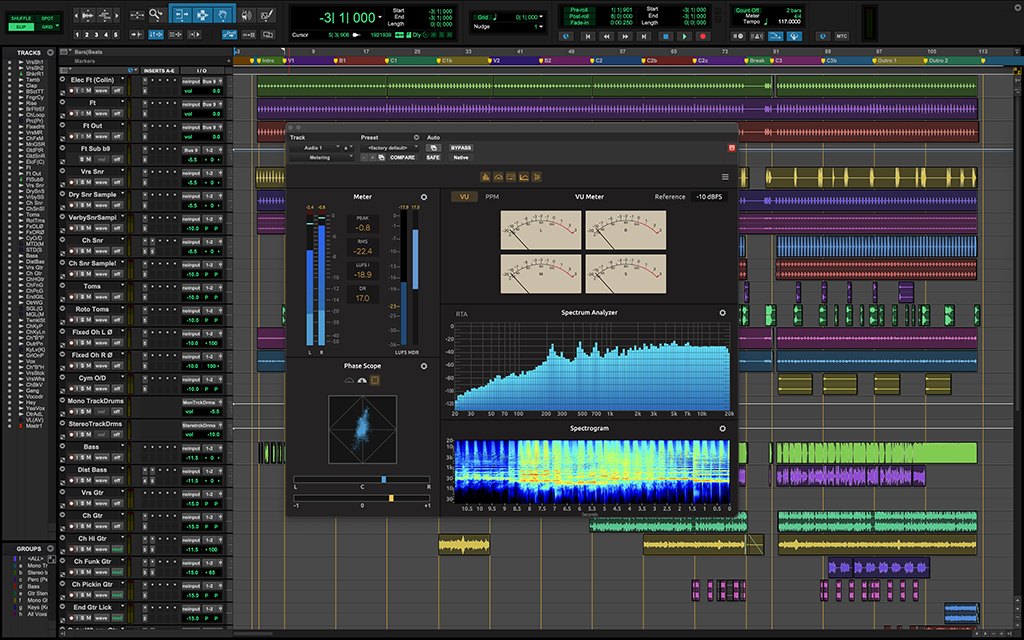
Image: from the IK Multimedia official website (product image for the press)
T-RackS 6 MAX system requirements and getting started
| Operating system | Windows / Mac |
|---|---|
| Plug-in formats | Windows: VST3, AAX / Mac: AU, VST3, AAX (64-bit) |
| Standalone | Yes |
| Trial | Free to try (TRY FREE) |
| OBS (streaming) | Does not work as it is (VST3 only). It can be loaded through a bridge plug-in |
Checked on the manufacturer’s official pages on September 27, 2026.
Compared with other mastering programs
Click a heading to sort. On a phone, the table scrolls sideways.
| Product | RankAvg. score | AI finishing | Fine adjustment | Pre-release checks | OBS (streaming) | Price (store, date) |
|---|---|---|---|---|---|---|
| iZotopeOzone 12 Elements | C 2.3 | Assistant | Knobs only | Few check features | × (VST3 only) | $55 [PB, checked Oct 26] |
| iZotopeOzone 12 Standard | S 4.3 | Also compares references | 14 modules | Dither + before/after | × (VST3 only) | $219 [PB, checked Oct 26] |
| iZotopeOzone 12 Advanced | S 5.0 | Also compares references | 20 modules + separate plug-ins | Up to codec preview | × (VST3 only) | $499 [PB, checked Oct 26] |
| IK MultimediaT-RackS 6 MAX | A 3.8 | Automatic, matched to a reference | 63 modules, separate plug-ins | Few check features | × (VST3 only) | $299.99 [PB, checked Oct 26] |
| LANDRLANDR Mastering Plugin | C 2.5 | Automatic AI analysis | EQ, dynamics and more | Meters only | Not confirmed | Not listed |
| Brainworx(Plugin Alliance)bx_masterdesk | C 1.5 | No AI | Few knobs + presets | Few check features | Not confirmed | Not listed |
| SteinbergWaveLab Pro 13 | C 2.0 | No AI stated | Plug-ins + offline processing | Mainly loudness measurement | Not confirmed | Not listed |
| SteinbergWaveLab Elements 13 | C 2.0 | No AI stated | Plug-ins + MasterRig 2 | Mainly loudness measurement | Not confirmed | Not listed |
Features checked on each manufacturer's official website on September 25, 2026. Check the store page behind the buy button for the price.
Read next
- LANDR Mastering Plugin: features and rating (rank C)
- bx_masterdesk: features and rating (rank C)
- WaveLab Pro 13: features and rating (rank C)
- WaveLab Elements 13: features and rating (rank C)

Comments