
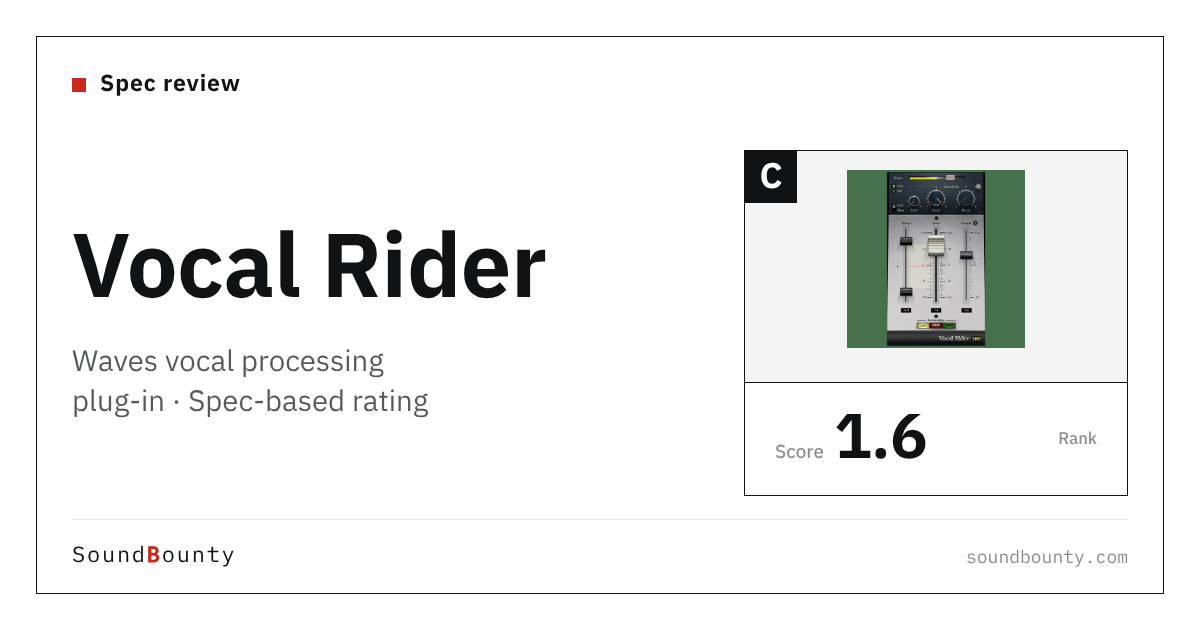
Waves’ vocal processing plug-in Vocal Rider automatically raises and lowers the level of a vocal to match a target level you set. It keeps the level steady without squashing the sound hard with a compressor, and the result can be written as automation.
A vocal processing plug-in puts the processing a vocal mix needs (EQ, compression, reverb and so on) into one plug-in. Some products also have an AI build the groundwork for you.
In this article we compare Vocal Rider with 10 vocal processing plug-ins and rate how well it serves its purpose on three criteria. The basis is official manufacturer information.
Disclosure: This article contains affiliate links. If you buy through them, SoundBounty may earn a commission at no extra cost to you. Prices and sale information are as of the date we checked them and can change.
Score 1.6 / 5 (average of the 10 products compared: 2.5)
- Specs last checked
- 2026/09/25
- AI groundwork
- Automatic level
- Cleaning up the recording
- Not stated
- Fine adjustment
- Knobs only
- Pitch correction and harmony
- None
- Price (store, date)
- Not listed
Summary
Among the 10 vocal processing plug-ins, Vocal Rider is rank C. The ranks run S, A, B and C, and C is the lowest. Averaging the scores for each criterion (out of 5, with the one criterion that matters most for the purpose counted double) gives 1.6.
Things to keep in mind
- AI groundwork (2 points): its AI groundwork is limited.
- Cleaning up the recording (1 points): there is little for dealing with noise and room sound.
- Fine adjustment (2 points): there are few features for working in detail.
- Pitch correction and harmony (1 points): it has no pitch correction or harmony features.
Who it suits: people who want to even out the level of a vocal without squashing it hard with a compressor.
Main features of Vocal Rider
Automatically raise and lower the level of a vocal
Vocal Rider is a plug-in that, once you set a target level, automatically raises and lowers the level of a vocal to even it out. The manufacturer explains that it keeps the level steady unobtrusively, like fast and accurate fader moves.
No need to squash the sound with a compressor
The manufacturer explains that it can be used instead of strong compression, which changes the tone of a voice when used to even out the level. It runs in real time without adding delay, and the result can be written to an automation track, so you can fix it by hand afterwards.
Where it is useful
- Automatically evening out the level difference between a chorus and a verse
- Saving the effort of drawing automation by hand
Rating by criterion
AI groundwork: 2 / 5
We look at whether the AI builds the vocal processing for you.
It automatically adjusts the level of a vocal to match the target level. It has no feature that proposes the whole chain of processing.
If “ai groundwork” matters most to you, Nectar 4 Advanced (5 points) is a better fit.
Cleaning up the recording: 1 / 5
We look at how it deals with home-recording noise and the room’s ring.
Dealing with noise and room ring is not described.
If “cleaning up the recording” matters most to you, prime:vocal (5 points) is a better fit.
Fine adjustment: 2 / 5
We look at whether you can work on the AI’s result yourself.
It is a simple design in which you set the target level and a few other values.
If “fine adjustment” matters most to you, Nectar 4 Advanced (5 points) is a better fit.
Pitch correction and harmony: 1 / 5
We look at features for correcting pitch and making harmonies.
It has no pitch correction or harmony features.
If “pitch correction and harmony” matters most to you, Nectar 4 Advanced and Nectar 4 Standard (5 points) are a better fit.
How we score (Vocal processing plug-ins)
| Criterion | Basis | 5 pt | 4 pt | 3 pt | 2 pt | 1 pt |
|---|---|---|---|---|---|---|
| AI groundwork | Whether the AI builds the vocal processing for you | An AI assistant, plus reduction of overlap with the backing track and automatic level adjustment | An AI assistant, plus reduction of overlap with the backing track | An AI assistant only | — | — |
| Cleaning up the recording | Dealing with home-recording noise and the room's ring | Noise and room reflections can be removed with AI | — | Has a gate and processing that tames harsh resonance | — | No mention of dealing with noise or room sound |
| Fine adjustment | Whether you can work on the AI's result yourself | Each processor can be operated directly and also used as a separate plug-in | Compressor, EQ, de-esser, reverb and more can be operated directly | — | You only adjust with a few knobs | — |
| Pitch correction and harmony | Correcting pitch and making harmonies | Comes with pitch-correction software (Melodyne essential) and can add harmonies | — | Can add harmonies or voice layers | — | No pitch correction or harmony features |
Each criterion is scored from 1 to 5 on how well the product serves one goal: quickly getting a cover-song vocal into a state ready to mix. Scores follow the conditions in the table above, and the rank is based on an average in which "AI groundwork" counts double. The basis is official manufacturer information. Sound quality and CPU load are not measured, so they are not scored; reviews from trade magazines are introduced in the articles for reference. Price is not part of the score. Features that cannot be confirmed from the manufacturer's or a retailer's description are scored as if absent. The "OBS (streaming)" column in the table shows whether the official page lists the VST2 format that the streaming software OBS Studio can use (○). OBS does not support the VST3 format. It is not part of the score.
Vocal Rider system requirements and getting started
| Operating system | Windows 10 or later / Mac (macOS 12 to 15) |
|---|---|
| Plug-in formats | Windows: VST, AAX / Mac: VST, AU, AAX |
| OBS (streaming) | Works with conditions (via Waves’ StudioRack) |
Checked on the manufacturer’s official pages on October 17, 2026.
Compared with other vocal processing plug-ins
Click a heading to sort. On a phone, the table scrolls sideways.
| Product | RankAvg. score | AI groundwork | Cleaning up the recording | Fine adjustment | Pitch correction and harmony | OBS (streaming) | Price (store, date) |
|---|---|---|---|---|---|---|---|
| iZotopeNectar 4 Elements | C 2.0 | Assistant | Standard and above | Knobs only | Standard and above | × (VST3 only) | $55 [PB, checked Oct 26] |
| iZotopeNectar 4 Standard | A 4.0 | Also reduces overlap | Gate | Module controls | Melodyne included + harmony | × (VST3 only) | $199 [PB, checked Oct 26] |
| iZotopeNectar 4 Advanced | S 4.6 | Also automatic level | Gate | Separate plug-ins | Melodyne included + harmony | × (VST3 only) | $299 [PB, checked Oct 26] |
| sonibleprime:vocal | B 2.8 | Tidies up with AI | Noise and reverb removal | Adjustment knobs | None | × (VST3 only) | $179 [PB, checked Oct 26] |
| soniblesmart:chain | B 3.2 | AI + automatic level | Gate, resonance control | 8 processors to adjust | None | × (VST3 only) | $179 [PB, checked Oct 26] |
| WavesCLA Vocals | C 1.2 | None | Not stated | 6 faders | None | △ (via Waves' StudioRack) | Not listed |
| WavesVocal Rider | C 1.6 | Automatic level | Not stated | Knobs only | None | △ (via Waves' StudioRack) | Not listed |
| Minimal AudioEvoke | C 2.0 | None | Not stated | Effects + modulation | Correction + 4-voice harmony | × (VST3 only) | $129 [Official, checked Oct 26] |
| Pulsar AudioPulsar Vocal Studio | C 2.0 | None | De-esser, gate | Direct control of each process | None | ○ | $69 (sale; regular $199) [Official, checked Oct 26] |
| WavesMaserati VX1 | C 1.2 | None | Not stated | Knobs only | None | △ (via Waves' StudioRack) | Not listed |
Features checked on each manufacturer's official website on September 25, 2026. Check the store page behind the buy button for the price.
Read next
- CLA Vocals: features and rating (rank C)
- Evoke: features and rating (rank C)
- prime:vocal: features and rating (rank B)
- smart:chain: features and rating (rank B)

Comments