
Disclosure: This page may contain affiliate links. Prices were checked on the date shown and may change.
An introduction to W. A. Production DJFX, based on information from the maker and distributors: what it does, how to use it and who it may suit. It is not scored.
DJFX lets you stack and combine up to six simultaneously for endless creative possibilities.
— W. A. Production official site
What is DJFX?
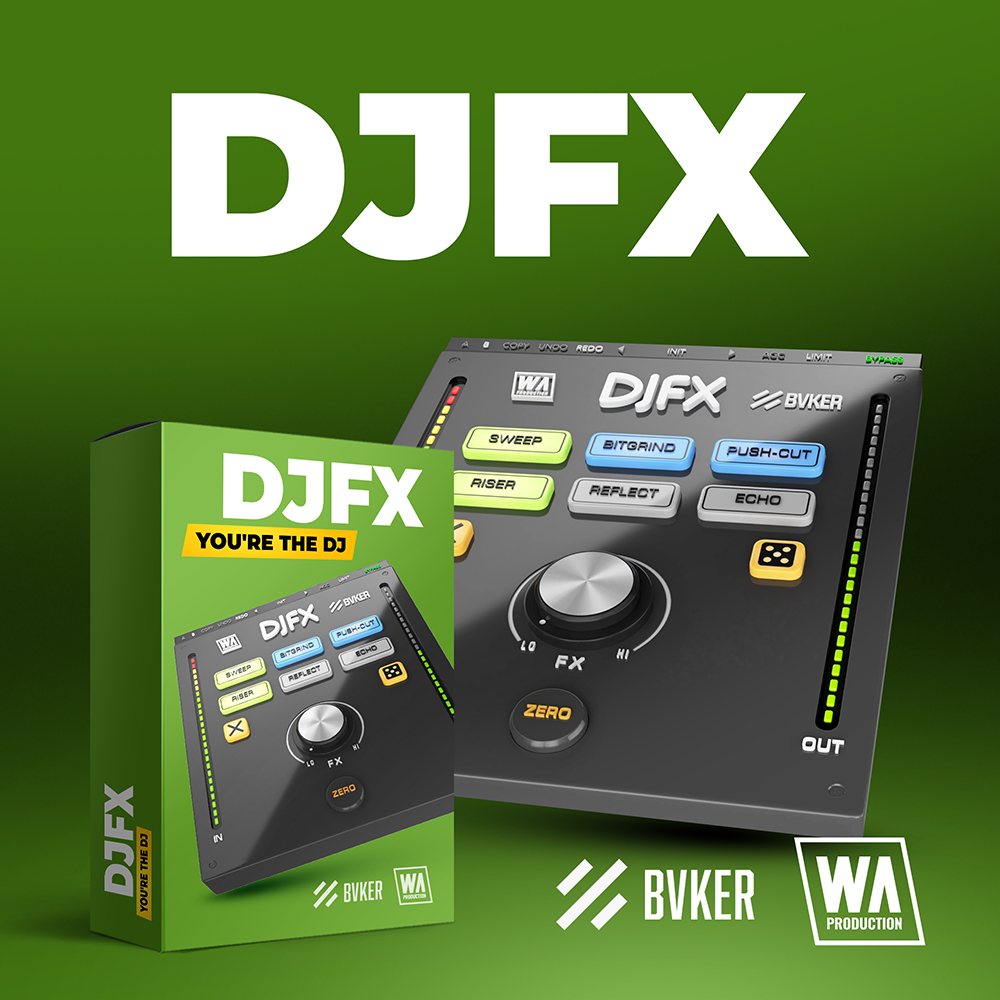
DJFX is a DJ-style multi-effect created by W. A. Production and BVKER. It brings the feel of DJ-gear effects into the DAW, extended for production.
It has six effects (Sweep, Bitgrind, Push-Cut, Riser, Reflect and Echo), each with Style A (hardware-like) and Style B (extended), for twelve movements in total.
At its center is a bidirectional Master FX knob. Turning it clockwise or counter-clockwise brings different effects, moving up to six at once. The maker says that unlike conventional DJ gear, which allows one at a time, DJFX lets you stack them.
It includes a look-ahead limiter with automatic gain compensation, a randomizer, All Off, Zero, A/B comparison, copy and paste, and undo and redo. Factory presets, a manual and a tutorial video come with it.
Key features
Bidirectional Master FX knob
One knob turned left or right moves several effects at once, which may suit live-feel transitions.
Sweep and Bitgrind
Sweep is a filter (with flanging in Style B), and Bitgrind is bit and sample-rate reduction or sample-and-hold.
Push-Cut
Turning left compresses and turning right gates. Style B is a compressor with a wobbler.
Riser and Reflect
Riser builds tension with filtered noise, and Reflect is reverb from classic wash to studio-style depth.
Echo
Variable-sync delays range from classic dub to alternative timings.
Production helpers
A look-ahead limiter, automatic gain compensation, randomize and A/B comparison keep stacked effects manageable.
Specifications
| Item | Details |
|---|---|
| Type | DJ-style multi-effect |
| Effects | Sweep, Bitgrind, Push-Cut, Riser, Reflect, Echo (two styles each) |
| Formats | VST, VST3, AU, AAX (Intel and Apple Silicon, native AAX) |
| OS | Windows 10/11 (64-bit); macOS 10.14 or later (64-bit) |
| AAX | Pro Tools 12 or later |
| Trial | Available (free trial at Plugin Boutique) |
What is included and system requirements
- Plugin
- Factory presets
- Manual
- Tutorial video
How to use it
- Insert DJFX on a track or bus.
- Choose a preset.
- Enable the effects you want and pick Style A or B.
- Move the Master FX knob left and right to hear the result.
- Check that All Off and Zero reset the state.
- Automate Master FX across a section change.
Where it may come in handy
Build-ups and drops
Stacking Riser and Reflect may help build tension before a drop.
Live or DJ-style moves
Moving Master FX by hand may give a live feel.
Varying loops
Bitgrind and Echo could add variation to static loops.
Who it may suit
- People who want DJ-style effects in the DAW
- Those who want one knob to move several effects
- Producers making dance tracks
Good to know before you buy
- Prices vary by store and period.
Price
$39.90 (W. A. Production official site, checked 2026-10-27). Prices can vary by region and promotion, so check the official page before buying.
More of the same kind
Other introduction articles of the same kind.
- Leapwing Audio CenterOne 3
- Blue Cat Audio Blue Cat's Remote Control
- Solid State Logic SSL autoDYN
- Klevgrand Parrot
- Antelope Audio RD47
- Karanyi Sounds Playmod
We have introduced 42 other products from W. A. Production.
- W. A. Production MixBoss
- W. A. Production SphereQuad
- W. A. Production Fundamental Bass
- W. A. Production Noizzer
- W. A. Production ChopBeast 2
See the full list in Product database: Effects.
Sources: waproduction.com pluginboutique.com (checked 2026-10-27)










Comments