
Disclosure: This page may contain affiliate links. Prices were checked on the date shown and may change.
An introduction to W. A. Production Vocal Limiter, based on information from the maker and distributors: what it does, how to use it and who it may suit. It is not scored.
Lift Your Voice
— W. A. Production official site
What is Vocal Limiter?
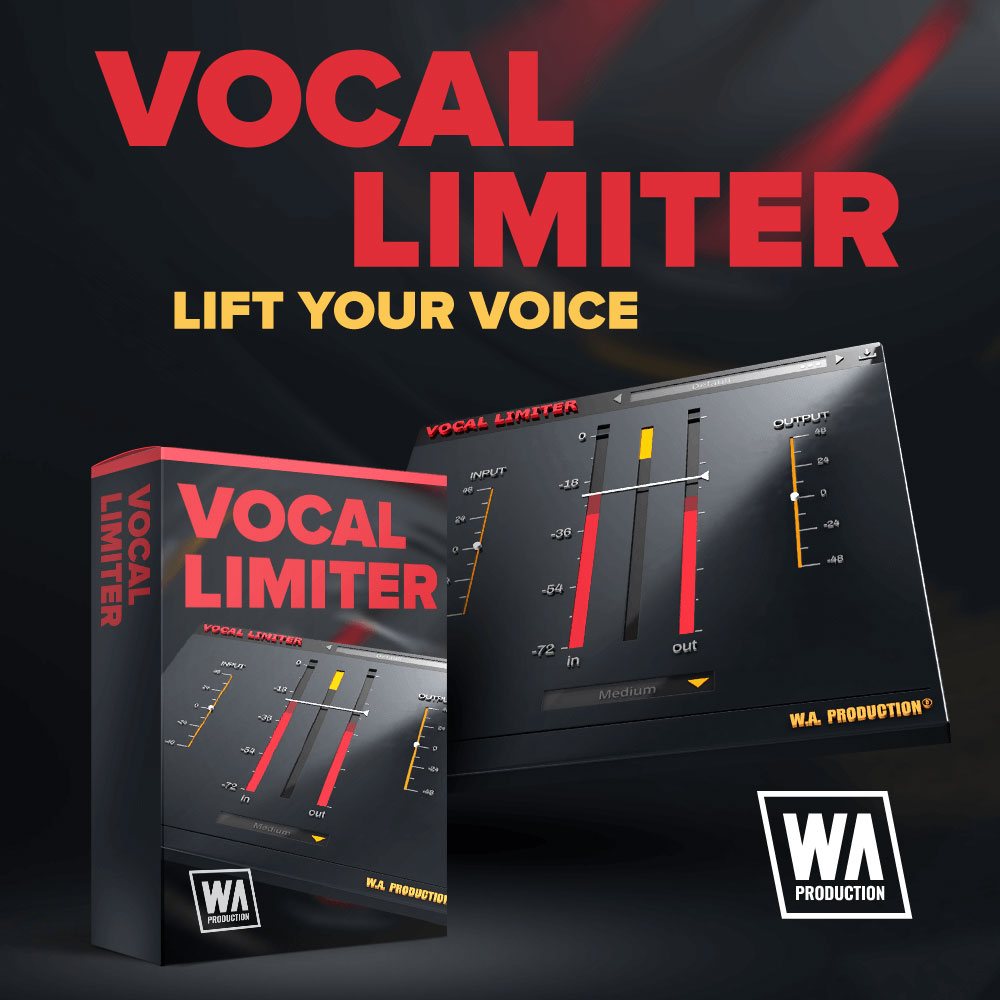
Vocal Limiter is a vocal-oriented limiter plug-in from W. A. Production. The official description presents it as the last step in a vocal processing chain, designed to be as simple to use as possible. It is intended for evening out the level swings of a sung performance so that it is less likely to be buried in the mix.
A vocal can move from a quiet verse to a forceful chorus. Even after compression and manual volume riding, some peaks can remain. This plug-in is meant for the final stage, where fluctuating dynamics are held down or slower phrases are smoothed.
According to the maker, it is built to target the frequencies of vocal performances, so it is less affected by very high or very low content. The main controls are Threshold, a Speed button, and Input and Output faders, with real-time VU meters to follow what the limiter is doing.
It is listed in VST, AU, AAX and VST3 formats (as written on the official page) for Windows and macOS. Factory presets, a PDF manual and a tutorial video are included, and the interface can be resized. With so few controls, it may suit people who are using a limiter for the first time.
Key features
Threshold clamps the peaks
As with a typical limiter, lowering the Threshold holds down the parts that exceed the set level. It may be a starting point for taming a voice that suddenly grows in a chorus.
Four release speed modes
A central button switches the auto-release among four speeds. The maker suggests slower settings for calm songs, fast settings for vocal chops and rap, and the medium setting for most other vocals.
Ultra Slow for synth parts too
The fourth, Ultra Slow mode is described as a bonus setting. The maker says it is also useful for synth parts and other audio that needs a gentle release.
Input and Output faders with bypass
The Input and Output faders balance vocals recorded at different levels. The click- and pop-free bypass allows accurate A/B comparison in context.
Real-time VU meters
The VU meters on the interface show what is happening to the signal in real time, so settings can be judged by both eye and ear.
Presets and documentation
Useful combinations of settings are bundled as factory presets, reachable from the browser or the arrows beside the preset section. A PDF manual and a tutorial video are included.
Specifications
| Item | Details |
|---|---|
| Type | Limiter (vocal processing) |
| Formats | VST, AU, AAX, VST3 (official page) |
| OS (Plugin Boutique) | macOS 10.13 or later (64-bit only) / Windows 8 or later (32/64-bit) |
| AAX | Pro Tools 11 or higher |
| Controls | Threshold, Speed (4 modes), Input, Output, Bypass |
What is included and system requirements
- Factory presets
- PDF manual and tutorial video
- Resizable interface
- macOS 10.13 or later / Windows 8 or later (as written on Plugin Boutique)
How to use it
- Insert Vocal Limiter at the end of the vocal track's insert chain.
- While playing the loudest part of the vocal, lower the Threshold gradually.
- Check on the meters how much is being limited.
- Press the Speed button to choose a release speed that suits the song.
- Match volume with the Input and Output faders and compare with the bypass.
- If unsure, pick a nearby preset and fine-tune it.
Where it may come in handy
Cover-song vocals
It may suit the final stage for a vocal whose level moves up and down, for example to deal with chorus peaks.
Rap and vocal chops
The maker points to fast release for this use. It might help even out the grains of chopped vocals.
Ballads and acoustic songs
Slow release is suggested for these. It may fit when smoother phrases need a calmer level.
Who it may suit
- People who want a quick final level control on vocals
- People who find detailed limiter settings hard
- People working with rap or vocal chops
Good to know before you buy
- For Apple Silicon Macs, Plugin Boutique asks buyers to check the current compatibility status before purchasing.
- The AAX format requires Pro Tools 11 or higher.
How it differs from similar products
We do not pick a winner; the official figures are placed side by side.
W. A. Production Presser by Aiden Kenway
Vocal Limiter is a limiter with few controls: Threshold, Speed, Input and Output. Presser is a compressor with Glue, Punch and Heat controls and sidechain options, and it has a limiter button on its output.
Price
Please check the official page for the price.
See Vocal Limiter on the product page
More of the same kind
We have introduced 27 limiters and maximizers. Here are some of the others.
- IK Multimedia White 2A Leveling Amplifier
- McDSP ML4000 Mastering Limiter
- Waves L3-16 Multimaximizer
- Antelope Audio Antelope Audio x903
- Waves L3 Multimaximizer
- Antelope Audio Antelope Audio VP Brainiac II
We have introduced 42 other products from W. A. Production.
- W. A. Production Screamo
- W. A. Production Vocal Splitter
- W. A. Production Pumper 3
- W. A. Production Presser by Aiden Kenway
- W. A. Production BeatQuake
For a side-by-side comparison scored on the same criteria, see our comparison of limiters and maximizers.
See the full list in Product database: Effects.
Sources: waproduction.com pluginboutique.com (checked 2026-10-27)










Comments