
Disclosure: This page may contain affiliate links. Prices were checked on the date shown and may change.
An introduction to Waves Eddie Kramer Signature Series, based on information from the maker and distributors: what it does, how to use it and who it may suit. It is not scored.
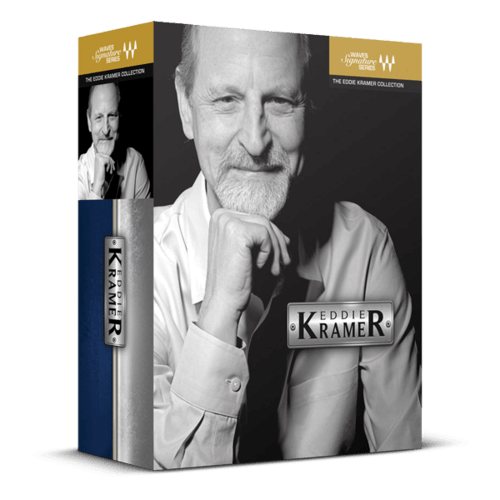
The Eddie Kramer Signature Series distills his timeless production secrets into five exceptional plugins.
— Waves official site
What is Eddie Kramer Signature Series?
Eddie Kramer Signature Series is a bundle of five plug-ins from Waves, made with engineer/producer Eddie Kramer. He is described as having worked with artists such as Jimi Hendrix, Led Zeppelin, the Beatles, the Rolling Stones and Kiss.
The five plug-ins are Bass Channel, Guitar Channel, Vocal Channel, Effects Channel and Drum Channel. They are channel-style processors that put the sound shaping for each source behind a few knobs.
The description lists rich analog tube sound brought into the DAW and complete mix chains distilled into a few well-chosen knobs as features.
It is aimed at people looking for the feel of classic rock albums. It supports VST, AU and AAX on Mac, and VST and AAX on Windows.
Key features
Five channel plug-ins
Bass, Guitar, Vocal, Effects and Drum channels are included, each a dedicated processor for its source.
Developed with Eddie Kramer
The description says his production knowledge was built into the plug-ins.
Classic sounds
Reproducing classic vocal, guitar, bass and drum sounds is listed as an aim.
Analog tube sound
The description says rich analog tube sound can be brought into your DAW.
Few knobs
Complete mix chains are condensed into a small number of controls.
Common formats
VST, AU and AAX on Mac and VST and AAX on Windows.
Specifications
| Item | Details |
|---|---|
| Included plug-ins | Bass Channel / Guitar Channel / Vocal Channel / Effects Channel / Drum Channel |
| Formats | Mac: VST / AU / AAX; Windows: VST / AAX |
| Supported OS | macOS Monterey 12 / Ventura 13 / Sonoma 14 / Sequoia 15; Windows 10 or newer |
| Activation | Waves account and Waves Central |
What is included and system requirements
- Bass Channel
- Guitar Channel
- Vocal Channel
- Effects Channel
- Drum Channel
How to use it
- Create a Waves account and activate it from the email link.
- Enter the serial number under Register New Products.
- Download and install Waves Central, then log in.
- Under Install Products, select the products and click Install & Activate.
- Open your DAW and insert the channel that matches the source.
- Choose a preset and listen.
- Adjust the knobs for the amount.
- Finish by balancing it with the other tracks.
Where it may come in handy
Rock vocals
Inserting Vocal Channel on a vocal may help set the direction of the mix.
Guitar and bass
The Guitar and Bass channels may help you shape the tone quickly.
Drum processing
Drum Channel may help set the overall feel of the drums in one step.
Effects returns
Effects Channel may help shape time-based effects.
Who it may suit
- People looking for a classic rock feel
- People who want channel processing with few controls
- People who want vocal, guitar, bass and drum tools in one bundle
Good to know before you buy
- A Waves account and activation through Waves Central are required.
- The content here is based on the Plugin Boutique description.
Price
Please check the official page for the price.
See Eddie Kramer Signature Series on the product page
More of the same kind
Other introduction articles of the same kind.
- Metric Halo Make Believe Bundle
- Kuassa Kuassa EVE-AT Bundle
- Zynaptiq Mac Audio Apps Bundle 2
- Tracktion DAW Essentials Collection
- sonible sonible Metering Bundle
- Krotos Krotos Everything Bundle 6
We have introduced 215 other products from Waves.
- Waves JJP Analog Legends
- Waves Manny Marroquin Signature Series
- Waves Content Creator Audio Toolkit
- Waves API Collection
- Waves Signature Series Bass and Drums
See the full list in Product database: Bundles.
Sources: pluginboutique.com (checked 2026-10-27)










Comments