
Disclosure: This page may contain affiliate links. Prices were checked on the date shown and may change.
An introduction to W. A. Production Ignition, based on information from the maker and distributors: what it does, how to use it and who it may suit. It is not scored.
Introducing IGNITION, the single-page FX toolkit crafted to add instant heat and sizzling spice to your tracks.
— W. A. Production official site
What is Ignition?
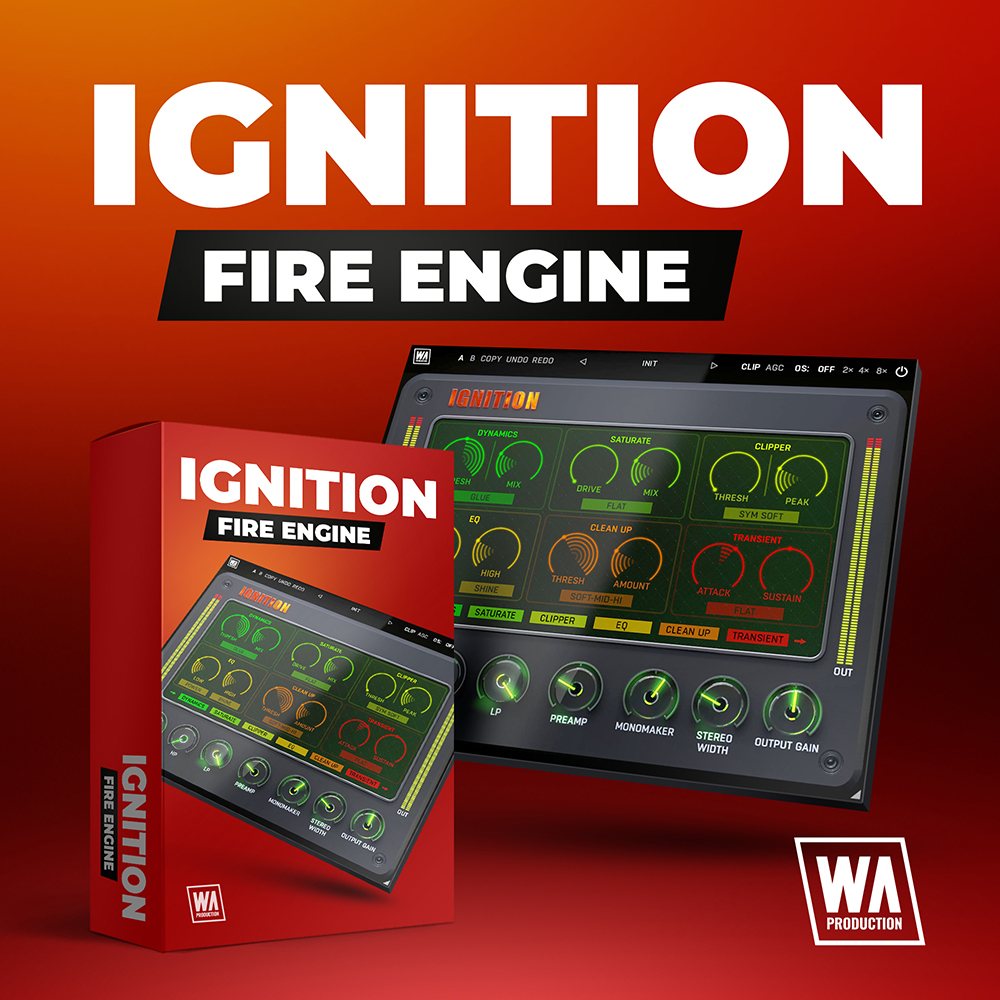
Ignition is a multi-effect from W. A. Production that puts six processing modules on a single page: Dynamics, Saturate, Clipper, EQ, Clean Up and Transient. It is described as designed with reference to effect chains made by dance music producers.
Each module has several character models, so you can switch how compression is applied or which saturation type is used. Dynamics has seven modes, Saturate has seven saturation types, and Clipper has six algorithms.
The six modules can be reordered by drag and drop. For example, you can try compression before saturation and the reverse on the same screen. The official page presents this as a difference from fixed-chain plugins.
Besides the modules, there are shared controls such as a preamp, stereo width, a Monomaker that centers low frequencies, and master high-pass and low-pass filters. A limiter, automatic gain compensation, meters, A/B comparison and presets are also included.
Key features
Reorderable modules
The order of Dynamics, Saturate, Clipper, EQ, Clean Up and Transient can be changed by dragging. The official page presents the ability to rearrange them on one screen as a feature.
Seven Dynamics characters
Compression character can be switched between several modes, from cohesion to more energetic behavior. It could be a starting point for drum buses or overall glue.
Saturate and Clipper
Saturate has seven types for adding anything from warmth to grit, and Clipper has six algorithms for controlling peaks. Both may be tried when you want to adjust loudness.
EQ and Clean Up
EQ shapes lows and highs with prepared curves. Clean Up smooths the spectrum to reduce harshness and uneven peaks, according to the description.
Transient control
Attack and sustain can be adjusted across different frequency ranges. It may help when you want to change the punch or decay of drums.
Global controls and presets
Preamp, Stereo Width, Monomaker and master high-pass/low-pass filters are included. The presets are described as chains curated by several engineers and artists.
Specifications
| Item | Details |
|---|---|
| Type | Multi-effect (six modules) |
| OS | Windows 10 or higher (64-bit) / macOS 10.15 or higher (64-bit) |
| Formats | Includes AAX (Pro Tools 11 or higher); check the store or official page for other formats |
| Functions | A/B comparison, undo/redo, limiter, automatic gain compensation |
| Included | Manual, tutorial video |
What is included and system requirements
- Six processing modules (Dynamics, Saturate, Clipper, EQ, Clean Up, Transient)
- Global controls (Preamp, Stereo Width, Monomaker, master high-pass/low-pass)
- Factory presets
- Manual and tutorial video
- Windows 10 or higher / macOS 10.15 or higher (64-bit); check compatibility before buying on Apple Silicon
How to use it
- Insert the plugin on the mix bus, drum bus or an individual track.
- Pick a preset to decide the general direction.
- Switch the character of each module and check how the sound changes.
- Drag modules to change the order and compare the results.
- Adjust width and low-end position with Stereo Width and Monomaker.
- Shape the overall bandwidth with the master high-pass and low-pass filters.
- Compare with the original using A/B, and copy/paste settings to compare alternatives.
Where it may come in handy
House and dance tracks
Because the plugin is based on chains from dance producers, it could be used to finish kicks, bass and drum buses.
Finishing with a single plugin
When you want to try compression, saturation, EQ and transient control on one screen, it may spare you from opening several plugins.
Comparing processing order
You could check how the order of compression and saturation changes the result inside one plugin.
Who it may suit
- People who want basic mixing and mastering processing in one plugin
- People producing dance-oriented genres
- People who want to try the effect of processing order
Good to know before you buy
- Required OS is Windows 10 or higher / macOS 10.15 or higher, which is newer than some older W. A. Production products.
- Apple Silicon Mac users are advised to check compatibility information before purchasing.
How it differs from similar products
We do not pick a winner; the official figures are placed side by side.
W. A. Production Drifter
Ignition has six modules: Dynamics, Saturate, Clipper, EQ, Clean Up and Transient. Drifter is a modulation plugin that adds movement to eight targets: Level, Pan, Pitch and Tone (Natural), and Phase, Shift, Shape and Filter (Creative).
Price
$59.90 (Plugin Boutique, checked 2026-10-27). Prices can vary by region and promotion, so check the official page before buying.
See Ignition on the product page
More of the same kind
We have introduced 122 EQs. Here are some of the others.
- Sonnox Claro
- Antelope Audio Antelope Audio VEQ-1A
- Apogee Pultec FX Bundle
- Solid State Logic SSL X-EQ 2
- PSP Audioware PSP Datamix A567
- Acon Digital DeFilter
We have introduced 42 other products from W. A. Production.
- W. A. Production Dynawide
- W. A. Production MixBoss
- W. A. Production Mutant Delay
- W. A. Production Spectron by Curbi
- W. A. Production Delay Rings
For a side-by-side comparison scored on the same criteria, see our comparison of EQs.
See the full list in Product database: Effects.
Sources: waproduction.com pluginboutique.com (checked 2026-10-27)










Comments