
Disclosure: This page may contain affiliate links. Prices were checked on the date shown and may change.
An introduction to LANDR LANDR FX Beats, based on information from the maker and distributors: what it does, how to use it and who it may suit. It is not scored.
Add impact and groove to the foundation of your mix. Sculpt the perfect kick or completely transform your drums with 46 presets for everything from smooth EQ to tight, punchy compression to explosive saturation.
— LANDR official site
What is LANDR FX Beats?
LANDR FX Beats is a multi-effect plugin for drums and beats from LANDR. It includes presets for EQ, compression, saturation, reverb and more, covering individual sounds such as kick, snare and cymbals up to a full drum bus.
There are 46 presets in six categories: Kits, Kick, Snare, Cymbals, EQ and FX. Kits are organized around genre and style, and the maker describes kick presets for EDM, punchy kicks and 808 growls. The EQ presets let you work on lows, mids and highs individually.
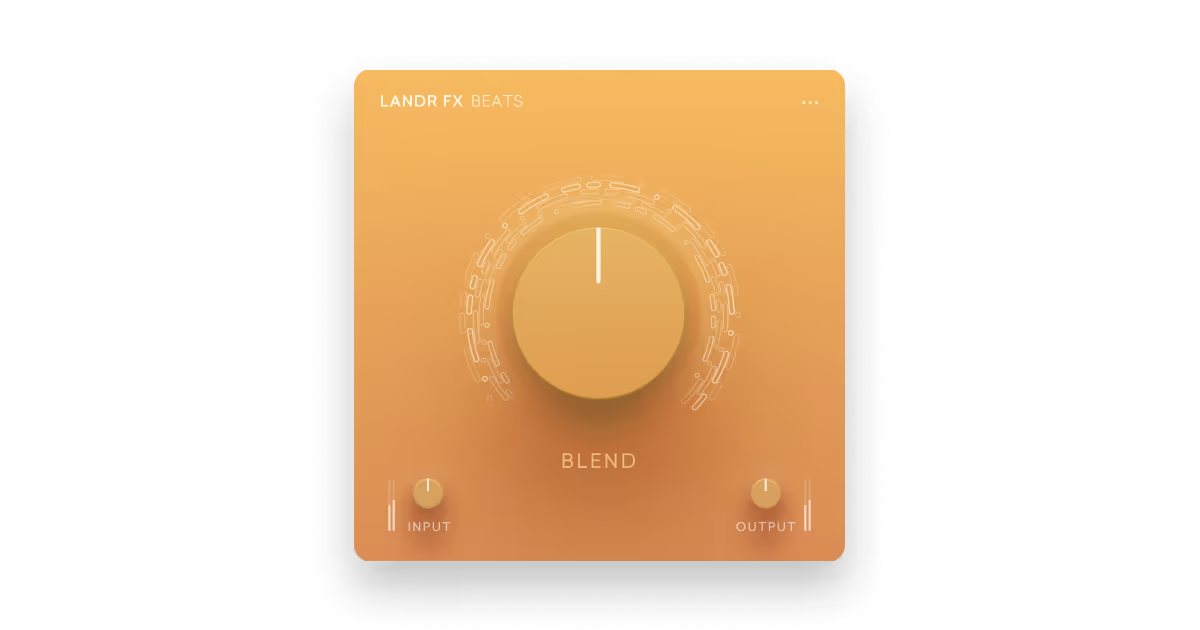
You choose a preset and set how strongly it is applied with a blend dial. The official page names presets such as 808 Growl, Vintage Smooth and Motown, and it describes quickly creating wide, spacey 80s-style drums or tight trap claps and kicks.
It may suit situations where you want to set the overall direction of the drums quickly rather than adjusting each sound at length. The official page also states that it is included with LANDR Studio.
Key features
46 presets in 6 categories
Kits, Kick, Snare, Cymbals, EQ and FX hold 46 presets in all. Since there are presets for individual parts and for whole kits, you may be able to pick according to your working stage.
Kick presets
The official page mentions kick presets for EDM, punchy kicks and 808 growls. They may be an entry point when you want to change the character of a kick.
Snare and cymbals
Snare presets include reverb and splash, and cymbal presets tighten or brighten. They may help when you want to tidy recorded or sampled sources afterwards.
EQ for lows, mids and highs
The EQ category lets you focus on lows, mids and highs individually. It could be tried when balancing the bands between kick and hi-hats.
Blend dial and level controls
Intensity is set with one dial, and input and output levels can also be adjusted. That may help when you want to avoid complicated settings.
FX category
This category gathers creative presets such as reverb, echo, space and crunch. It may be a candidate when you want to vary a beat.
Specifications
| Item | Details |
|---|---|
| Type | Preset-based multi-effect for drums and beats |
| Presets | 46 (6 categories) |
| Formats | VST3, AU, AAX (Windows: VST3 and AAX) |
| OS | macOS 10.14 or later (Apple Silicon native / Intel), Windows 10 (64-bit) or later |
| Licensing | Activated through a LANDR account |
What is included and system requirements
- LANDR FX Beats plugin with 46 presets
- OS: macOS 10.14 or later / Windows 10 (64-bit) or later
- Formats: VST3, AU, AAX (Windows: VST3 and AAX)
- Also included with a LANDR Studio subscription
How to use it
- Create a LANDR account.
- Enter the redeem code you received in the Plugins tab of your LANDR library.
- Choose Install next to LANDR FX Beats in My plugins.
- Download and run the installer for your operating system.
- Open your DAW and insert LANDR FX Beats on a kick, snare or drum bus track.
- Choose a preset from a category and set the amount with the blend dial.
- Adjust input and output levels if needed, and use separate instances for different sources.
Where it may come in handy
Beat making
It may be useful when you want to add the feel of a particular kit quickly to drums made from arranged samples. You could start with genre-oriented presets.
Shaping a kick
You could switch between presets with different directions, such as EDM or 808, to look for a kick that fits the track.
Gluing a drum bus
You might route all drums to a bus and use compression or saturation-type presets to add cohesion.
Home-recording drum material
It may also help when tidying electronic-drum or programmed material band by band with the EQ presets.
Who it may suit
- Beat makers who want to set drum direction by choosing presets
- People who want to change the character of kicks or snares quickly
- Anyone who wants to handle drum EQ in three simple bands
- Those who would rather not stack several plugins
Good to know before you buy
- It is preset-centered; it is not designed for editing each effect's parameters individually.
- Activation through a LANDR account is required.
- The official page gives both 46 and 49 as the preset count (Plugin Boutique says 46).
- On Windows the formats are VST3 and AAX (AU is for Mac).
How it differs from similar products
We do not pick a winner; the official figures are placed side by side.
LANDR FX Voice
Both belong to the LANDR FX series. Beats has 46 presets in 6 categories and Voice has 46 in 7 categories. Beats is aimed at drums and Voice at vocals.
Price
Please check the official page for the price.
Also included with LANDR Studio (the official page says from USD 8.25 per month).
See LANDR FX Beats on the product page
More of the same kind
Other introduction articles of the same kind.
- McDSP Analog Channel HD v7
- Blue Cat Audio Re-Head
- MeldaProduction MHarmonizerMB
- Apogee FX Complete Bundle
- McDSP SA-2 Dialog Processor v7
- MeldaProduction MCenter
We have introduced 10 other products from LANDR.
- LANDR LANDR FX Acoustic
- LANDR LANDR FX Bass
- LANDR LANDR FX Electric
- LANDR VoxVerb
- LANDR LANDR Composer
See the full list in Product database: Effects.
Sources: landr.com pluginboutique.com (checked 2026-10-27)










Comments