
Disclosure: This page may contain affiliate links. Prices were checked on the date shown and may change.
An introduction to Soundtoys PanMan, based on information from the maker and distributors: what it does, how to use it and who it may suit. It is not scored.
Rhythmic auto-panning with cool classic features, new tricks, and analog color.
— Soundtoys official site
What is PanMan?
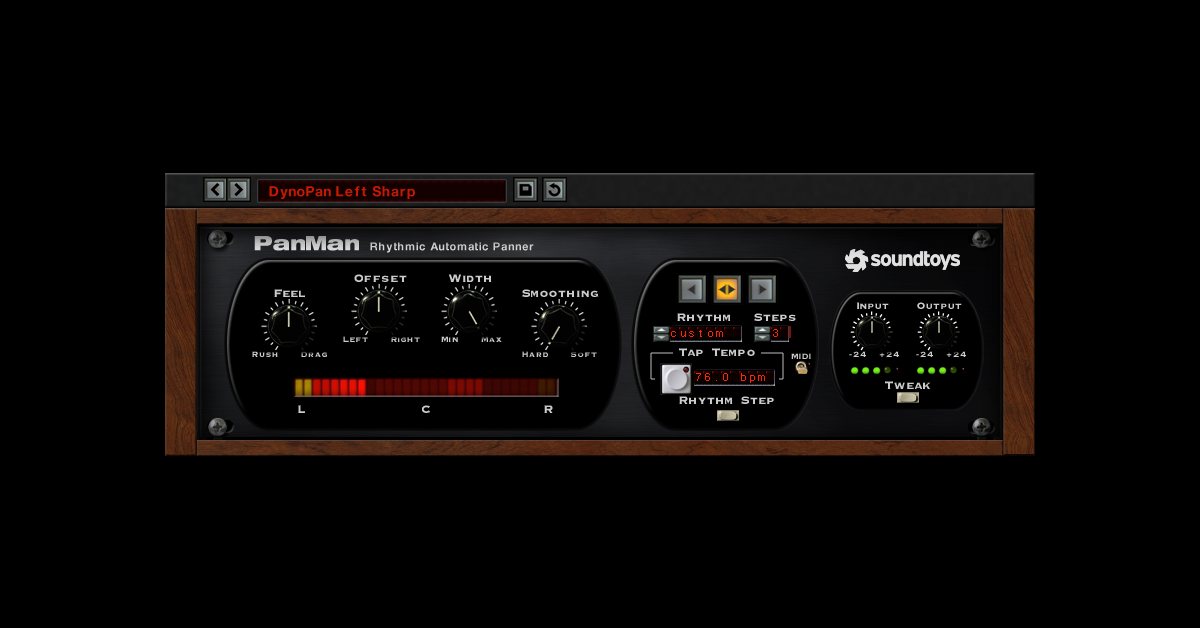
PanMan is an auto-panner plug-in from Soundtoys. It moves a sound left and right using tempo-synced rhythmic patterns or movement that responds to the level of the signal.
Its features draw on vintage hardware auto-panners such as the Spanner and PanScan. The PanScan's trigger divider, which sets how many trigger events it takes to move to a new pan position, is included in PanMan.
Panning can be run in six modes including LFO, step and random. Two rhythm methods are offered: Step for placing a new position on each beat, and Shape for choosing from a library of panning shapes or drawing your own, with further options in the Tweak panel.
Seven analog modes add saturation when the plug-in is driven. It may suit people who want movement and some coloration, not only a simple left-right sweep.
Key features
Six panning modes
Six modes including LFO, step and random let you change how the movement is generated. Slow sweeping or jumping to a new position per beat gives different results on the same material, and the movement can be locked to the song tempo.
Trigger divider
A feature from the vintage PanScan hardware that sets how many triggers it takes to move to the next pan position, for example scanning from left to right in three triggers. Triggers can come from a mouse click, host automation or a threshold on the incoming audio.
Step and Shape rhythm modes
Step lets you pick a new position on each beat, synced to the host. Shape lets you choose from a library of panning shapes or draw your own, covering both regular and irregular movement.
Dynamics-controlled movement
Setting the threshold lets track dynamics drive the width, speed and offset of the panning. Soundtoys describes sweeps triggered by a snare hit, or speed that follows vocal loudness.
Seven analog modes
Seven algorithms that add saturation when the plug-in is pushed. They may be useful when you want a little coloration on the source.
Filtered trigger input
The audio sent to the trigger can be filtered so it reacts only to low or high frequency events, for example moving the pan in time with a kick drum only.
Specifications
| Item | Details |
|---|---|
| Type | Auto-panner |
| Panning modes | 6 (LFO, step, random and others) |
| Analog modes | 7 |
| Plug-in formats | VST2 / VST3 / AU (Mac) / AAX Native / AAX AudioSuite |
| Supported OS | macOS 10.12 or later (Intel / Apple silicon, 64-bit) / Windows 7 or later (64-bit) |
| Sample rates | 44.1 kHz to 192 kHz |
| Authorization | Free iLok account required (physical USB iLok not required) |
What is included and system requirements
- PanMan plug-in (VST2 / VST3 / AU / AAX Native / AAX AudioSuite)
- Seven analog modes
- Library of panning shapes
How to use it
- Buy from the Soundtoys site or Plugin Boutique and register the license to a free iLok account.
- Run the installer and restart your DAW.
- Load PanMan on the track whose panning you want to move.
- Choose a panning mode and set a tempo-synced speed.
- Build the movement with Step or Shape.
- Set the Threshold if you want the effect to follow level.
- Choose an analog mode if you want some coloration.
- Open the Tweak panel to check the additional options.
Where it may come in handy
Width for pads and guitars
A slow tempo-synced pan can add movement to pads or clean guitar.
Accents on drums and percussion
You might set the pan to react to the snare so only fills move across the field.
Effect-style vocal treatment
Speed that follows vocal level may add movement to whispers or shouts.
Who it may suit
- People who want to design rhythmic auto-pan patterns
- Those who want movement that follows performance dynamics
- Anyone interested in tools that recreate features of vintage hardware
Good to know before you buy
- A free iLok account is required; a USB iLok is not.
- It is 64-bit only and does not support 32-bit systems.
- The official site sometimes shows sale pricing, so check the current price before buying.
Price
Please check the official page for the price.
See PanMan on the product page
More of the same kind
We have introduced 18 stereo and imaging tools. Here are some of the others.
- Harrison Tremolo Panner
- Blue Cat Audio Blue Cat's StereoScope Multi
- Waves Brauer Motion
- W. A. Production Dynawide
- MeldaProduction MAutopanMB
- Waves Waves PS22 Stereo Maker
We have introduced 8 other products from Soundtoys.
- Soundtoys FilterFreak
- Soundtoys PhaseMistress
- Soundtoys Tremolator
- Soundtoys Soundtoys 5
- Soundtoys SpaceBlender
See the full list in Product database: Effects.
Sources: soundtoys.com pluginboutique.com (checked 2026-10-27)










Comments