
Disclosure: This page may contain affiliate links. Prices were checked on the date shown and may change.
An introduction to NUGEN Audio Visualizer, based on information from the maker and distributors: what it does, how to use it and who it may suit. It is not scored.
Powerful, flexible audio analysis, giving you immediate access to precisely the information you need, when you need it.
— NUGEN Audio official site
What is Visualizer?
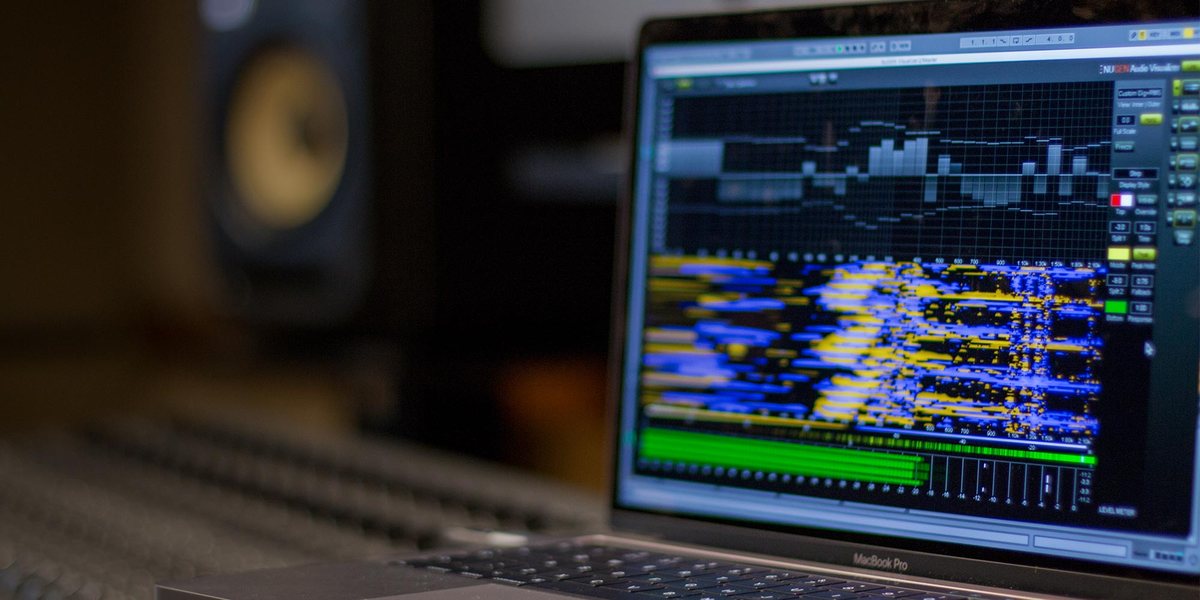
Visualizer is an audio analysis plug-in from NUGEN Audio of the UK. It brings an FFT spectrum, stereo spectrogram, vectorscope, stereo bias meter and correlation by frequency into one window to help users measure, understand and correct audio.
According to the official description, it gathers the needed information in a resizable window so there is less switching between plug-ins. Each view has its own settings panel, and visual solo controls let any view be inspected with one button.
The Intelligent Window system automatically resizes and aligns windows when several view combinations are selected, for legibility. Setups can be saved as presets and switched instantly across interface sizes.
Comparison mode puts two sources in a single interface with overlay, side-by-side or differential views, which the official page suggests for before/after checks and EQ matching. Formats are AAX, VST3, AU and AudioSuite (64-bit), plus a standalone application.
Key features
Wide set of views
FFT spectrum, stereo spectrogram, vectorscope, stereo bias meter, correlation by frequency and level meters (peak, RMS, K12, K14, K20 and others) are provided.
Intelligent Window
When several views are selected, they are resized and aligned automatically, so the desired combination can be seen at once.
Comparison mode
Two sources can be compared with overlay, side-by-side or difference views, which may help check before and after mastering or EQ.
Detailed display options
Frequency and dB zoom and scroll, peak hold, color selection, FFT window selection and RMS window adjustment are available.
Phase checks
Overall correlation, correlation history, vectorscope and correlation by frequency can help find phase cancellation.
Plug-in and standalone
In addition to the plug-in, a standalone application for Windows and macOS is available, and a DSP version for Avid HDX is mentioned.
Specifications
| Item | Details |
|---|---|
| Type | Audio analysis plug-in |
| Formats | AAX, VST3, AU, AudioSuite (64-bit), standalone (Win/Mac) |
| Minimum requirements | Mac OSX 10.9 / 512 MB RAM, Windows 7 / 512 MB RAM |
| Main views | FFT, stereo spectrogram, vectorscope, stereo bias meter, correlation by frequency and more |
What is included and system requirements
- The plug-in and the standalone application
- A free demo is offered on the official page
- User-configurable presets
How to use it
- Create a NUGEN account and register the license code.
- Download and run the installer.
- Insert Visualizer on a track or the master bus in the DAW.
- Select the views to show, such as spectrum and vectorscope.
- While playing, look for problem frequencies or phase issues.
- Use comparison mode to compare before and after processing.
- Enlarge any view of interest with visual solo.
- Save frequently used combinations as presets.
Where it may come in handy
Checking low end and stereo image
Vectorscope and bias meter may help check vocal centering and low-end balance.
Finding problem frequencies
FFT may help locate prominent frequencies before cutting with an EQ.
Comparing before and after mastering
Comparison mode may suit overlaying spectra of the processed and unprocessed audio.
Checking the recording environment
The official page also lists understanding studio acoustics and spotting unwanted noise in the signal path.
Who it may suit
- People who want more visual checks in mixing and mastering
- Those who want to check phase and stereo image with graphs
- Engineers working on audio for video or broadcast
- Anyone who also wants a standalone analyzer
Good to know before you buy
- It is for analysis and does not change the audio.
- The official page says older formats such as 32-bit and RTAS/VST2 are being phased out.
- For surround and immersive analysis, NUGEN's Halo Vision is the related product on the official site.
How it differs from similar products
We do not pick a winner; the official figures are placed side by side.
NUGEN Audio Halo Vision
Visualizer is a stereo-oriented analysis suite with FFT and vectorscope, while Halo Vision is for surround and immersive. The official pages list $199 and $299 respectively.
Price
$199 (NUGEN Audio official site, checked 2026-10-27). Prices can vary by region and promotion, so check the official page before buying.
See Visualizer on the product page
More of the same kind
Other introduction articles of the same kind.
- Waves UltraPitch
- United Plugins Transmutator
- Waves C6 Multiband Compressor
- Sonarworks Apollo Monitor Correction Add-on
- Wave Arts MultiDynamics 7
- Tone Empire LAM16 Preamp
We have introduced 30 other products from NUGEN Audio.
- NUGEN Audio Halo Vision
- NUGEN Audio Monofilter
- NUGEN Audio NUGEN Audio SEQ-S
- NUGEN Audio Jotter
- NUGEN Audio Aligner
See the full list in Product database: Effects.
Sources: nugenaudio.com pluginboutique.com (checked 2026-10-27)










Comments