
Disclosure: This page may contain affiliate links. Prices were checked on the date shown and may change.
An introduction to NUGEN Audio Halo Vision, based on information from the maker and distributors: what it does, how to use it and who it may suit. It is not scored.
Halo Vision is a customizable, real-time visual analysis suite.
— NUGEN Audio official site
What is Halo Vision?
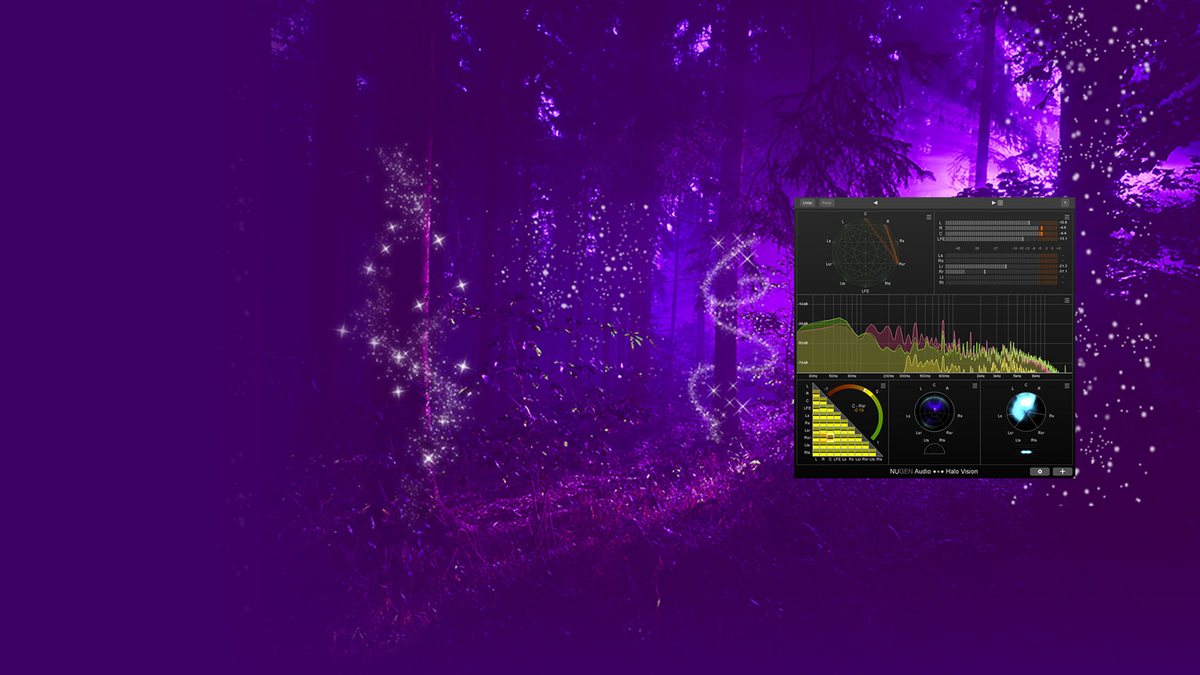
Halo Vision is a real-time analysis plug-in for surround and immersive (3D) audio from NUGEN Audio of the UK. Several views show phase relationships between channels, frequency distribution, perceived location and True Peak at the same time.
According to the official description, it is intended to find and isolate problems that may be hard to hear by ear alone. The displays are modules (Correlation Matrix, Correlation Web, Frequency Haze, Location Haze, Spectrum, True Peak and Timecode) that users select and arrange.
The two correlation views use Contextual Correlation by default. Standard calculations may show two signals as strongly anti-correlated even when one is so much louder that mixing them would not cause cancellation; Contextual Correlation compensates for level differences and highlights likely problems, the official page explains.
It supports 64-bit AAX, VST3 and AU and requires a surround-compatible host such as Pro Tools HD. Version 1.2, announced in April 2026, added peak readouts on the frequency graph, cursor readouts and a freeze function.
Key features
Correlation Matrix
Color-coded phase relationships between every channel pair are shown, with anti-correlation alerts at a user-defined threshold.
Correlation Web
A network diagram connects channels, and the line for an anti-correlated pair lights up, which helps locate where an issue is.
Frequency Haze and Location Haze
Frequency Haze shows content with low frequencies at the center, and Location Haze shows energy distribution as brightness, which may help see where sound is concentrated.
Spectrum and True Peak
The spectrum view switches between combined and grouped channels, and True Peak gives a per-channel meter; v1.2 adds peak frequency and dB readouts.
Timecode view
A timecode readout follows the DAW's playback position, which may help note where problems occur.
Freeze and cursor readouts (v1.2)
v1.2 added a freeze function that pauses all views and readouts at the mouse cursor, which may help examine momentary events.
Specifications
| Item | Details |
|---|---|
| Type | Surround and immersive analysis plug-in |
| Formats | AAX, VST3, AU (64-bit) |
| Host | Surround-compatible host required (e.g., Pro Tools HD) |
| Minimum requirements | Mac OSX 10.9 / 512 MB RAM, Windows 7 / 512 MB RAM |
| Version | v1.2 (April 2026 announcement) |
What is included and system requirements
- The plug-in
- A free demo is offered on the official page
- Licenses are managed through a NUGEN account, with iLok conversion available
How to use it
- Create a NUGEN account and register the license code.
- Download and run the installer from the account page.
- Create a track with a matching channel count in a surround-capable DAW and insert the plug-in.
- Select the modules to display, such as Correlation, Haze and Spectrum.
- While playing, check which channel pairs trigger correlation warnings.
- Use Frequency Haze and Location Haze to see imbalances in frequency and location.
- Freeze the view with v1.2 and read values for points of interest.
- Check how things change in another channel layout.
Where it may come in handy
Checking an immersive mix
It may help find phase issues between channels in a multichannel mix.
Checking before a downmix
Correlation views may show beforehand whether something could disappear in another layout.
Working in an unfamiliar room
The official page lists mixing in unfamiliar or badly treated rooms; visual cues may add information.
Post-production for picture
Timecode and True Peak views together may help record where problems occur and at what level.
Who it may suit
- People mixing surround or immersive audio
- Those working in post-production for video or games
- Anyone who wants to check inter-channel phase visually
Good to know before you buy
- It may be more than needed for stereo-focused work; NUGEN's Visualizer is the stereo-oriented analysis tool on the official site.
- A surround-compatible host is required.
- The product page mentions up to 7.1.4 while the April 2026 announcement says 7.1.2; confirm the current channel support before buying.
How it differs from similar products
We do not pick a winner; the official figures are placed side by side.
NUGEN Audio Visualizer
Halo Vision targets surround and immersive audio, while Visualizer is a stereo-oriented analysis suite with FFT, spectrogram and vectorscope. The official pages list $299 for Halo Vision and $199 for Visualizer.
Price
$299 (NUGEN Audio official site, checked 2026-10-27). Prices can vary by region and promotion, so check the official page before buying.
See Halo Vision on the product page
More of the same kind
Other introduction articles of the same kind.
- TAL Software TAL-DAC
- Mastering The Mix REFERENCE 3
- Cockos ReaFIR ReaPlugs
- Waves LoAir
- Acon Digital Remix
- Klevgrand Haaze 2
We have introduced 30 other products from NUGEN Audio.
- NUGEN Audio SigMod
- NUGEN Audio Stereoplacer
- NUGEN Audio Visualizer
- NUGEN Audio MasterCheck
- NUGEN Audio Halo Downmix with 3D Immersive Extension
See the full list in Product database: Effects.
Sources: nugenaudio.com pluginboutique.com (checked 2026-10-27)










Comments