
Disclosure: This page may contain affiliate links. Prices were checked on the date shown and may change.
An introduction to Klevgrand SquashIt, based on information from the maker and distributors: what it does, how to use it and who it may suit. It is not scored.
SquashIt is a powerful distortion filter, with a wide range of uses.
— Klevgrand official site
What is SquashIt?
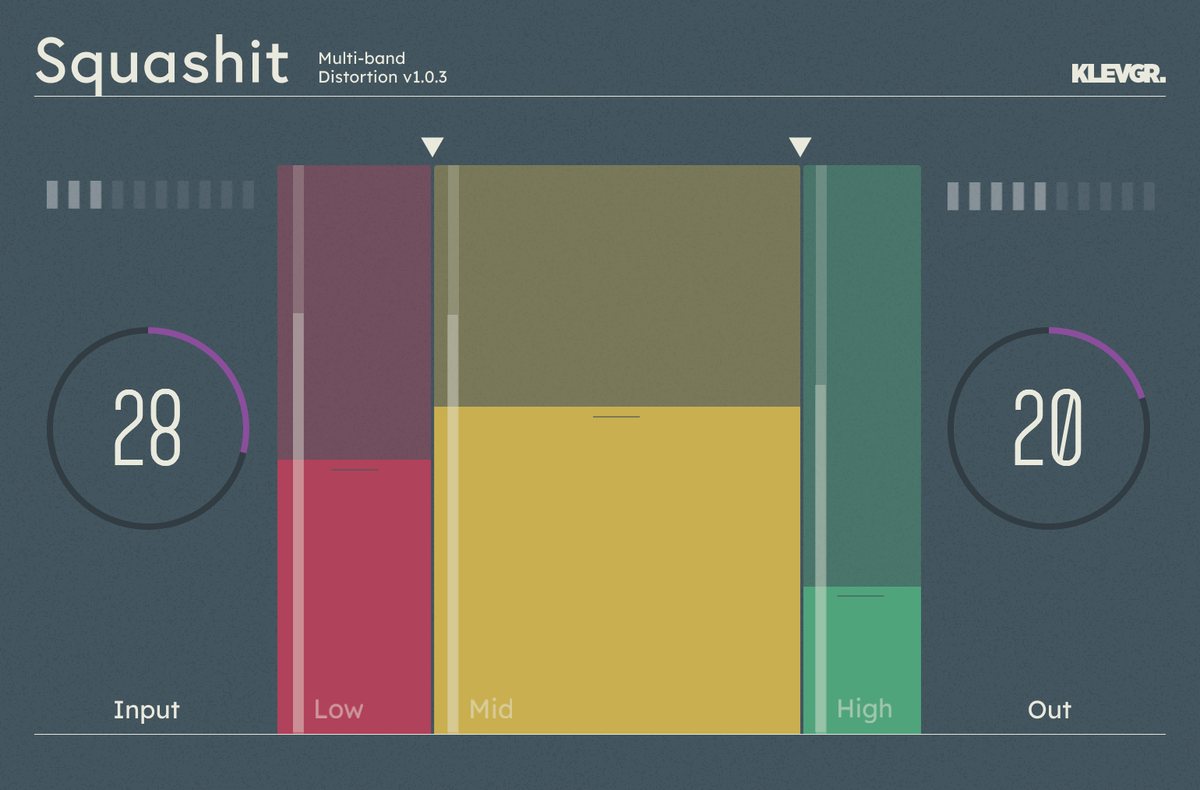
SquashIt is a three-band distortion plug-in from Klevgrand. The official page says it can either mangle a sound beyond recognition or add a little saturation.
The spectrum is split into three bands, each with its own distortion level. The split points are set by dragging the crossover frequencies.
The controls are Input, a Distortion Level per band, Crossover Frequency and Output. It uses a unique distortion algorithm and is described as having low CPU usage.
AU, VST and AAX are offered for macOS and Windows, and standalone and AUv3 versions exist for iPhone and iPad. The demo is the full version with occasional audio dropouts.
Key features
Three bands
Set a separate distortion level for low, mid and high bands, for example lighter on lows and heavier on highs.
Crossover
Drag to move the band split points and decide which range is distorted.
Unique algorithm
The official page describes a unique distortion algorithm.
Simple interface
Input, distortion, crossover and output keep setup quick.
Low CPU usage
The page describes low CPU usage, which may help in large sessions.
Window zoom
Version 1.2.3 added window zoom.
Specifications
| Item | Details |
|---|---|
| Formats | AU / VST / AAX (macOS and Windows) |
| macOS | macOS 10.10 or later (optimized for M1) |
| Windows | Windows 7 SP1 or later |
| Latest version | 1.2.3 |
| iOS | Standalone / AUv3 / AB / IAA |
What is included and system requirements
- SquashIt plug-in (AU / VST / AAX)
- Demo available
How to use it
- Create a Klevgrand account and register the product.
- Install Klevgrand Helper.
- Install SquashIt through the Helper.
- Load it in your DAW and enter the serial.
- Set Input.
- Split the bands with the crossover.
- Set distortion per band.
- Match volume with Output.
Where it may come in handy
Drums
Different distortion per band may keep the low end intact while roughening the highs.
Bass
It may be tried to keep the low core while adding distortion to the mids and highs.
Sound design
Heavy settings may be used to transform sounds dramatically.
Who it may suit
- People who want per-band distortion
- People who like simple controls
- People who want low CPU load
Good to know before you buy
- The demo has the full feature set but occasional audio dropouts.
Price
$39.99 (Klevgrand official site, checked 2026-10-27). Prices can vary by region and promotion, so check the official page before buying.
See SquashIt on the product page
More of the same kind
We have introduced 82 saturation and distortion effects. Here are some of the others.
- Kuassa EFEKTOR OD3603 Overdrive
- MeldaProduction MDistortionMB
- Three-Body Technology Tape Vibe
- W. A. Production Punchy Worm
- Waves Abbey Road Saturator
- Arturia Dist OPAMP-21
We have introduced 26 other products from Klevgrand.
For a side-by-side comparison scored on the same criteria, see our comparison of saturation and distortion effects.
See the full list in Product database: Effects.
Sources: klevgrand.com pluginboutique.com (checked 2026-10-27)










Comments