
Disclosure: This page may contain affiliate links. Prices were checked on the date shown and may change.
An introduction to Sonarworks Apollo Monitor Correction Add-on for SoundID Reference, based on information from the maker and distributors: what it does, how to use it and who it may suit. It is not scored.
What is Apollo Monitor Correction Add-on for SoundID Reference?
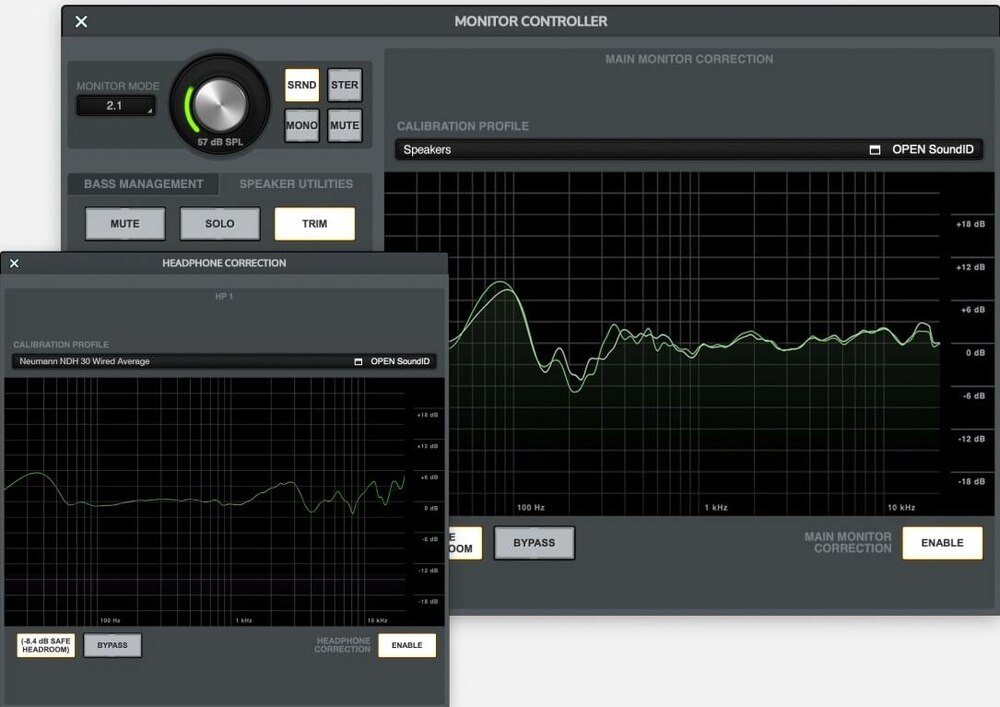
Apollo Monitor Correction Add-on for SoundID Reference integrates SoundID Reference directly into Universal Audio's Apollo X Gen 1 and Gen 2 interfaces (per the maker).
Sonarworks makes software such as SoundID Reference that calibrates headphones and speakers (per the maker).
Key features
Speaker and headphone calibration
It provides top-tier speaker and headphone calibration inside the Apollo (per the maker).
Delivered by download
It is sold as downloadable software at Plugin Boutique, and the steps for receiving and installing it after purchase can be found in your Plugin Boutique library (per Plugin Boutique).
What is included and system requirements
- macOS
- macOS 11 or higher
- Windows
Good to know before you buy
- Supported operating systems and formats can be checked in the system requirements section of the Plugin Boutique product page.
Price
$79 (Plugin Boutique, checked 2026-11-18). Prices can vary by region and promotion, so check the official page before buying.
See Apollo Monitor Correction Add-on for SoundID Reference on the product page
More of the same kind
Other introduction articles of the same kind.
- Waves Greg Wells ToneCentric
- Slate Digital Infinity Horizon
- NUGEN Audio NUGEN Audio Stereoplacer Elements
- MeldaProduction MCenter
- Waves MaxxBass
- W. A. Production DJFX
We have introduced 7 other products from Sonarworks.
- Sonarworks SoundID VoiceAI ROCK Voice pack
- Sonarworks SoundID VoiceAI K-pop voices
- Sonarworks SoundID VoiceAI
- Sonarworks Apollo Monitor Correction Add-on
- Sonarworks SoundID VoiceAI Expansion PackC-Pop Voices
See the full list in Product database: Effects.
Sources: pluginboutique.com (checked 2026-11-18)










Comments