
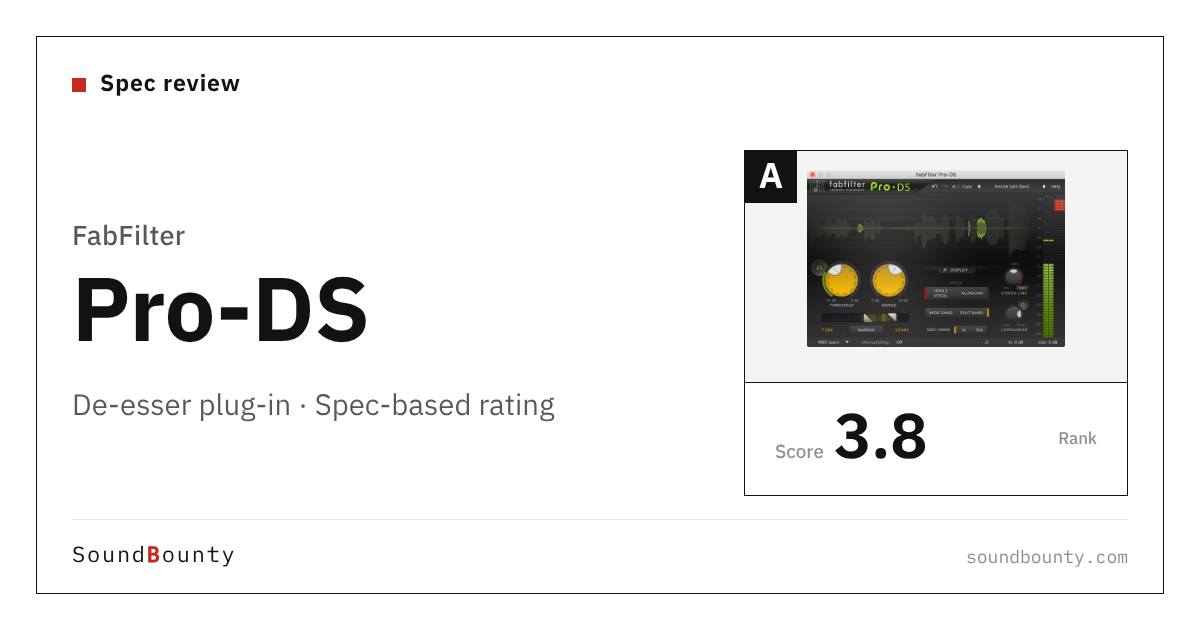
FabFilter’s Pro-DS is a de-esser whose “Single Vocal” detection identifies the sibilance in a vocal and reduces it unobtrusively. You can choose wide-band or linear-phase (a method that does not shift the timing of the sound) split-band processing, and an “Allround” mode reduces the highs of drums and a whole mix.
A de-esser reduces only the harsh sounds that stand out on “S” and similar sounds in singing (sibilance).
In this article we compare Pro-DS with 12 de-esser plug-ins and rate how well it serves its purpose on three criteria. The basis is official manufacturer information.
Disclosure: This article contains affiliate links. If you buy through them, SoundBounty may earn a commission at no extra cost to you. Prices and sale information are as of the date we checked them and can change.
Score 3.8 / 5 (average of the 12 products compared: 3.8)
- Specs last checked
- 2026/09/25
- Natural reduction
- Split band
- Speed
- Vocal mode
- Breadth of uses
- M/S, other material
- Price (store, date)
- $199 [PB, checked Oct 26]
Image: from the FabFilter official press kit
Summary
Among the 12 de-esser plug-ins, Pro-DS is rank A. The ranks run S, A, B and C, and A is second from the top. Averaging the scores for each criterion (out of 5, with the one criterion that matters most for the purpose counted double) gives 3.8.
Strengths
- Natural reduction (4 points): it reduces only the harsh sounds naturally, without changing the voice quality.
- Breadth of uses (4 points): it does more than reduce sibilance, so its uses are wide.
Who it suits: people who want to set in detail how sibilance is reduced, and people who want to use a de-esser on more than vocals.
Main features of Pro-DS
Single Vocal for singing, and Allround for anything
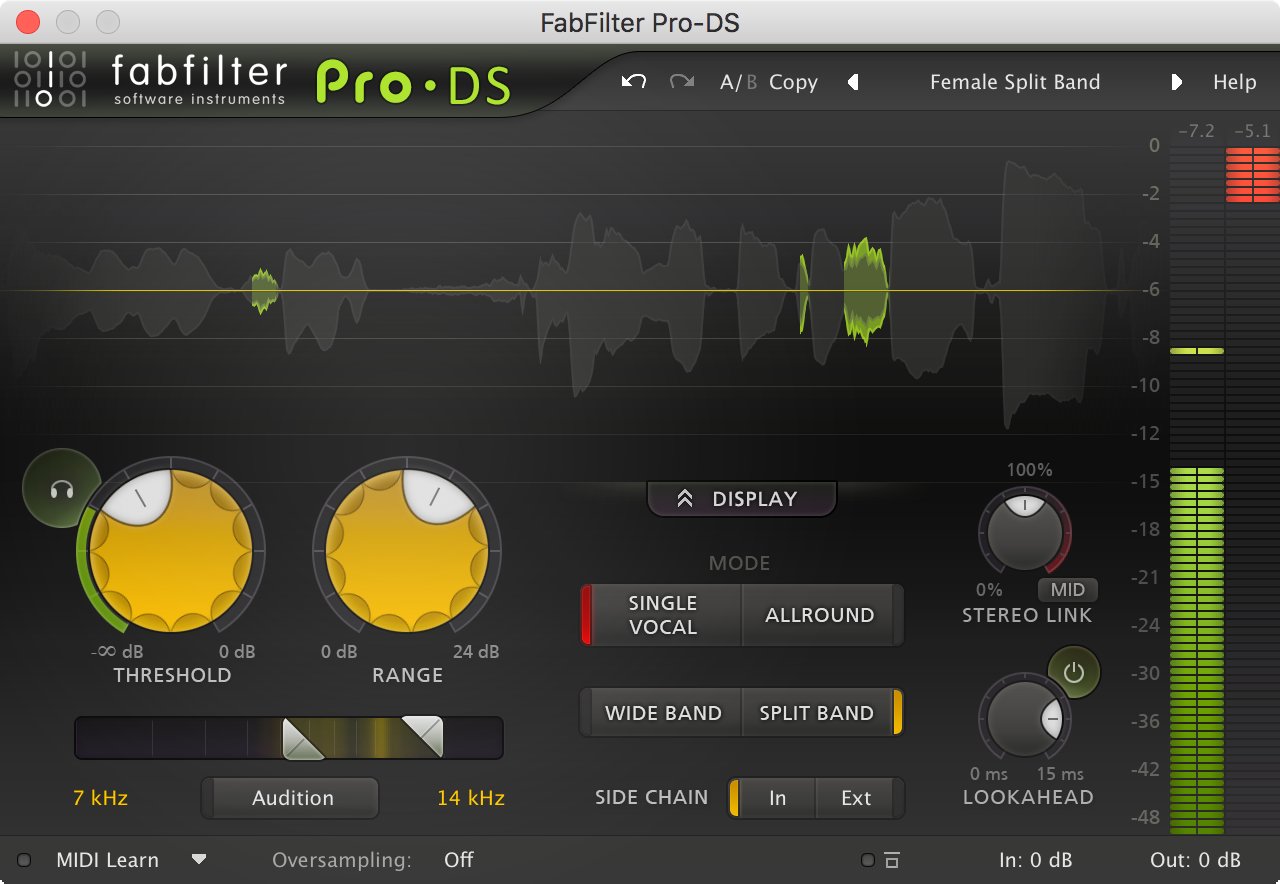
Pro-DS has two detection methods: Single Vocal, which identifies the sibilance (the harsh “S” sounds) of one voice, and the classic Allround, which can also be used on drums and a whole mix. Single Vocal is built to react only to sibilance, picking it out from the character of the voice. For a vocal, starting with Single Vocal makes it easier to set up.
Wide Band and Split Band
Wide Band lowers the volume of the whole voice slightly the instant sibilance occurs, and Split Band lowers only the high band. Split Band is processed in linear phase (a method that does not disturb phase), so it is less likely to change the tone of the other bands. You can choose whichever sounds more natural for the voice.
Look-ahead and M/S processing
A look-ahead of up to 15 ms lets it catch the onset of sibilance and reduce it. You can also apply it only to the center (Mid) or only to the spread at the sides (Side). The band it detects is set with high-pass and low-pass filters, and you can adjust while watching the spectrum.
Video: “Introduction to FabFilter Pro-DS Intelligent De-esser” (official FabFilter YouTube channel; narration in English) Watch on YouTube
Where it is useful
- Using Single Vocal to reduce the harshness of the “S” sounds in a vocal
- Applying it lightly to only the Side of a track that groups backing vocals and choruses
- Using Allround to lightly tame the harsh highs of a whole mix
Rating by criterion
Natural reduction: 4 / 5
We check whether it has a mechanism that reduces only the harsh “S” sounds that hurt the ears, without changing the voice quality.
Linear-phase split-band processing lets it work only on the sibilance band. Single Vocal detection identifies the sibilance.
Speed: 3 / 5
We check whether it has features that get you to a good setting quickly (automatic settings, a single knob and so on).
The Single Vocal mode makes it easy to set, and the sidechain (a function that moves the effect in time with another track) meter makes it easier to set the threshold.
Breadth of uses: 4 / 5
We check whether it also handles problems other than sibilance (plosives, harsh ringing) and can be used while recording.
It can process only one side of Mid/Side (a method that separates the center and the sides), and has an Allround mode that can be used on drums and a whole mix.
How we score (De-esser plug-ins)
| Criterion | Basis | 5 pt | 4 pt | 3 pt | 2 pt | 1 pt |
|---|---|---|---|---|---|---|
| Natural reduction | A mechanism that reduces only the sibilance (harsh "S" sounds) without changing the voice quality | AI identifies each consonant one by one and shapes it by spectrum, not only by volume | A mechanism that acts only on the problem band (split band, dynamic EQ, resonance suppression, AI learning and so on) | A general method that sets a band and lowers the overall volume | — | — |
| Speed | How quickly you can reach a good setting | AI sets everything automatically just by loading it | It follows changes in the voice's level automatically, or almost everything takes a few operations | A vocal mode makes it easy to set | Standard controls | — |
| Breadth of uses | Plosives, harsh resonances, stereo and use while recording | Works on harsh resonances in general, and supports M/S processing and operation with no delay | Two or more of M/S, sidechain listening, low latency and use on other material | One use besides sibilance, such as plosives | Sibilance only | — |
Each criterion is scored from 1 to 5 on how well the product serves one goal: naturally reducing the sibilance of a vocal. Scores follow the conditions in the table above, and the rank is based on an average in which "Natural reduction" counts double. The basis is official manufacturer information. Sound quality and CPU load are not measured, so they are not scored; reviews from trade magazines are introduced in the articles for reference. Price is not part of the score. Features that cannot be confirmed from the manufacturer's or a retailer's description are scored as if absent. The "OBS (streaming)" column in the table shows whether the official page lists the VST2 format that the streaming software OBS Studio can use (○). OBS does not support the VST3 format. It is not part of the score.
Trade-magazine review (for reference, not part of the score)
We summarized the main points from a review in an overseas music-production magazine.
Sound On Sound (January 2013)
- Praised the screen as very easy to understand, so you can set it quickly
- Praised how well it follows the sibilance of a vocal and reduces it naturally
- As a drawback, pointed out that writing automation by hand can give better results in some cases
Source: Sound On Sound review
Pro-DS system requirements and getting started
| Operating system | Windows / Mac |
|---|---|
| Plug-in formats | VST, VST3, AU, AAX |
| Trial | 30-day trial available |
| OBS (streaming) | Works as it is (VST2 is listed) |
Checked on the manufacturer’s official pages on September 27, 2026.
Compared with other de-esser plug-ins
Click a heading to sort. On a phone, the table scrolls sideways.
| Product | RankAvg. score | Natural reduction | Speed | Breadth of uses | OBS (streaming) | Price (store, date) |
|---|---|---|---|---|---|---|
| FabFilterPro-DS | A 3.8 | Split band | Vocal mode | M/S, other material | ○ | $199 [PB, checked Oct 26] |
| soniblesmart:deess | S 4.5 | Per consonant + spectral | AI auto-setting | Plosives too | ○ | $129 [PB, checked Oct 26] |
| soniblepure:deess | A 3.8 | AI learns the voice | Auto + one knob | Sibilance only | ○ | $39 [PB, checked Oct 26] |
| oeksoundSoothe3 | S 4.3 | Auto resonance suppression | Soft mode | Resonances, no delay | × (VST3 only) | $249 [Official, checked Oct 26] |
| SonnoxOxford SuprEsser | A 4.0 | Dynamic EQ | Auto-follow | SC listen, low latency | × (VST3 only) | $244 [PB, checked Oct 26] |
| AntaresVocal De-Esser | A 4.0 | AI identifies | Button processing | Live, speech too | × (VST3 only) | $50 [Official, checked Oct 26] |
| WavesRenaissance DeEsser | B 3.3 | Split band | Standard | Sidechain listening | △ (via Waves StudioRack) | $34.99 (sale; regular $99) [PB, checked Oct 26] |
| DMG AudioEssence | A 4.0 | Split EQ + 2 releases | 3 knobs + auto detection | M/S, zero latency, whole mix | ○ | Not listed |
| Plugin Alliance(SPL)SPL De-Esser Collection | A 3.8 | Cancels only the sibilance band | Auto-Threshold + auto detection | M/S mode | Not confirmed | $75 [Official, checked Oct 26] |
| WavesSibilance | B 3.3 | Per-component resynthesis | Standard | Zero-latency version | △ (via Waves StudioRack) | Not listed |
| Slate Digitale2deesser | A 3.8 | Auto-detects sibilance frequency | 2 knobs + auto detection | Percussion too | ○ | $99 [Official, checked Oct 26] |
| Harrison ConsolesHarrison De-Esser | A 3.5 | Sibilance band only | Standard | Zero latency + band solo | ○ | $49 [Official, checked Oct 26] |
Features checked on each manufacturer's official website on September 25, 2026. Check the store page behind the buy button for the price.
Read next
- pure:deess: features and rating (rank A)
- Oxford SuprEsser: features and rating (rank A)
- smart:deess: features and rating (rank S)
- Soothe3: features and rating (rank S)

Comments