
Arturia’s instrument “Augmented PERSIA” was announced on April 21, 2026 (the date of the official press release). The official page presents it as an instrument that combines the sound of Persian and Middle Eastern folk instruments with modern synth technology. Based on official information, this article introduces its features.
Disclosure: This article contains affiliate links. The content reflects the date we checked the maker’s official page (October 5, 2026).
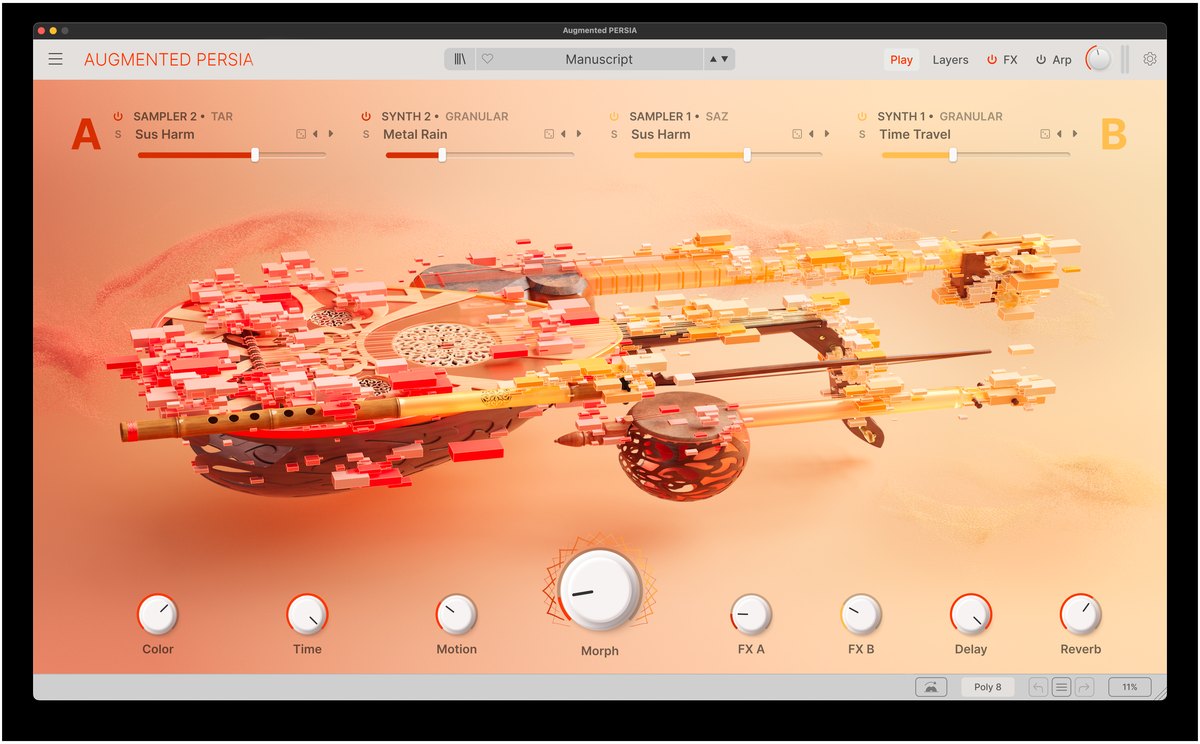
Image: from the Arturia official press material
Key points
- Augmented PERSIA is an instrument in Arturia’s “Augmented” series. It holds six instruments, the oud, tar, saz, ney, alto kamancheh and shah kaman, as samples (recordings of real sounds).
- The “Morph” knob lets you change gradually from the sound of the real instrument to a synth sound.
- Besides samples, you can use virtual analog, granular, wavetable, harmonic and Simpler sound engines.
- More than 200 presets are included. The official page has a free demo.
What kind of instrument is it?
The official page describes it as “an instrument that combines the character of traditional instruments with a modern synth”. The sounds were recorded in detail in a recording studio in the Netherlands, in cooperation with Evolution Series, which makes libraries of folk instruments, according to the official page.
The six instruments
- Oud, tar and saz: plucked string instruments. The official page describes the oud as a “warm, honeyed melody”, the tar as having a “taut, nasal sharpness” and the saz as “bright, wiry energy”.
- Alto kamancheh and shah kaman: bowed instruments. The official page says they can express anything from ornamental trills to long, cello-like notes.
- Ney: a blown flute. The official page says it can produce anything from long, dull, hollow notes in the low range to voice-like sounds in the high range.
The official page explains that these instruments have both playing techniques close to real performance and sounds processed with effects and the like.
Morph and hybrid sound design
Moving the Morph knob changes the sound continuously from one close to the real instrument to a synth-like one. Macros (knobs that move several things together) such as Color, Time, Motion and effects are also provided.
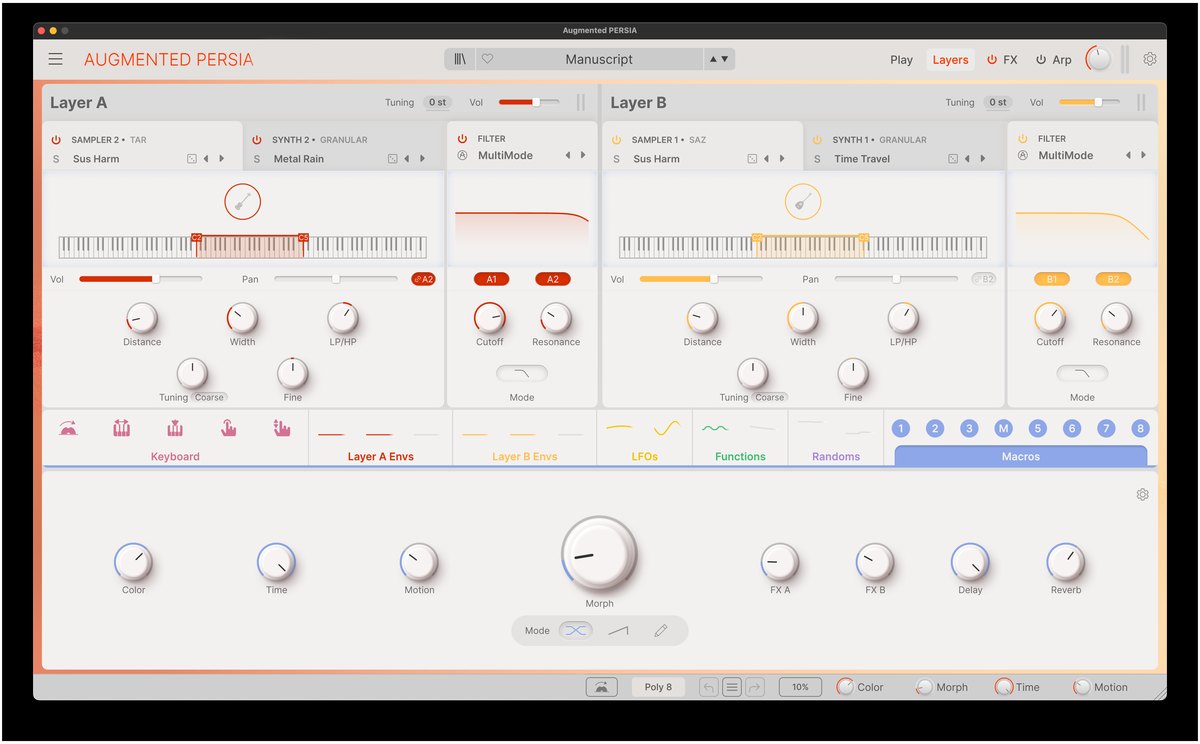
Image: from the Arturia official press material
- The screen is split into two layers, Layer A and Layer B, and each can stack a sample source and a synth source.
- The sound engines are virtual analog, granular, wavetable, harmonic and Simpler (per the manufacturer).
- It supports drag-and-drop modulation, macros, an arpeggiator, a probability-based sequencer and MPE (per the manufacturer).
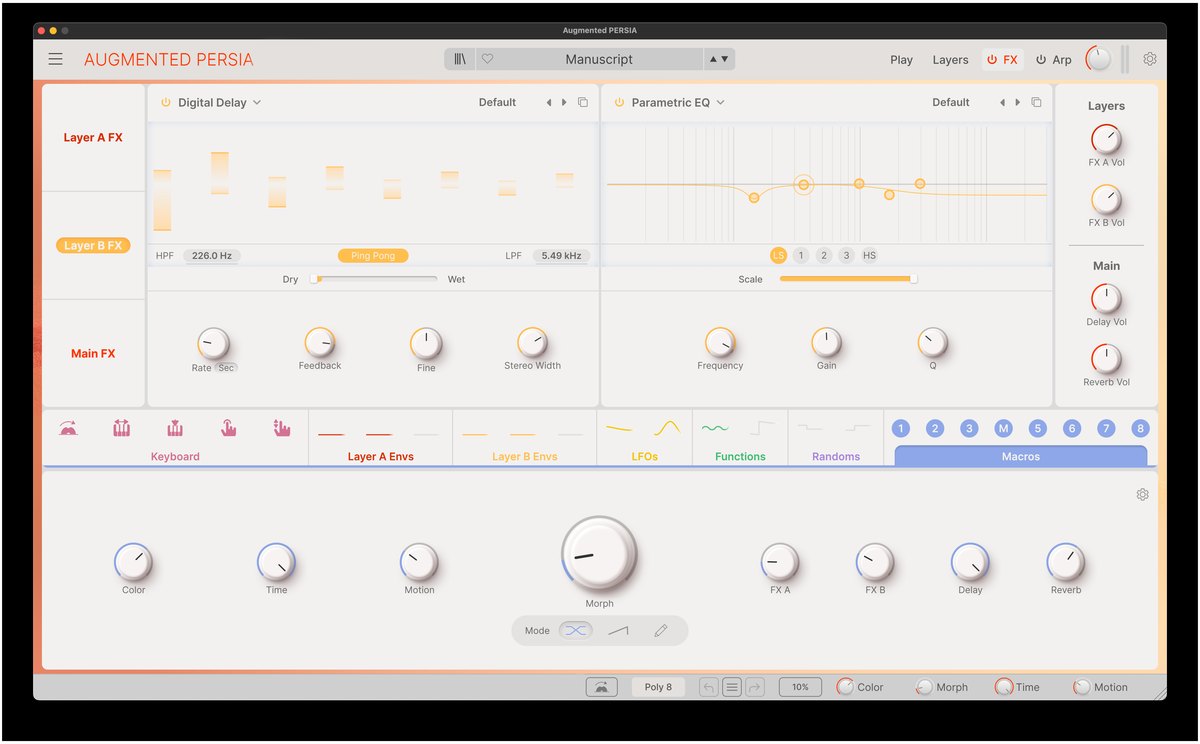
Image: from the Arturia official press material
Presets
The official page explains that more than 200 presets are included, from melodies, drones (sustained sounds) and rhythm patterns to cinematic sounds and abstract atmospheres. The screen for finding sounds can filter by type and author.
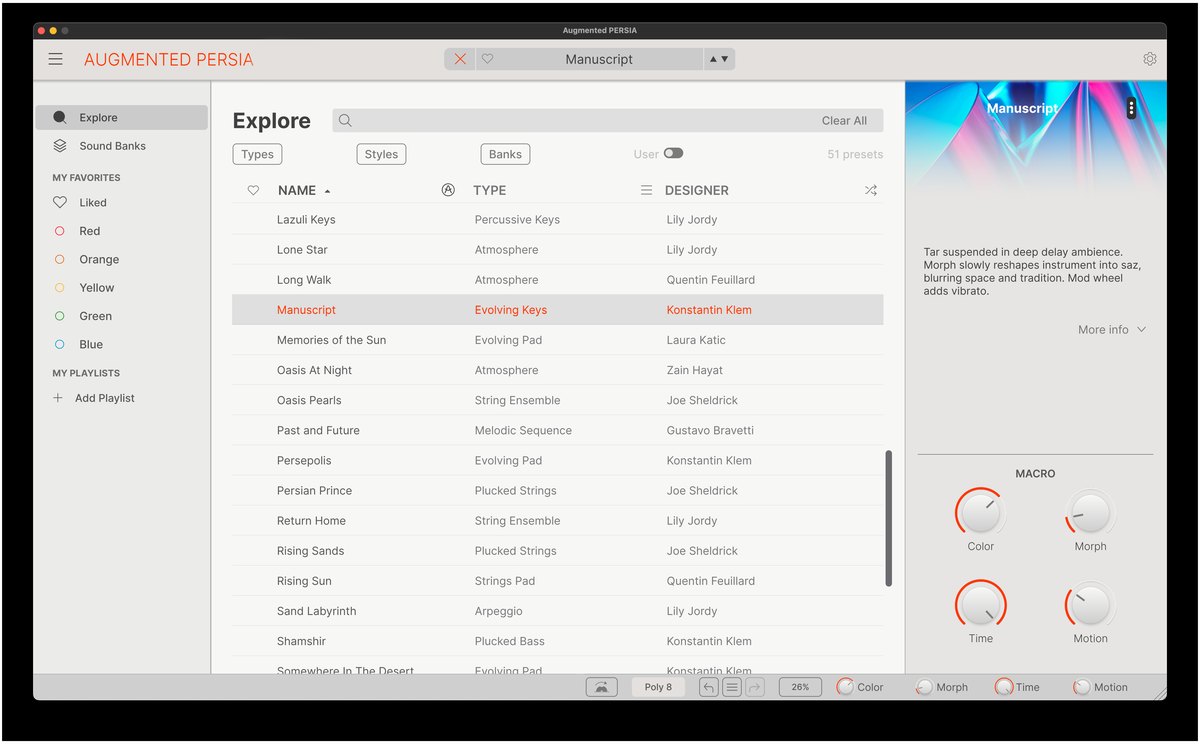
Image: from the Arturia official press material
Where it could fit in home recording
From here on, these are examples of use based on the official description.
- When you want to add Middle Eastern-style strings to an original song: the official demo songs show the oud, tar and saz used for melodies and accompaniment.
- When you want to make film- or game-style background music: the official page lists cinematic pads and sustained sounds as presets.
- When you want to change a played sound gradually into a synth sound: with Morph you can go from the sound of the real instrument to an abstract texture.
Comparisons of instruments overall are in orchestral libraries compared and synths compared.
What to check before you buy
- System requirements and supported formats: check the official product page. It is also safer to confirm on the official page that it loads in the DAW you use.
- Try before you decide: the official product page has a “Get Free Demo” link.
- Special offers: the official page says there is a limited-time offer for Arturia users. Check the conditions on the official page.
Official page: Arturia “Augmented PERSIA”

Comments