
sonible has released “pure:level”, a plug-in that automatically evens out the “loudness” of voices and instruments (the official blog post is dated March 18, 2026). When a vocal varies from chorus to chorus or bar to bar, it can stand in for moving the fader by hand. Based on the official page, this article covers what it can do and where it could fit in home recording and cover songs.
Disclosure: This article contains affiliate links. The content reflects the date we checked the maker’s official page (October 4, 2026).
Key points
- pure:level is a “level rider” plug-in in which AI analyzes the sound and automatically evens out the loudness of a track.
- It is controlled with three settings, Intensity, Target dB and Speed, and the official page presents it as a “one-knob plug-in”.
- It has a group function that lets you put several tracks into one group and even out their loudness together.
- The official site offers a 30-day trial.
What kind of plug-in is it?
According to the official description, pure:level solves two problems with one tool. One is “automatic level adjustment”, which keeps the loudness of a track constant. The other is “level riding”, which follows the loudness as if you were moving a fader up and down. The official page explains that the aim is to even out the loudness of vocal, dialogue and instrument tracks while keeping the natural dynamics of the performance.
Unlike squashing the sound with a heavy compressor to even it out, the approach is “evening out by raising and lowering gain”, so it may be easier to keep the texture of the voice.
Main features
Evens out loudness by listening to the content
AI analysis stabilizes the loudness of vocal, dialogue and instrument tracks. The official page lists “keeps the natural feel of the performance and does not get too flat” as a feature.
Adjusted with three controls
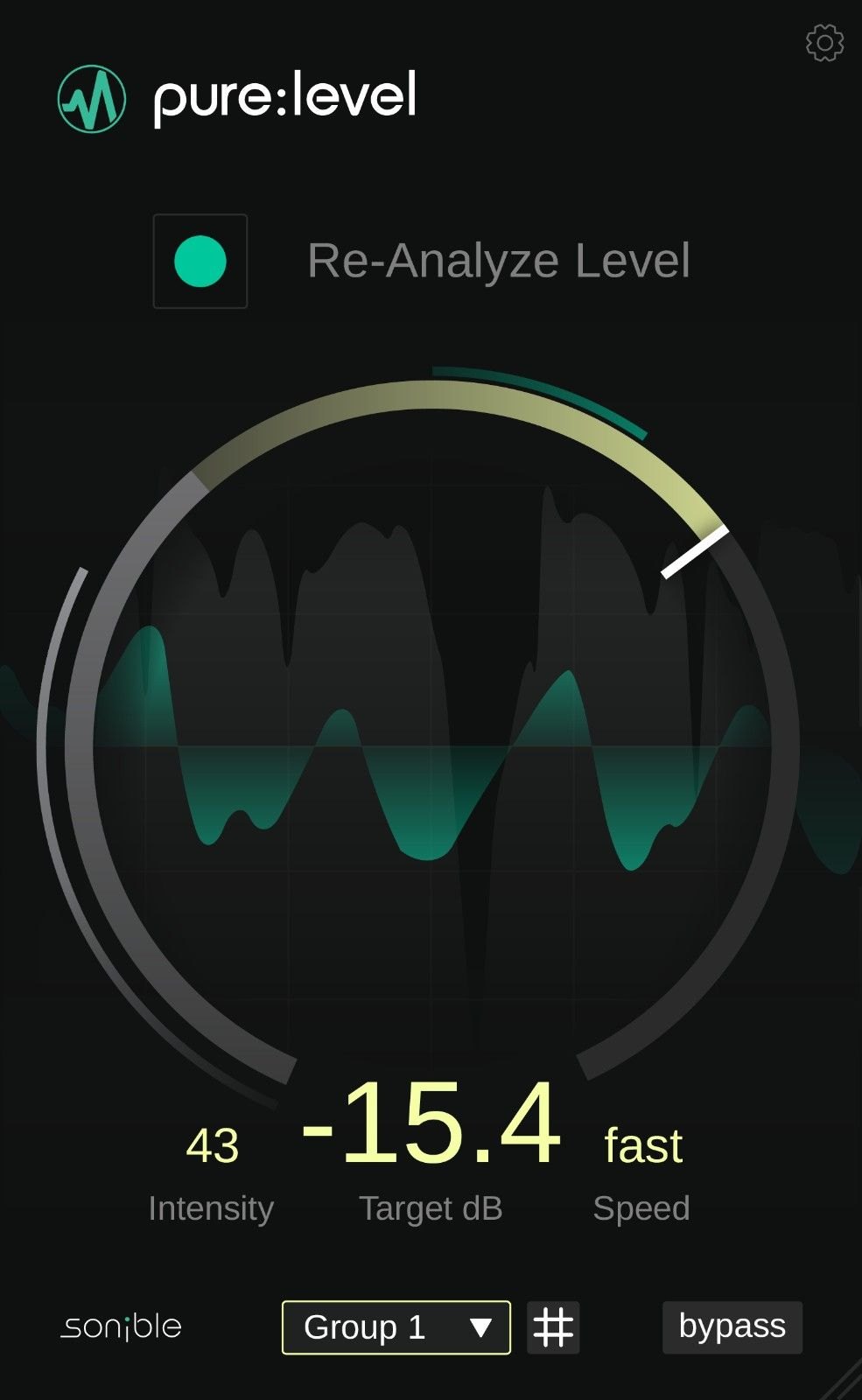
The following three are lined up at the bottom of the screen. In the example image, Intensity is 43, the target is -15.4 dB and Speed is “fast”.
- Intensity: how strongly it evens out the loudness.
- Target dB: the target loudness to even out to. The “Re-Analyze Level” button lets you analyze the sound again.
- Speed: how fast it follows the loudness.
Group function: handle several tracks as one element
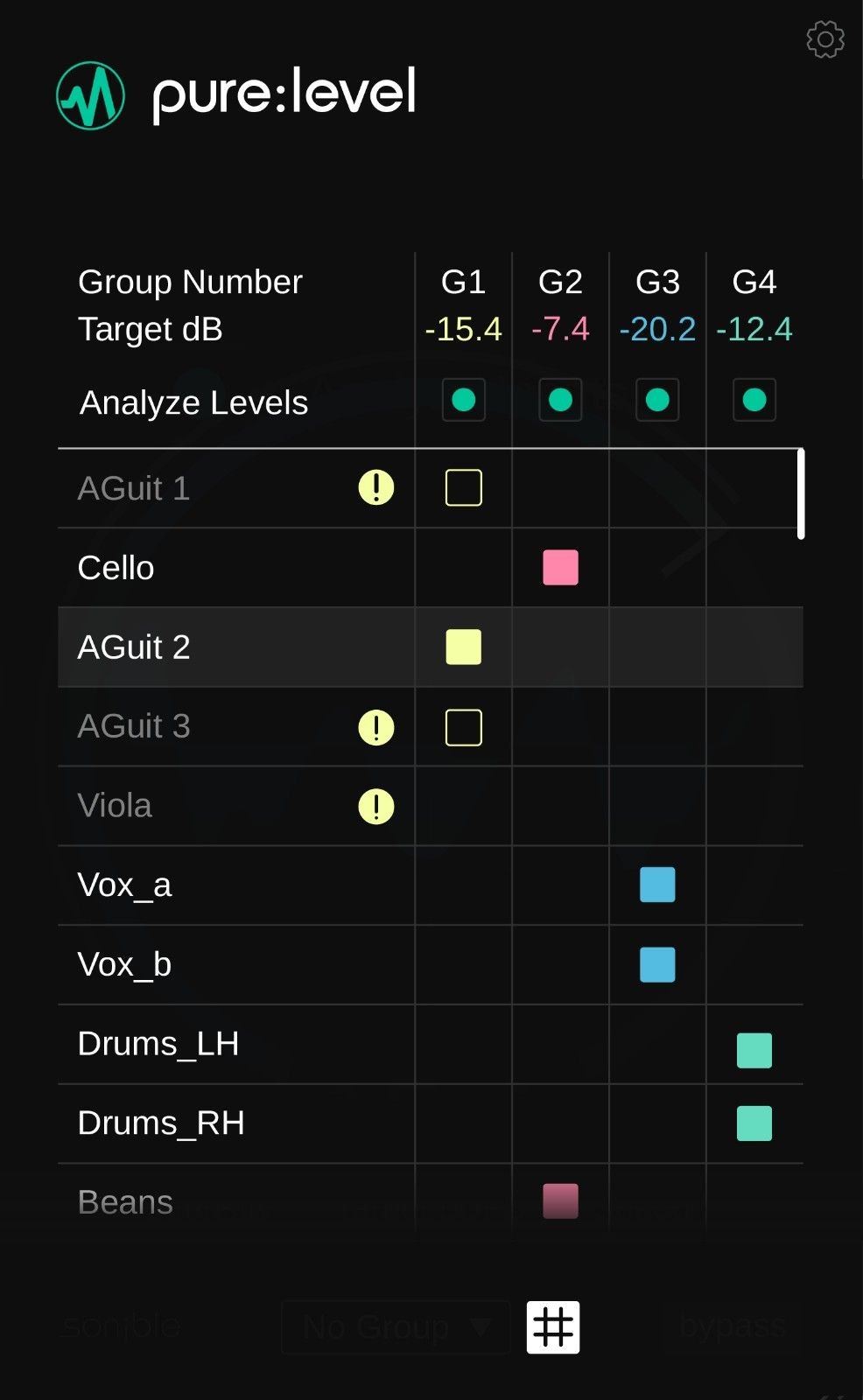
You can put backing vocals (harmonies), layered guitars, stacked synths and the like into a group and adjust their loudness from a single window. The character and dynamics of each track are left as they are. The official page explains that the stacked tracks “move as one”, giving an even result. The right side of the image is the group settings screen (you decide a target loudness for each group and assign tracks).
Where it could fit in a cover-song mix
From here on, these are examples of use based on the official description of the features.
- When the vocal loudness varies: variation such as getting too loud in the chorus or too quiet in a spoken-style section might be evened out without drawing fader moves by hand. How to think about the balance between vocal and backing track is explained in how to balance vocals and backing track in a cover.
- When you have many harmony tracks: you could put the backing vocals in a group and adjust their overall loudness all at once.
- Groundwork before the compressor: if you even out the loudness first, the compressor after it may be less pulled around by the variation.
What to check before you buy
- The plug-in formats are VST, VST3, AU and AAX on Mac, and VST, VST3 and AAX on Windows (official specifications). Apple Silicon is supported.
- For supported DAWs and the computer’s system requirements, check the official page.
- sonible also sells a bundle called “pure:bundle”. Check the official page for what it contains.
- The price and whether a sale is running change with the time. Check the official page for the latest information.
- The official page has an application for a 30-day trial, so you can check before buying that it works in your own environment.
Official page: sonible “pure:level”







Comments