
iZotope’s audio repair software “RX 12” was announced in April 2026 (the official press room date is April 28). It is software that fixes noise in a recording and overly reverberant room sound, and this version adds functions for “splitting sound and repairing it”. Based on the official page, this article introduces what is new and where it could fit in home recording and cover songs.
Disclosure: This article contains affiliate links. The content reflects the date we checked the maker’s official page (October 4, 2026).
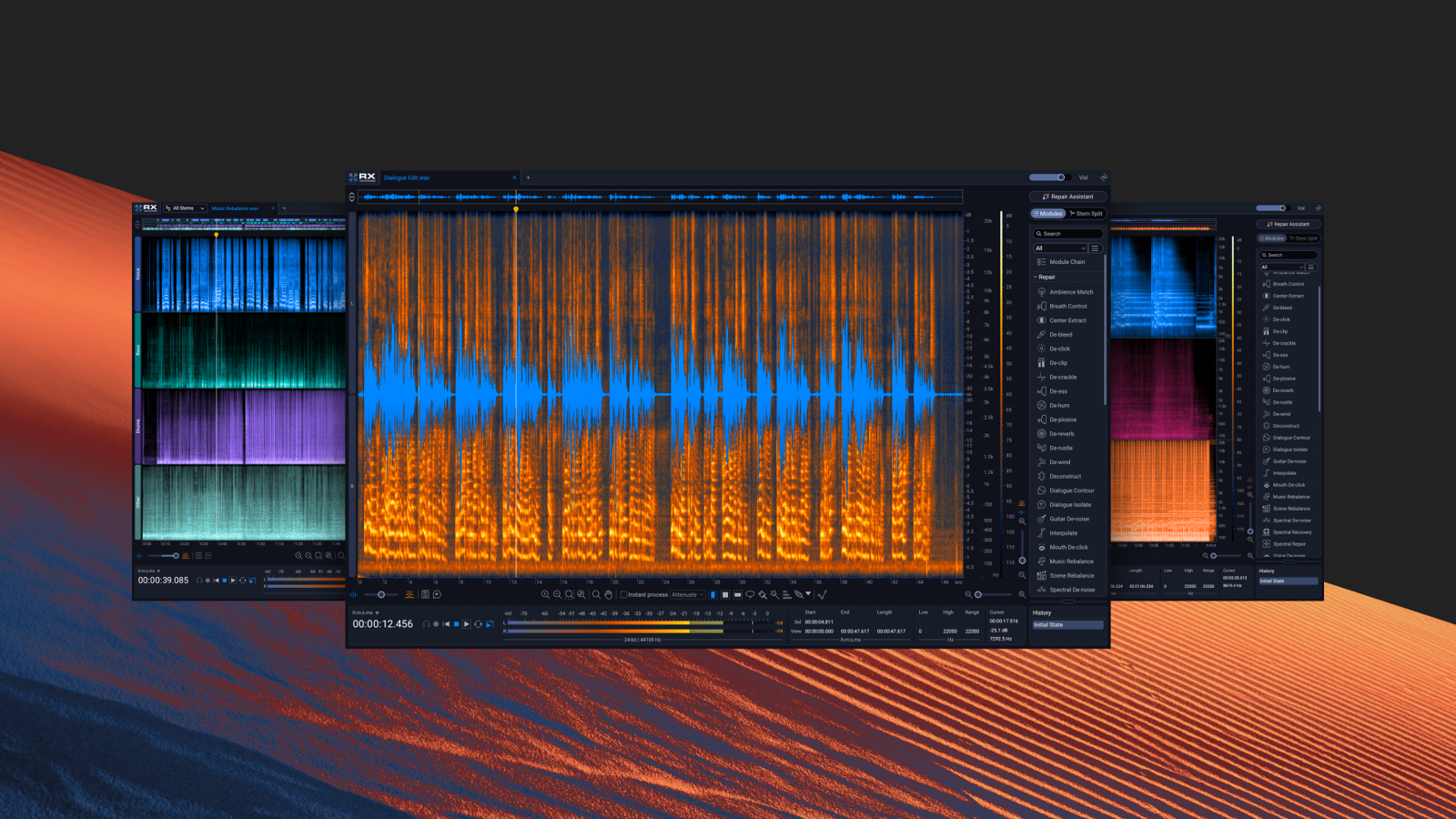
Image: from the iZotope official press kit
Key points
- RX 12 is iZotope’s audio repair software for fixing problems in a recording (noise, clicks, reverberation, hum and so on).
- New is “Stems View”, which shows sound split into “stems” (the sound of each part, such as vocals and instruments) so you can repair on top of that.
- “Scene Rebalance”, which lets you change the balance of dialogue, music and effects in video afterwards, has been added.
- The official page also introduces updates to the machine-learning parts, new real-time plug-ins and interface changes.
What kind of software is it?
RX is software for fixing the “failures” of a recorded sound. On a spectrogram (a screen where you can see the pitch and level of sound in color), you trace and remove the sound you want to fix, or remove click sounds and hum noise with dedicated modules. The official description presents it as an “all-in-one audio repair software” with more than 50 tools (for Advanced).
Audio repair is the main use, but the official page lists three uses: post-production for film and TV, music production, and content creation such as video. Home-recorded vocals, cover recordings and streaming audio are also covered.
What is new in RX 12
Stems View: split sound and fix only the part you need
The highlight of RX 12 is “Stems View”. When you use it from the Scene Rebalance, Music Rebalance and Dialogue Isolate functions, sound is shown visually split into “stems” for each part. After splitting, you can use any RX tool only on the part you want to fix. The official page introduces uses such as fine-tuning the final mix and extracting stems for a remix.
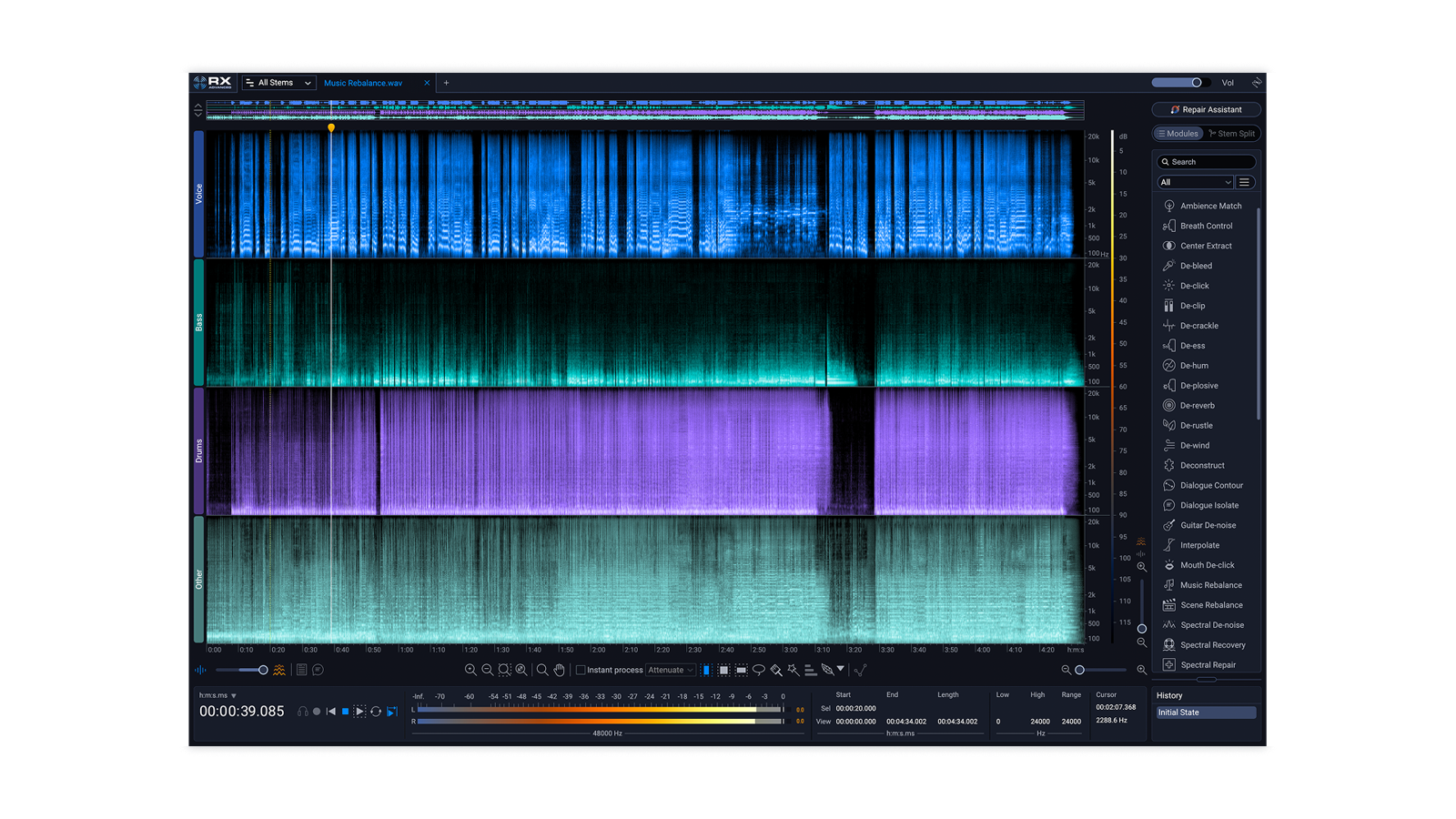
Image: from the iZotope official press kit
Scene Rebalance: change the balance of dialogue, music and effects afterwards
The new module “Scene Rebalance” lets you adjust dialogue, music and effects independently in post-production. The official guide introduces using it where “the background music gets in the way of the dialogue”, lowering the music so the dialogue is easier to understand.
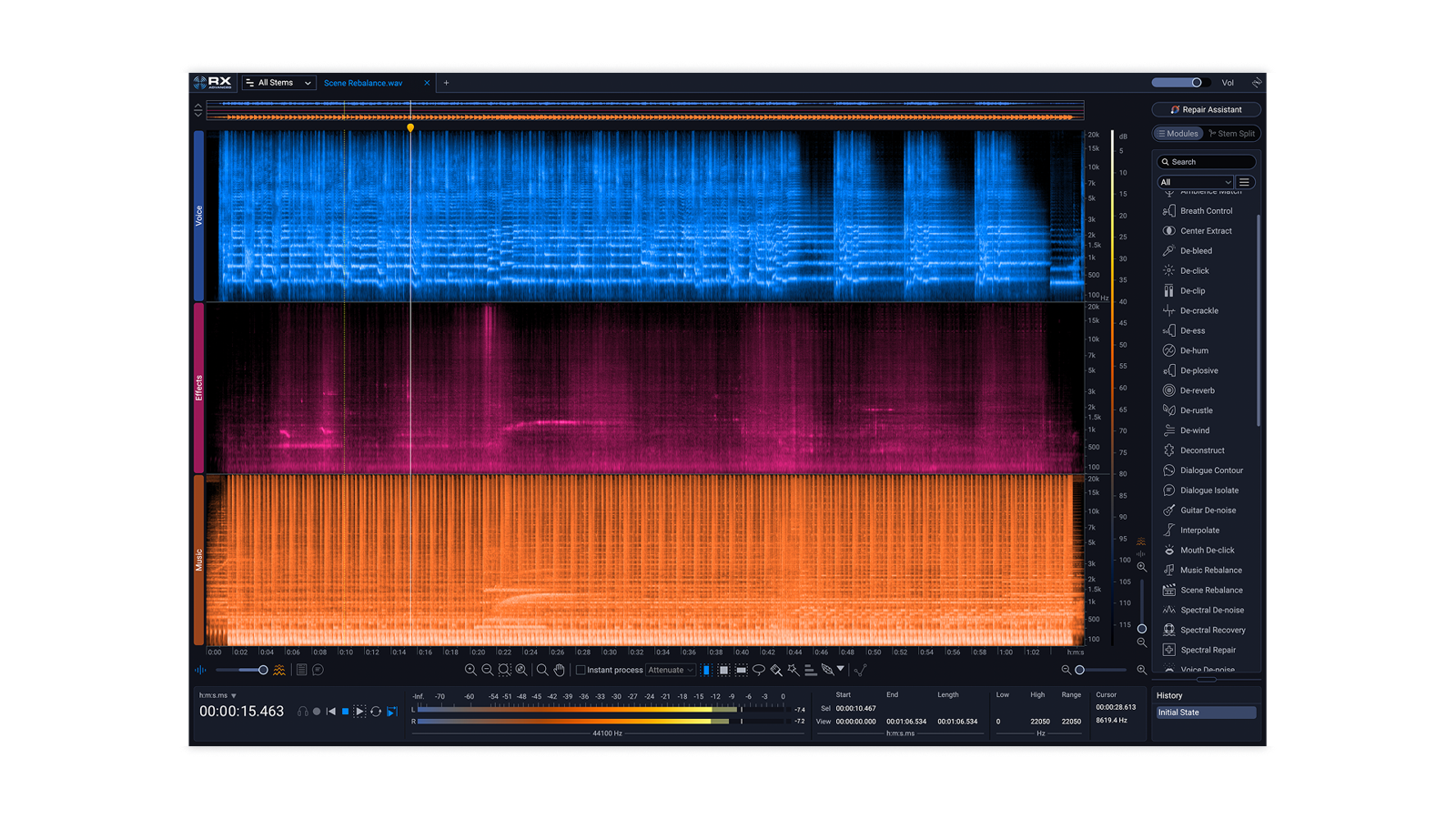
Image: from the iZotope official press kit
Trim Silence: tidying long audio
Another new module, “Trim Silence”, is for tidying the silent parts of long audio files. The official page presents it as a function for handling long files quickly.
Machine-learning updates and real-time plug-ins
According to the official page, the neural network (the machine-learning part) has been updated, new plug-ins that can be used in real time have been added, and some earlier modules have been rebuilt with the new machine learning.
Easier to use
The default spectrogram display has become larger to make detailed editing easier. A function to search for modules without going through menus, and a resizable “History” panel, have also been added.
Where it could fit in home recording and cover songs
From here on, these are examples of use based on the official description of the features.
- When air-conditioner sound or room reverberation got into a recording: RX has dedicated modules for reducing background noise and reverberation. It may be usable even on a vocal that is hard to re-record.
- When you do not know what to fix: the official “Repair Assistant” finds problems in the sound and suggests how to fix them. The suggested settings can be adjusted to taste afterwards.
- Checking before export: uses such as setting the level with “Loudness Optimize” and checking how it will sound on streaming services with “Streaming Preview” are introduced. The thinking about loudness is explained in loudness standards for cover songs.
What to check before you buy
- RX 12 has three editions, Elements, Standard and Advanced, with different features. The differences are sorted out in RX 12 editions compared.
- Check supported DAWs, plug-in formats and the computer’s system requirements on the official page.
- Price and whether a sale is running change with the time. Check the official page for the latest information.
- The official page has a button to try it for free. You can check before buying that it works in your own environment.
Official page: iZotope “RX 12”




Comments