
Disclosure: This page may contain affiliate links. Prices were checked on the date shown and may change.
An introduction to W. A. Production Dynawide, based on information from the maker and distributors: what it does, how to use it and who it may suit. It is not scored.
DYNAWIDE's multiband faders feature a massive +/- 24dB range, allowing you to sculpt the tonal balance of any audio.
— W. A. Production official site
What is Dynawide?
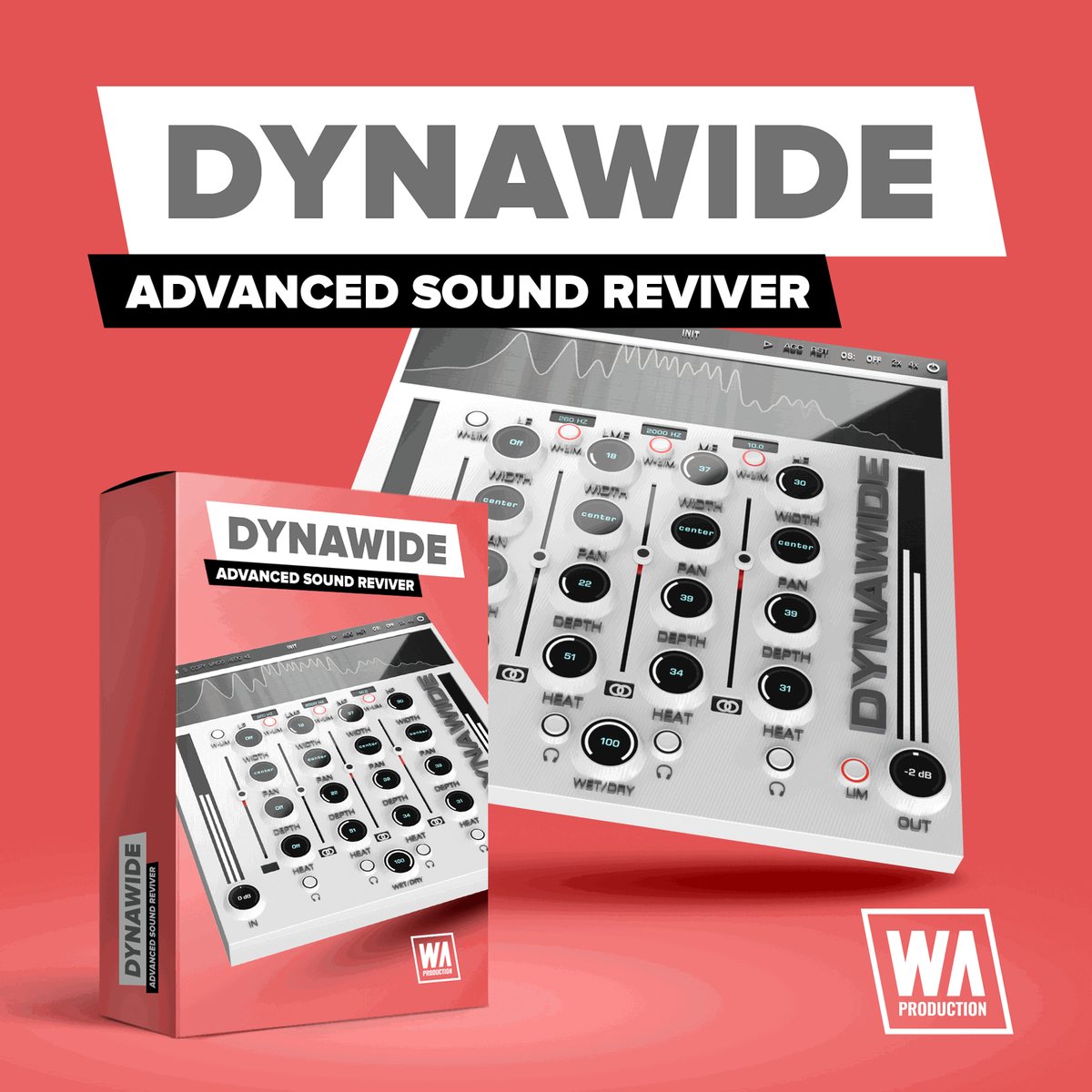
Dynawide is a multiband tonal-balance and stereo-width plugin from W. A. Production. Band faders adjust tonal balance, and stereo width, saturation and depth can be handled per frequency band.
The official description says it can be used on individual tracks, the mix bus or the master channel, and for sources from delicate percussion to heavy bass lines.
The faders have a range of +/-24 dB. The crossovers can be switched between linear phase and analog-type minimum phase with one button, and the crossover frequencies are user-adjustable.
A live spectrum is shown at the top, and A/B comparison, copy/paste and undo/redo are available. The interface is resizable and many factory presets are included.
Key features
Multiband faders (+/-24 dB)
Faders per band adjust tonal balance across a range of +/-24 dB. The page suggests combining them with the other features.
Linear-phase / minimum-phase crossovers
Two crossover types with different phase behavior can be switched with one button, and the crossover frequencies can be set by the user.
Per-band width (Expand & Contract)
Each band can be widened or narrowed, and the processing is described as keeping the centre image intact. The Width Limit buttons help stop the sides overpowering the mids when widening heavily.
Heat, Depth and Pan
Heat adds harmonics to specific bands, Depth adds front-to-back depth and Pan moves the stereo placement of each band. It can be used on loops or full mixes.
Spectrum display and comparison tools
A live spectrum at the top shows how the signal changes. A/B comparison, copy/paste and undo/redo are also available.
Many presets
Categorized presets range from subtle correction to broad changes. They may serve as a starting point.
Specifications
| Item | Details |
|---|---|
| Type | Multiband stereo-width and tonal-balance plugin |
| Formats | VST / VST3 / AU / AAX (Native) |
| Host support | All major DAWs and audio editors that support plugins |
| Fader range | +/-24 dB |
| Crossovers | Linear phase / analog-type minimum phase |
| Extras | PDF manual, tutorial video, presets |
What is included and system requirements
- The plugin
- Many factory presets
- PDF manual and tutorial video
- Formats: VST / VST3 / AU / AAX
How to use it
- Install the plugin with the installer after purchase (Apple Silicon Mac users should check the compatibility note before buying).
- Insert Dynawide on a track, the mix bus or the master.
- Pick a close preset.
- Choose the crossover type (linear phase / minimum phase) and the crossover frequencies.
- Adjust tonal balance with the band faders.
- Adjust per-band width, Heat, Depth and Pan.
- Watch the spectrum to confirm the changes.
- Use A/B comparison to hear before and after.
Where it may come in handy
Tonal adjustment on the mix bus
Because tone and width can be set per band, it may be a candidate when you want to adjust how a whole mix sounds.
Adjusting the width of stereo material
With per-band width, you could keep the low end centered and widen only the highs.
Processing loops
Using Pan and Depth to move the placement of each band of samples or loops is mentioned on the page.
Who it may suit
- People who want to adjust stereo width per band
- People who want tonal balance and width in one multiband plugin
- People looking for a finishing tool for the mix bus or master
Good to know before you buy
- The page asks Apple Silicon Mac users to check compatibility before purchase.
- Please check the store page.
Price
Please check the official page for the price.
See Dynawide on the product page
More of the same kind
We have introduced 18 stereo and imaging tools. Here are some of the others.
- Zynaptiq WIDE
- Blue Cat Audio Blue Cat's StereoScope Multi
- Mastering The Mix STEREOVAULT
- Harrison Tremolo Panner
- Fiedler Audio Spacelab Interstellar
- Auburn Sounds Panagement 2
We have introduced 42 other products from W. A. Production.
- W. A. Production Pumper 3
- W. A. Production BeatQuake
- W. A. Production Mutant Reverb
- W. A. Production Drifter
- W. A. Production Delay Rings
See the full list in Product database: Effects.
Sources: waproduction.com pluginboutique.com (checked 2026-10-27)










Comments