
Disclosure: This page may contain affiliate links. Prices were checked on the date shown and may change.
An introduction to W. A. Production Vocal Splitter, based on information from the maker and distributors: what it does, how to use it and who it may suit. It is not scored.
Vocal Splitter is a handy one-stop unit for turning mono vocals into thick, modern-sounding stereo.
— W. A. Production official site
What is Vocal Splitter?
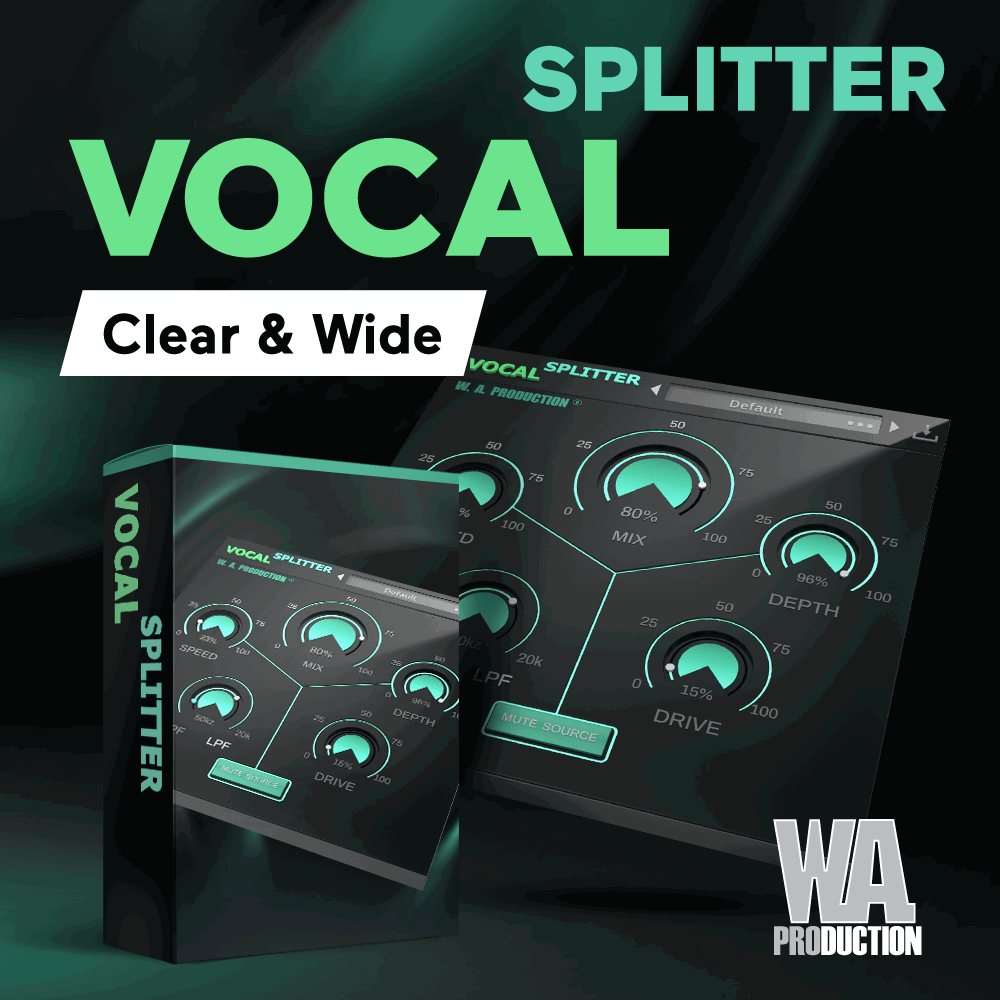
Vocal Splitter is a plug-in from W. A. Production for spreading a mono vocal into stereo. The official description says it reproduces, in a single plug-in, a processing trick that engineers have long used to make mono vocals leap from stereo speakers.
The mechanism is described openly. A phase-offset vibrato asymmetrically detunes the left and right channels, and an asymmetrical rectification of the left and right signals is added. Combining the two is said to create a defined stereo split with minimal phasing.
Controls are few. Mix sets the ratio of original to processed signal, and Speed and Depth set how strong the splitting is. Drive adds definition and, when pushed, acts like saturation and pulls the image back toward the center. High-pass and low-pass filters limit the range the effect applies to.
It supports Windows 8 or later and macOS 10.13 or later in VST, AU, AAX and VST3. An internet connection is required to authorize and use the software. The description says it can also be used on audio other than vocals.
Key features
Mix and Mute Source
Mix sets the ratio of original and processed signal. Mute Source silences the original so that only the processed signal is heard, which allows use on a send bus.
Speed and Depth
These adjust how strongly the left and right channels are detuned, from subtle thickening to strong doubling.
Drive
This sets the amount of asymmetrical rectification of the left and right signals. Higher values bring a saturation-like feel and pull the stereo image back toward the center.
High-pass and low-pass filters
These limit the band of the added stereo signal and help avoid phasing in the low end.
Presets
Presets allow a user to try transformations with one click.
Resizable interface
Version 2.1.0 added a resizable interface.
Click-free bypass
The logo works as a bypass control that switches smoothly to avoid clicks and pops.
Specifications
| Item | Details |
|---|---|
| Maker | W. A. Production |
| Type | Stereo widening (for vocals) |
| Formats | VST, AU, AAX, VST3 |
| Windows | Windows 8 or later (32 / 64-bit) |
| Mac | macOS 10.13 or later (64-bit only) |
| AAX | Requires Pro Tools 11 or later |
| Internet | Required for authorization and use |
| Version | 2.1.0 (per the official page) |
What is included and system requirements
- Vocal Splitter itself
- One-click presets
- A PDF manual and tutorial video
- A demo version (offered on the official site and at Plugin Boutique)
How to use it
- Install after purchase, restart the DAW and authorize with an internet connection.
- Load Vocal Splitter on a mono vocal track.
- Choose a preset with a similar width as a starting point.
- Set Mix to a moderate position and listen to the stereo effect.
- Use Speed and Depth to decide the strength, from thickening to doubling.
- Add definition with Drive and check that the width does not collapse toward the center.
- Use the high-pass filter to keep the low end out and avoid phasing.
- Listen in mono to confirm that the sound does not thin out.
Where it may come in handy
Widening a mono lead vocal
It could be applied lightly to a centered lead vocal to add stereo thickness.
Using it on a send bus
Muting the source and placing it on a send bus may allow adding only as much as wanted.
Spreading backing vocals
It may add left-right spread to backing or harmony tracks.
Sources other than vocals
The official text says it can be tried on other mono material such as guitars or effects.
Who it may suit
- People who want to widen vocals recorded in mono
- Users who prefer deciding the width with few controls
- Those who want thickness without full doubling
Good to know before you buy
- The Plugin Boutique review summary mentions comments such as few presets and a learning curve.
- The official site asks Apple silicon Mac users to check the compatibility status before purchase.
- Plugin Boutique says that with a Rent to Own plan an internet connection is required every 30 days to validate the license.
- Always check how the sound changes when listened to in mono.
How it differs from similar products
We do not pick a winner; the official figures are placed side by side.
W. A. Production VocalShaper
Vocal Splitter focuses on stereo widening with Mix, Speed, Depth, Drive and filters. VocalShaper is a whole vocal processing tool that includes Spread, a micro-pitch stereo widener.
Price
Please check the official page for the price.
See Vocal Splitter on the product page
More of the same kind
We have introduced 35 vocal processors. Here are some of the others.
- Waves Sync Vx
- Waves JJP Vocals
- BLEASS BLEASS Voices
- Antelope Audio InTune Harmony
- DOTEC-AUDIO DeeVocalTools
- iZotope Vocal Doubler
We have introduced 42 other products from W. A. Production.
- W. A. Production Vocal Cleaner
- W. A. Production VocalShaper
- W. A. Production Fundamental Bass
- W. A. Production SphereComp
- W. A. Production XTT by VINAI
For a side-by-side comparison scored on the same criteria, see our comparison of vocal processors.
See the full list in Product database: Effects.
Sources: waproduction.com pluginboutique.com (checked 2026-10-27)










Comments