
Antares’ “AutoTune” is a pitch correction plug-in that corrects the pitch of singing automatically in real time. It comes in the editions AutoTune, AutoTune Advanced and AutoTune Pro 11, and the available features differ by edition. In this article we compare the 3 editions on the same criteria as the 10 pitch correction plug-ins on this site. The basis is official manufacturer information.
Disclosure: This article contains affiliate links. If you buy through them, SoundBounty may earn a commission at no extra cost to you. Prices and sale information are as of the date we checked them and can change.
In short: which one to choose by purpose
- AutoTune (rank C): people who do not edit in detail and are fine with just adjusting how strongly the automatic correction acts.
- AutoTune Advanced (rank B): people who want low-delay real-time correction for streaming, live shows, or monitoring while recording.
- AutoTune Pro 11 (rank A): people who want both correction while singing and graph editing afterwards in one product, and people who also want harmonies made automatically.
The highest score among the 3 editions is AutoTune Pro 11 (rank A, average 4.0). But you do not need to buy a higher edition for features you will not use. Choose the one that fits your purpose.
Main features of AutoTune
Real-time correction that matches pitch automatically even while you sing
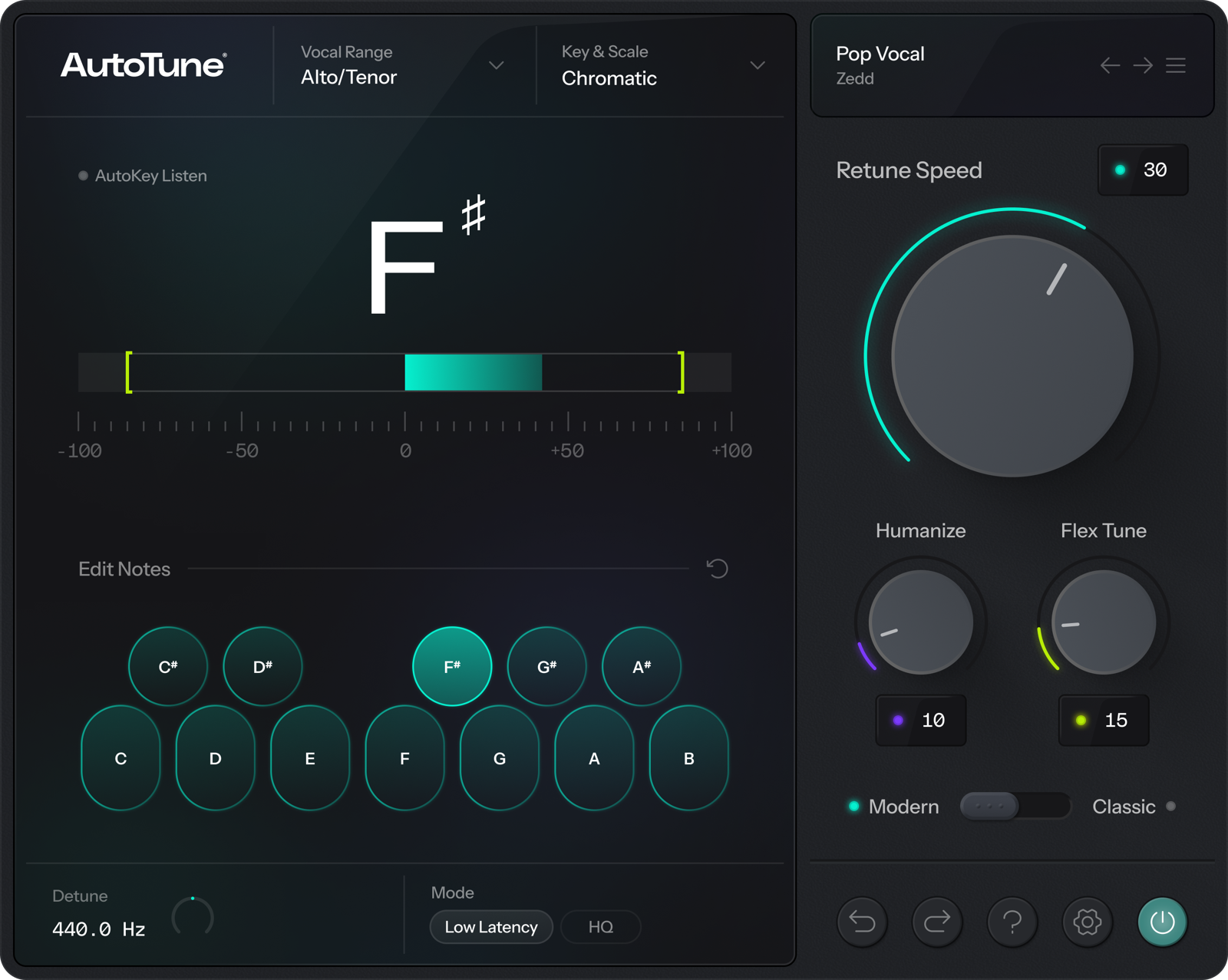
AutoTune listens to the singing voice as it is and automatically snaps it to the notes of a scale (key and scale) you set. Unlike Melodyne, where you fix things on screen after recording, it can also be used for tracking through the effect (recording while hearing the corrected voice) and for streaming. Every edition has a Retune Speed knob that sets how fast it corrects and a Humanize knob that keeps sustained notes natural.
From natural correction to the “robot voice”
Slow Retune Speed gives natural correction, and the fastest setting makes the pitch jump abruptly, the so-called robot voice (the AutoTune effect). The official page introduces the DVA vibrato engine, which finds and keeps natural vibrato, a Classic mode with the sound of the old “AutoTune 5”, and presets from top artists.
Low-latency mode for streaming and live use (Advanced)
Advanced has a “Live Latency Mode” that lets you monitor with under 1 ms of delay, and real-time formant (voice character) changes and transposition. It suits streaming, live shows, and monitoring while recording, when you want to avoid hearing your voice late.
Fine graph editing and making harmonies (Pro 11)
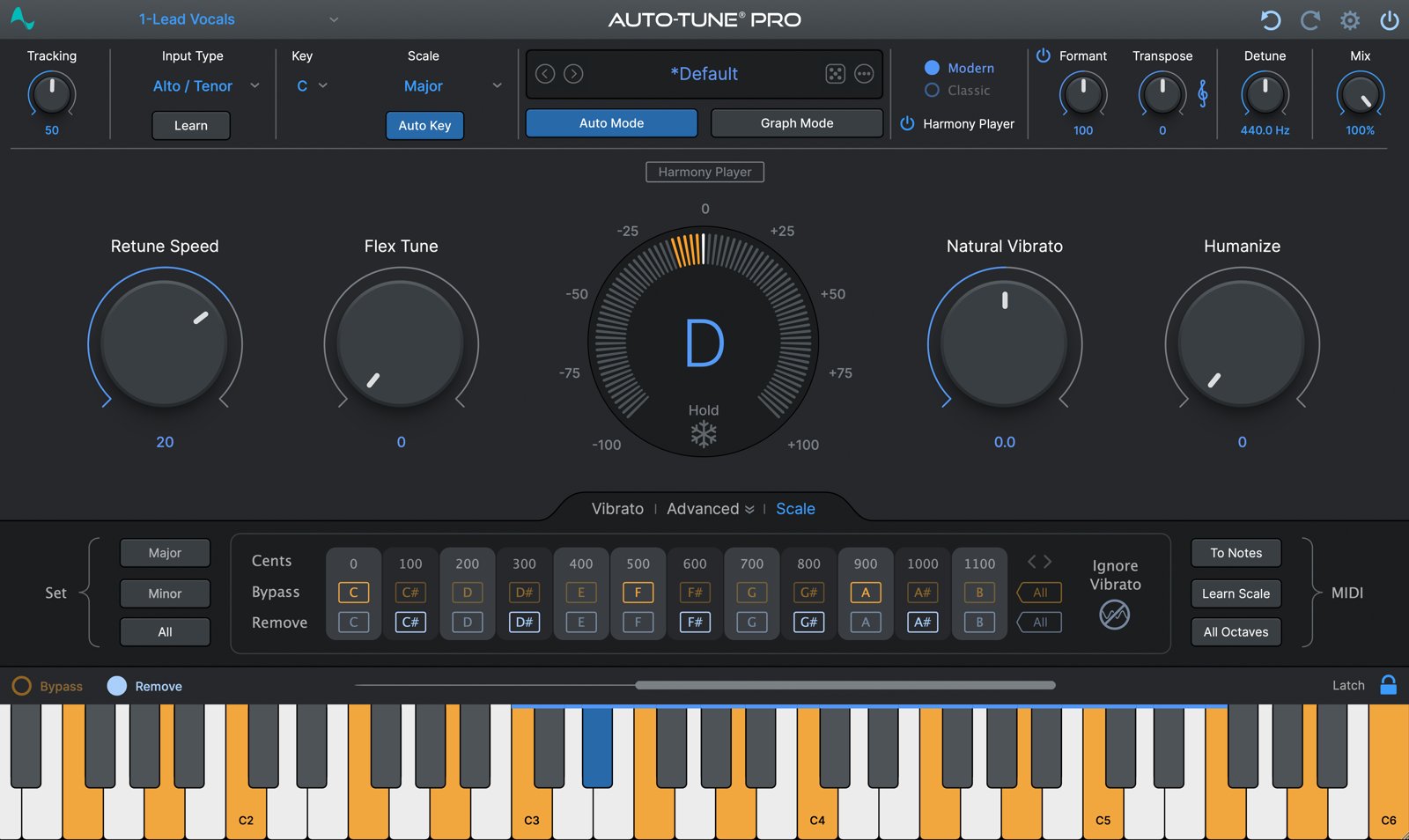
Pro 11 includes a graph screen for fixing recorded singing note by note, ARA2 for direct connection to the DAW, a function that creates notes from MIDI, and Harmony Player, which makes four-part harmonies. Its feature is that real-time automatic correction and detailed editing afterwards can both be done with one product.
Where it is useful
- Applying correction while singing so you can record without worrying about pitch (tracking through the effect)
- Tidying the pitch of singing in real time for a stream (Advanced)
- Applying the robot-voice effect clearly to rap or singing
Differences between editions (comparison table)
| Edition | Rank | Natural result | Real time | Harmony and multiple tracks |
|---|---|---|---|---|
| AutoTune | C (2.2) | Speed, Humanize | Low latency | One note line at a time |
| AutoTune Advanced | B (2.6) | Speed, Humanize | Under 1 ms + MIDI | One note line at a time |
| AutoTune Pro 11 | A (4.0) | Adjust per note | Low latency + MIDI | Makes harmonies automatically |
Rating of each edition
AutoTune (rank C)
The simplest edition of AutoTune, which corrects automatically with the Retune Speed and Humanize adjustments.
Score 2.2 / 5 (average of the 15 products compared: 2.8)
- Specs last checked
- 2026/09/25
- Natural result
- Speed, Humanize
- Real time
- Low latency
- Harmony and multiple tracks
- One note line at a time
- Price (store, date)
- $250 [Official, checked Oct 26]
Image: from the Antares official press kit
- Natural result: 2 points — You can adjust naturalness with Retune Speed and Humanize. There is no formant or vibrato adjustment.
- Speed: 3 points — You can fix things quickly with automatic correction, but ARA is not supported.
- Real-time correction: 3 points — It supports low-latency real-time correction. There is no pitch specification by MIDI.
- Harmony and multiple tracks: 1 point — There is no harmony generation or multi-track editing.
AutoTune screens and images
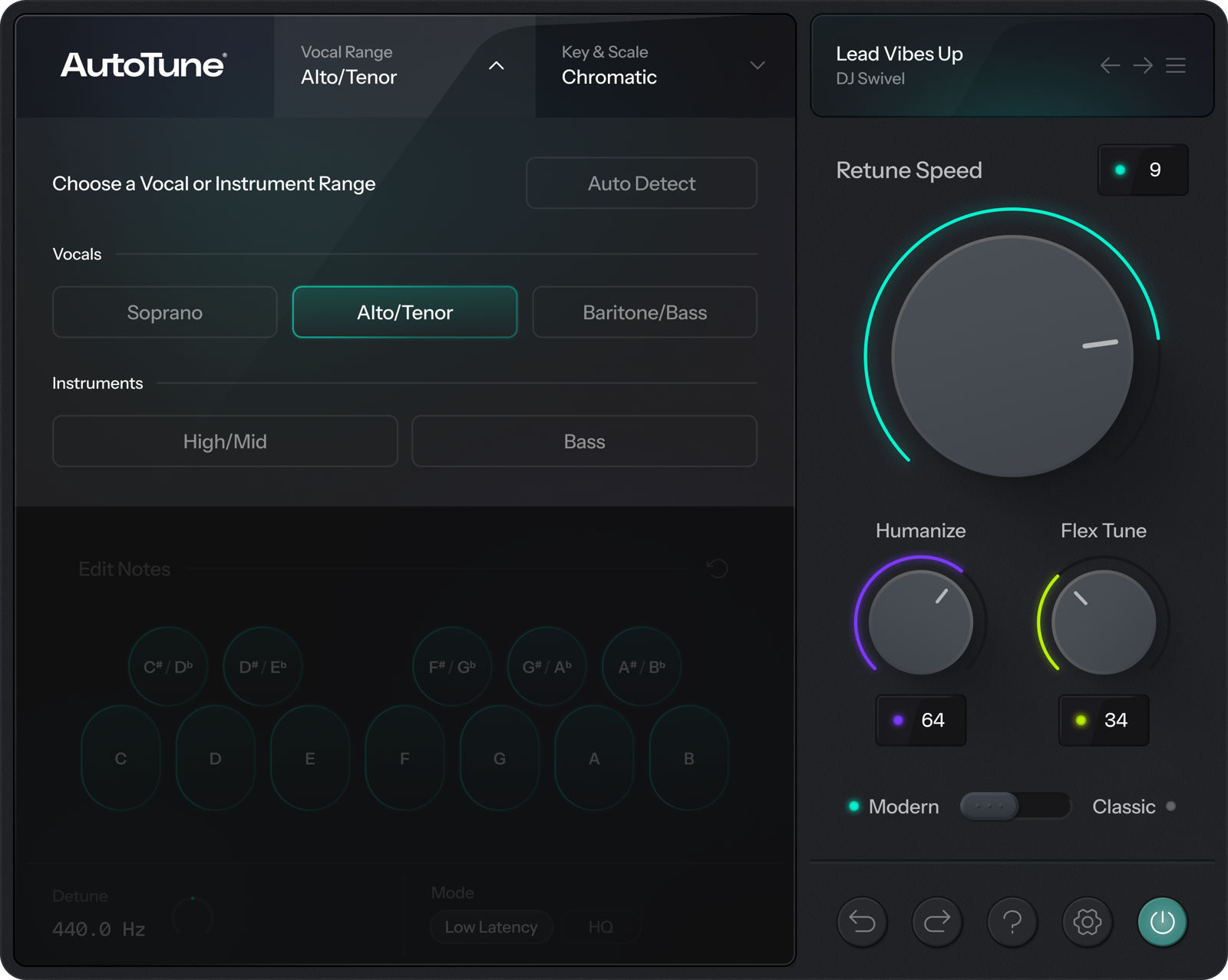
Image: from the Antares official press kit
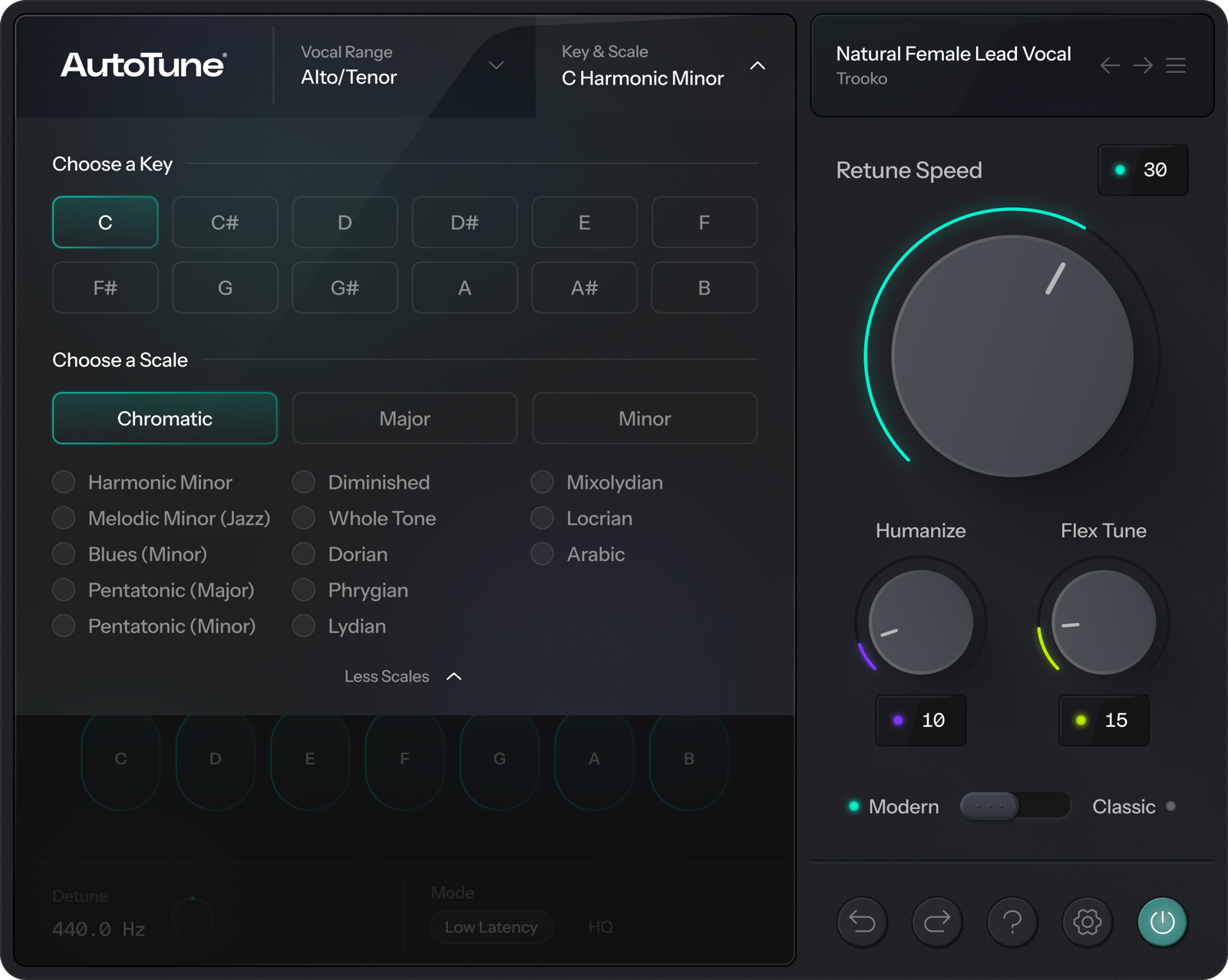
Image: from the Antares official press kit
AutoTune Advanced (rank B)
An edition focused on real-time correction, with a “Live Latency Mode” under 1 ms and real-time formant and transposition. Graph editing and ARA are not supported.
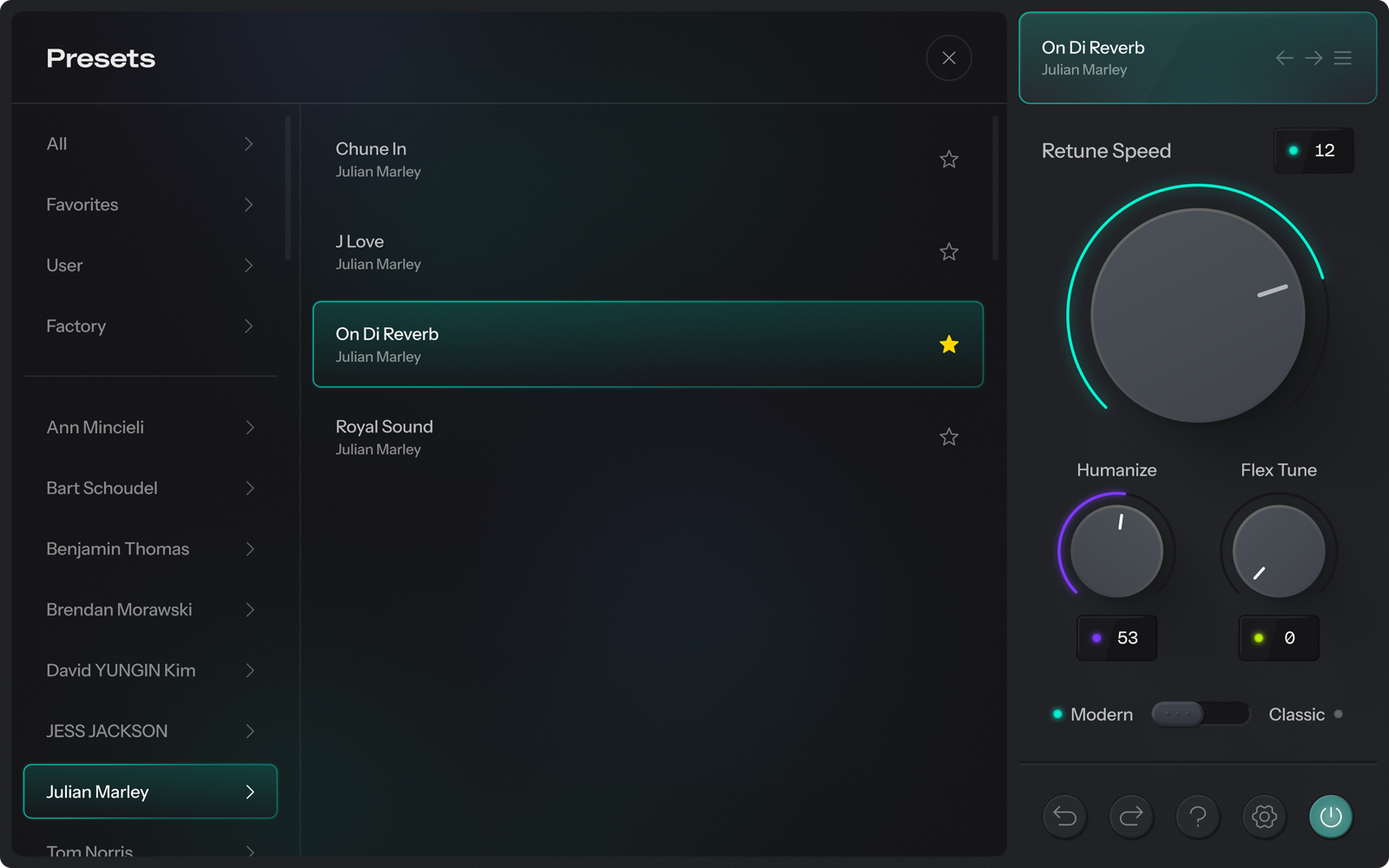
Score 2.6 / 5 (average of the 15 products compared: 2.8)
- Specs last checked
- 2026/09/25
- Natural result
- Speed, Humanize
- Real time
- Under 1 ms + MIDI
- Harmony and multiple tracks
- One note line at a time
- Price (store, date)
- $450 [Official, checked Oct 26]
Image: from the Antares official press kit
- Natural result: 2 points — You can adjust naturalness with Retune Speed and Humanize. There is no note-by-note graph editing.
- Speed: 3 points — You can fix things quickly with automatic correction, but ARA is not supported.
- Real-time correction: 5 points — It has a Live Latency Mode under 1 ms and a function to specify pitch by MIDI, which suits correction for streaming and live use.
- Harmony and multiple tracks: 1 point — There is no harmony generation or multi-track editing.
AutoTune Advanced screens and images
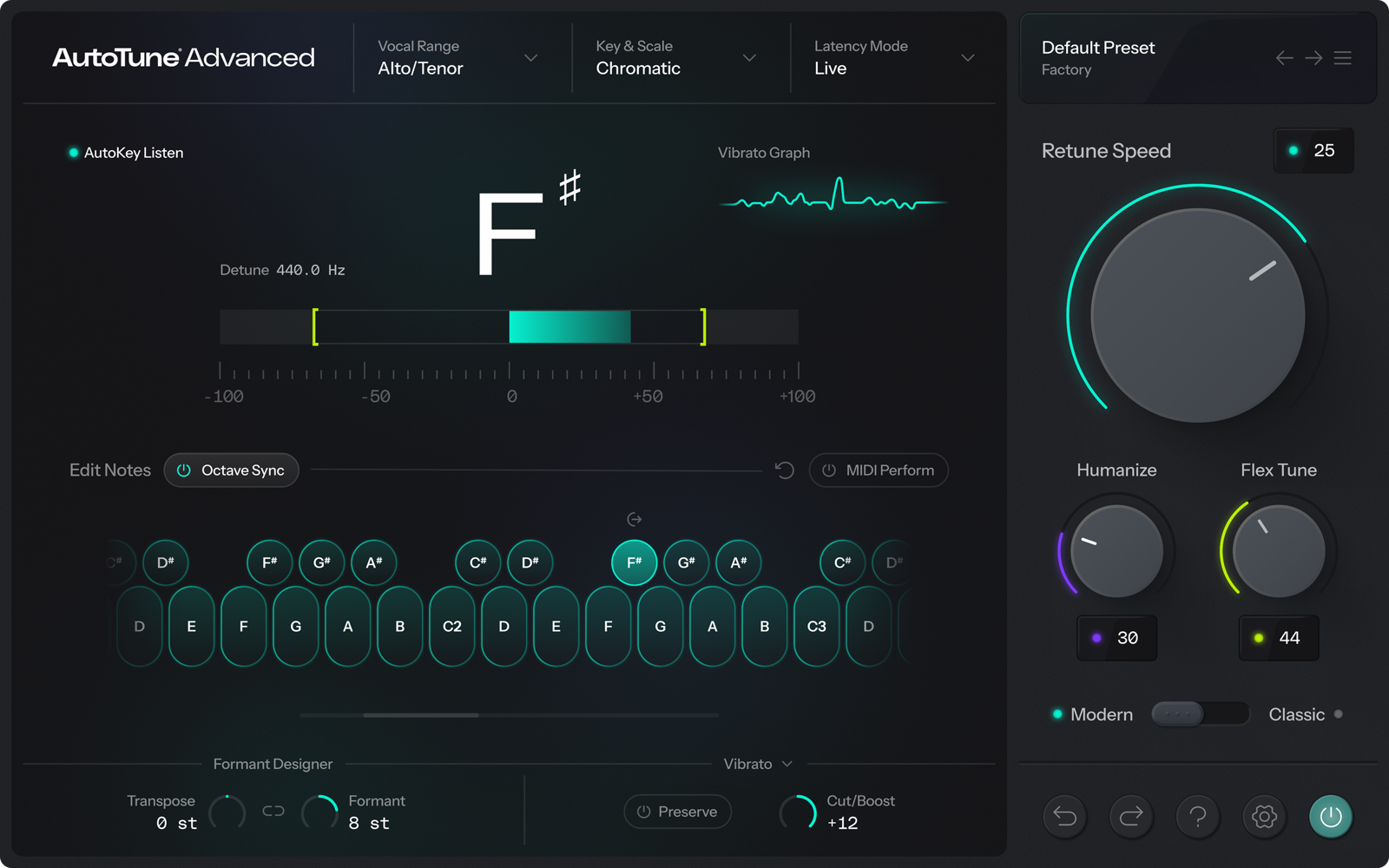
Image: from the Antares official press kit
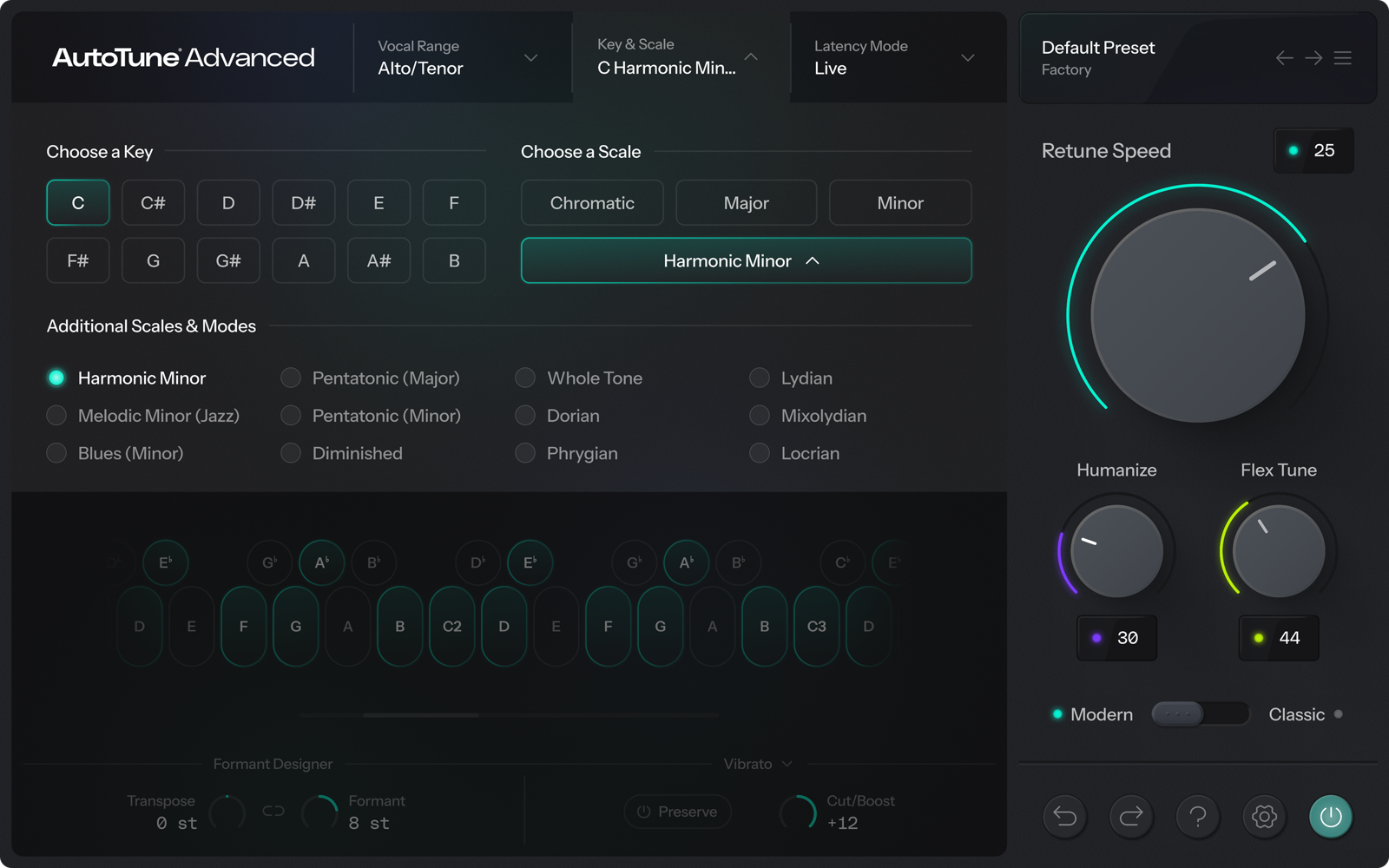
Image: from the Antares official press kit
AutoTune Pro 11 (rank A)
The upper edition of AutoTune: besides real-time automatic correction, it includes pitch and timing editing on a graph screen, ARA2 and four-part harmony generation.
Score 4.0 / 5 (average of the 15 products compared: 2.8)
- Specs last checked
- 2026/09/25
- Natural result
- Adjust per note
- Real time
- Low latency + MIDI
- Harmony and multiple tracks
- Makes harmonies automatically
- Price (store, date)
- Not listed
Image: from the Antares official press kit
- Natural result: 4 points — On the graph screen you can adjust Retune Speed, vibrato and formant note by note.
- Speed: 4 points — It has both automatic correction and ARA2. Automatic key detection works through a separate product (AutoKey).
- Real-time correction: 4 points — It has low-latency real-time correction and a function to specify the target pitch by MIDI (the under-1 ms live mode is Advanced only).
- Harmony and multiple tracks: 4 points — Harmony Player makes four-part harmonies automatically. There is no simultaneous editing of multiple tracks.
AutoTune Pro 11 screens and images
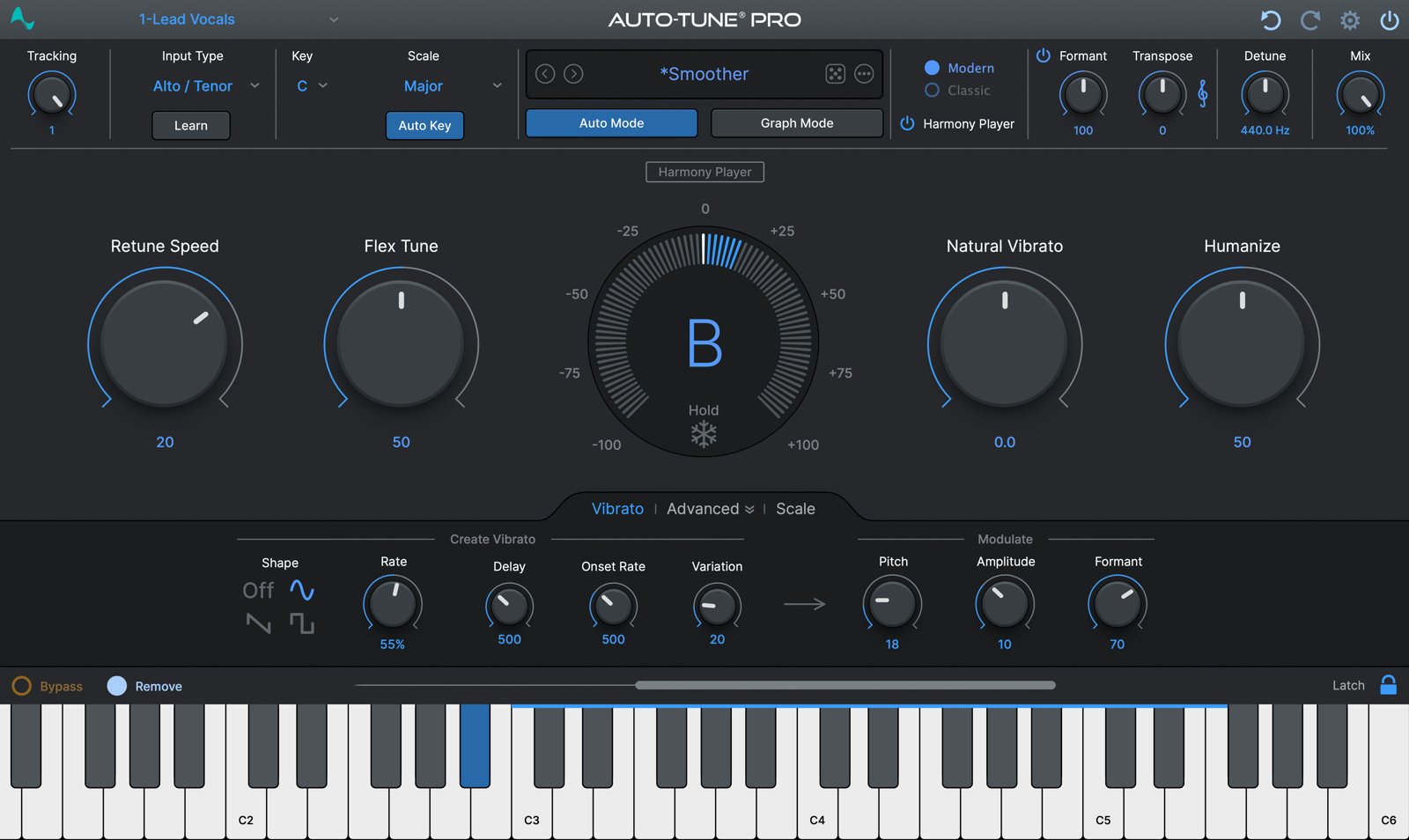
Image: from the Antares official press kit
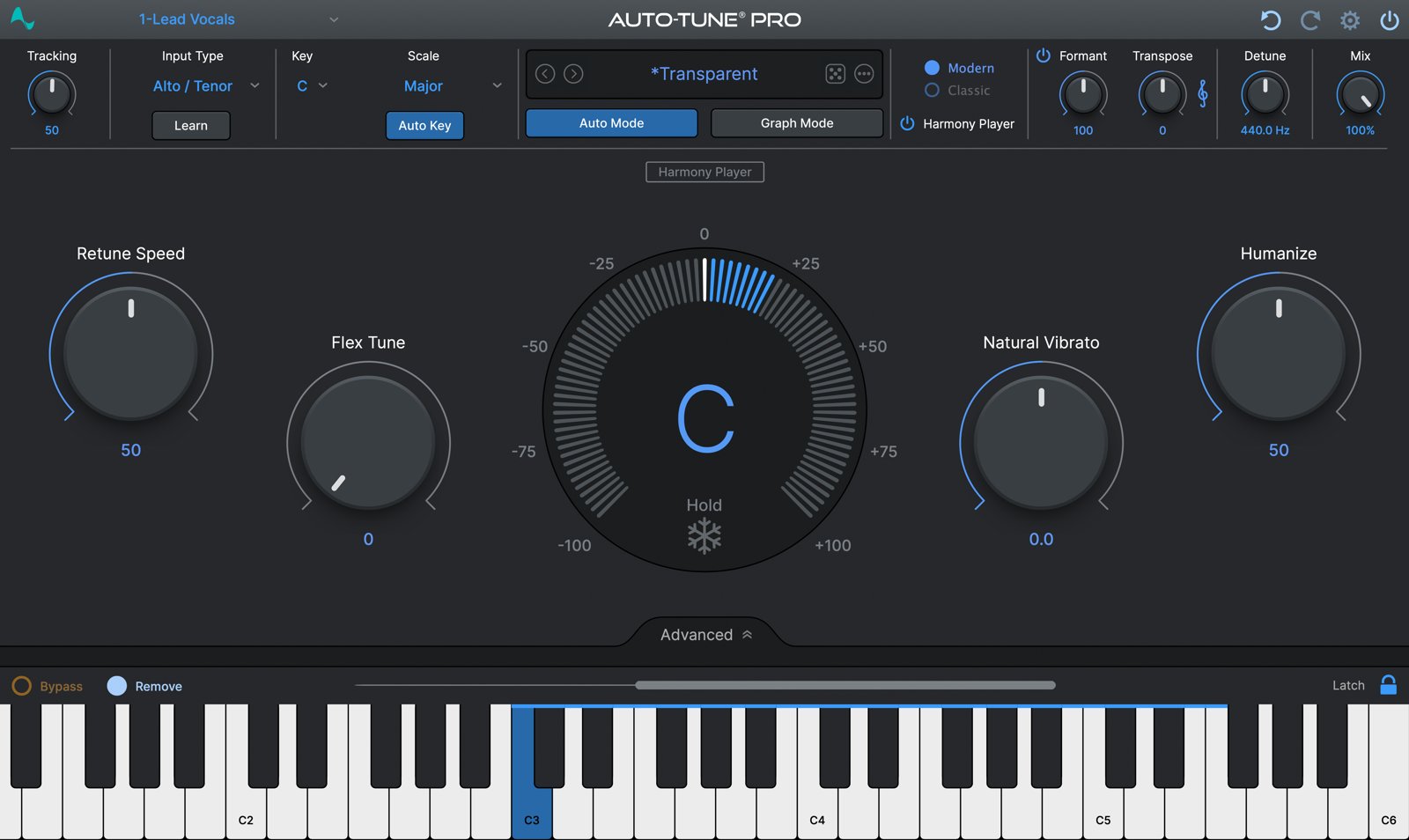
Image: from the Antares official press kit
The chart above shows the scores of AutoTune Pro 11.
How we score (Pitch-correction plug-ins)
| Criterion | Basis | 5 pt | 4 pt | 3 pt | 2 pt | 1 pt |
|---|---|---|---|---|---|---|
| Natural result | How finely you can adjust to correct a vocal naturally | Per note, you can adjust wobble, vibrato, formants and even sibilance | Per note, you can adjust vibrato and formants | Per note, you can correct pitch and timing | You can adjust only how the automatic correction is applied (speed and so on) | Automatic correction only, with no stated way to adjust naturalness |
| Speed | Features that make the correction work faster | Automatic macros, ARA and detection of key or chords are all included | Automatic correction (macros) and ARA | Either automatic correction or ARA | Mostly manual work | — |
| Real-time correction | Ease of use for streaming and recording through the plug-in | An ultra-low-latency mode (such as under 1 ms) and pitch specification by MIDI | Low-latency real-time correction and pitch specification by MIDI | Low-latency real-time correction | Real-time correction, but low latency is not stated | No real-time correction (the type you use after recording) |
| Harmony and multiple tracks | Ease of handling harmonies and backing vocals | You can edit several tracks side by side and also fix notes inside chords | You can edit several tracks side by side, or make harmonies automatically | You can fix notes inside chords (one track at a time) | Single notes only, but with aids such as turning a vocal into MIDI | You fix single-note tracks one at a time |
Each criterion is scored from 1 to 5 on how well the product serves one goal: correcting a cover-song vocal. Scores follow the conditions in the table above, and the rank is based on an average in which "Natural result", the most important criterion for cover songs, counts double. The basis is official manufacturer information. Sound quality and CPU load are not measured, so they are not scored; reviews from trade magazines are introduced in the articles for reference. Price is not part of the score. Features that cannot be confirmed from the manufacturer's or a retailer's description are scored as if absent.
Trade-magazine reviews (for reference, not part of the score)
We summarized the main points from reviews in overseas music-production magazines.
Sound On Sound (review of AutoTune 2026), January 2026
- It rates it as very easy to use, with the controls narrowed down to Speed, Humanize and Flex Tune
- It says the highest-quality setting has larger latency, and introduces that a low-latency setting can also be chosen
- It lists as a drawback that the transposition and formant adjustment of the higher editions are not included
Source: review in Sound On Sound (AutoTune 2026) (English)
Sound On Sound, June 2024
- It rates it as still excellent as a pitch-processing tool
- It says the operation of the Auto and Graph modes has been tidied up and is easier to use
- It says the new Harmony Player is easy to use and can make effective harmonies
Source: review in Sound On Sound (English)
AutoTune system requirements and getting started
| Supported OS | Windows / Mac (native on Apple silicon) |
|---|---|
| Plug-in formats | Supports the major DAWs (see the official “DAW compatibility” page) |
| Other | Available as a one-time purchase (perpetual license) or a subscription (AutoTune Unlimited, which includes all editions) |
| Trial | Free to try (on the official site) |
Checked on the manufacturer’s official page on September 27, 2026.
Compared with other pitch-correction plug-ins
Click a heading to sort. On a phone, the table scrolls sideways.
| Product | RankAvg. score | Natural result | Real time | Harmony and multiple tracks | Free | OBS (streaming) | Price (store, date) |
|---|---|---|---|---|---|---|---|
| CelemonyMelodyne 5 essential | B 2.6 | Pitch and timing | None | One note line at a time | — | Not listed | $99 [PB, checked Oct 26] |
| CelemonyMelodyne 5 assistant | A 3.6 | Down to wobble and sibilance | None | Audio to MIDI | — | Not listed | $249 [PB, checked Oct 26] |
| CelemonyMelodyne 5 editor | A 3.8 | Down to wobble and sibilance | None | Edits chords too | — | Not listed | $399 [PB, checked Oct 26] |
| CelemonyMelodyne 5 studio | S 4.2 | Down to wobble and sibilance | None | Multiple tracks + chords | — | Not listed | $699 [PB, checked Oct 26] |
| AntaresAutoTune Pro 11 | A 4.0 | Adjust per note | Low latency + MIDI | Makes harmonies automatically | — | Not listed | Not listed |
| AntaresAutoTune Advanced | B 2.6 | Speed, Humanize | Under 1 ms + MIDI | One note line at a time | — | Not listed | $450 [Official, checked Oct 26] |
| AntaresAutoTune | C 2.2 | Speed, Humanize | Low latency | One note line at a time | — | Not listed | $250 [Official, checked Oct 26] |
| MeldaProductionMAutoPitch | C 1.6 | Automatic only | Real time | One note line at a time | Free | Not listed | Not listed |
| Synchro ArtsRePitch Elements | C 2.4 | Pitch and timing | None | One note line at a time | — | Not listed | $69 [Official, checked Oct 26] |
| Synchro ArtsRePitch Standard | A 3.4 | Shape, formants | None | Multiple tracks | — | Not listed | $149 [Official, checked Oct 26] |
| WavesWaves Tune Real-Time | C 2.4 | Automatic only | Ultra-low latency + MIDI | One note line at a time | — | △ (via Waves StudioRack, per Waves) | Not listed |
| WavesWaves Tune | C 2.0 | Pitch and vibrato | None | One note line at a time | — | Not checked | Not listed |
| Synchro ArtsRevoice Pro 5 | A 3.6 | Down to vibrato, formants, sibilance | None | Matches multiple tracks | — | Not checked | $299 [Official, checked Oct 26] |
| Auburn SoundsGraillon 3 | C 2.0 | Automatic only | Real time | One note line at a time | Free | Not checked | Not listed |
| SoundtoysLittle AlterBoy | C 1.6 | For effects | Real time + MIDI | One note line at a time | — | Not checked | $99 [Official, checked Oct 26] |
Features checked on each manufacturer's official website on September 25, 2026. Check the store page behind the buy button for the price.

Comments