
The Tone Foundry’s saturation plug-in driveDAT is 61% off at Plugin Boutique: $19 instead of $49 (USD). The product page says the offer runs until October 31.
Disclosure: This article contains affiliate links. If you buy through them, SoundBounty may earn a commission at no extra cost to you. Prices are as of the date we checked them and can change.
The deal
| Product | Regular price | Sale price | Discount | Ends |
|---|---|---|---|---|
| driveDAT | $49 | $19 | 61% off | Oct 31 |
Prices are in US dollars as shown on Plugin Boutique, checked on October 24, 2026. The discount and end date come from the Plugin Boutique product page. Taxes, fees and availability can vary by country, so check the checkout page.
Where to buy
- driveDAT: View at Plugin Boutique
What is driveDAT?
driveDAT is a saturation and degradation effect from The Tone Foundry. It recreates, in order, what happens when too loud a signal is fed to a DAT recorder: hiss, a crushed input stage and a clipping converter (per the manufacturer).
Features
The sound of a DAT recorder overloaded at the input
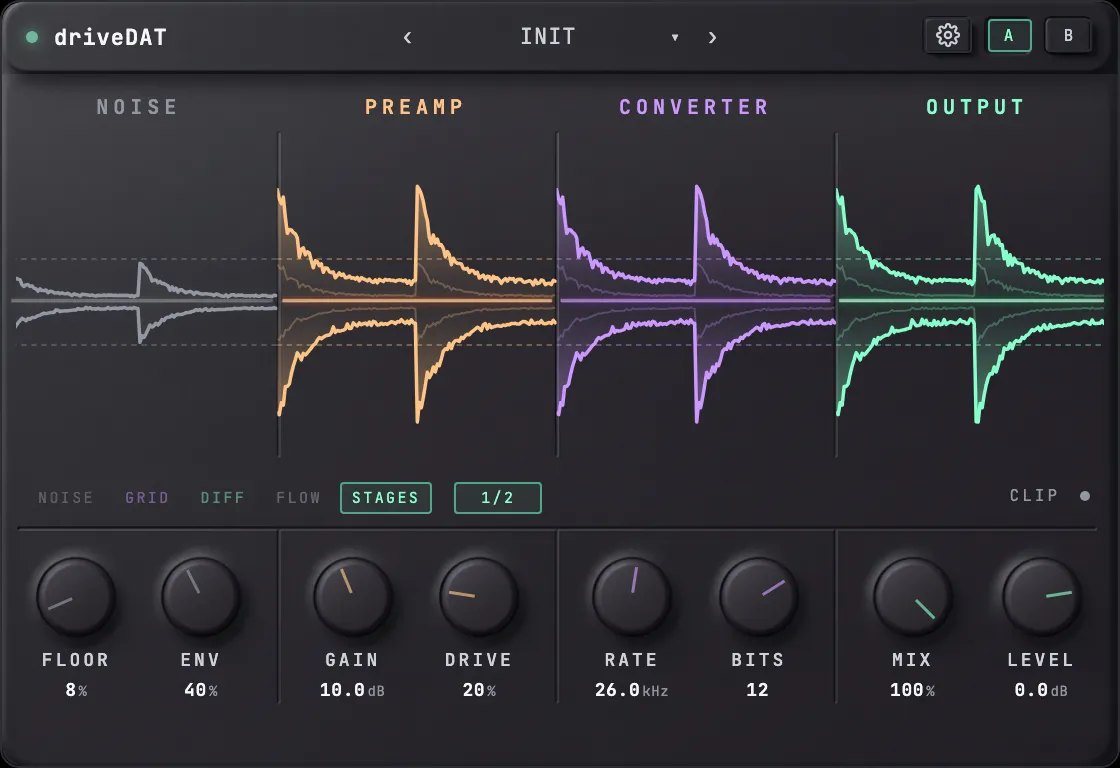
driveDAT is a distortion and degradation effect that recreates, as a single focused effect, how a DAT recorder (a digital tape machine) behaves when it is fed too hot a signal. The manufacturer says it lines up, in the order of the real machine, hiss that breathes with the program, an input stage that crushes the sound and a converter that runs out of numbers.
Four stations, from left to right
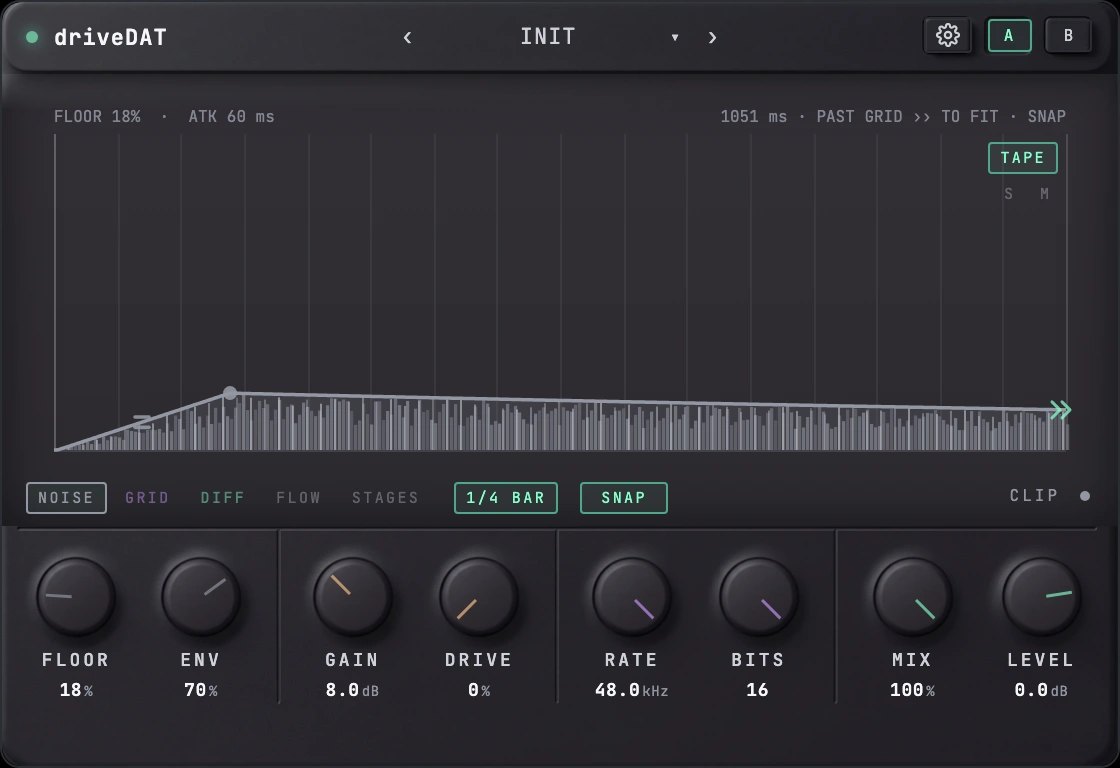
The order is NOISE (the noise floor, with amount and envelope controls and six types: Tape, White, Vintage, Converter, Bright and Rumble), PREAMP (GAIN recreates an input that is too hot, DRIVE adds analog-style distortion, up to 4x oversampling), CONVERTER (lowers the sampling rate from 48 kHz down to 1 kHz and the bit depth from 16 down to 2, with no anti-aliasing) and OUTPUT (the ratio to the original sound, output level and a 0 dBFS ceiling) (per the manufacturer).
See each stage in real time
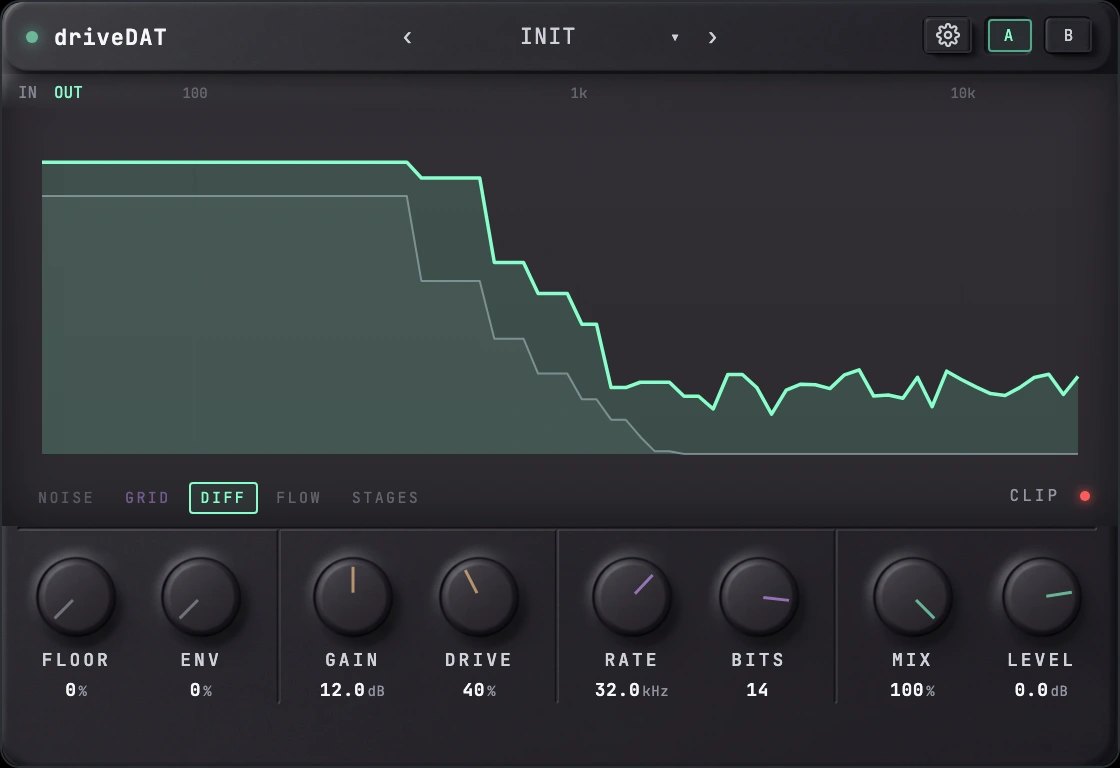
The ribbon at the top of the screen lets you see the waveform after each stage, the sample-and-hold behavior of the converter, the noise envelope and the input and output spectrums (per the manufacturer).
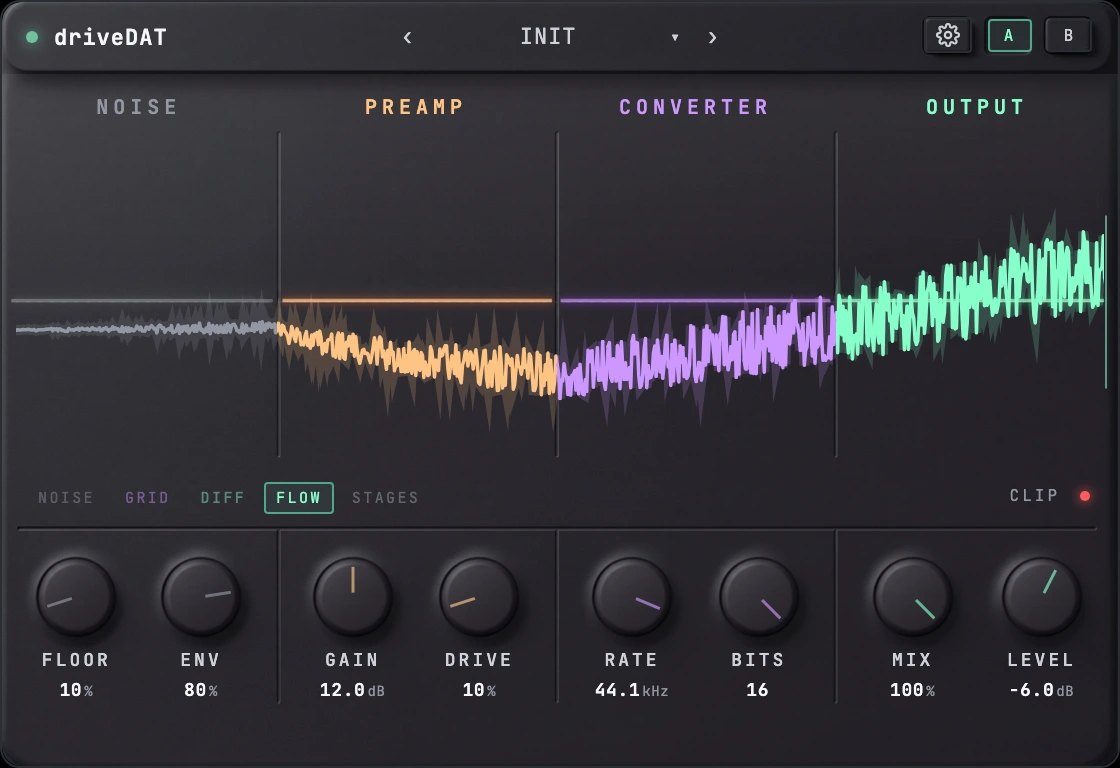
Advanced screen: emphasis, clip and zero glitch
You can choose emphasis from Off, Soft and DAT. Converter Clip lowers the ceiling of the converter. Zero Glitch adds the step at the zero crossing that early converters had (per the manufacturer).
After you buy: installation and activation
This is the general flow for products bought at Plugin Boutique. Activation differs by product (serial number, a manufacturer account, iLok and so on), so check the instructions in your library after purchase.
- Log in to your Plugin Boutique account and find the product in “Library”.
- Download the installer (you can switch between the Windows and Mac versions). Depending on the product, you also get a serial number, an unlock code or a key file.
- Product-specific steps are under “…” → “Installation Instructions” next to the product in your library, and also near the bottom of the product page.
Before you buy
- The end date is the one shown on Plugin Boutique. Offers can change, so confirm on the product page before you buy.
- Check the supported operating systems, plug-in formats (VST3, AU, AAX and so on) and the licensing method on the product page before buying.
Where to buy
- driveDAT: View at Plugin Boutique









Comments