
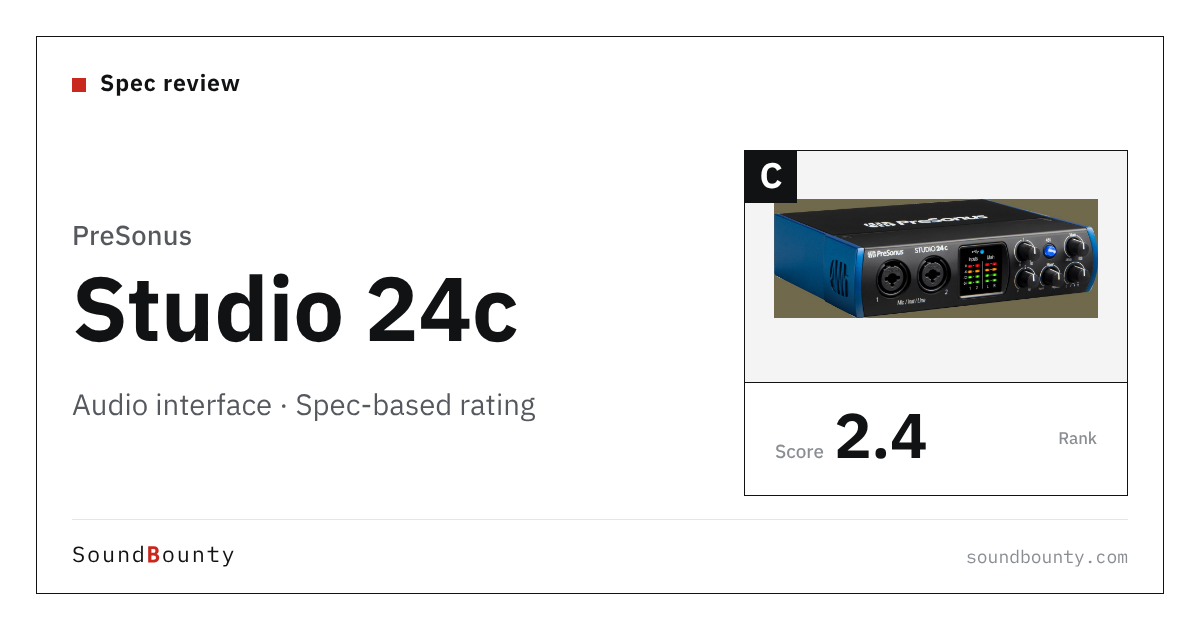
PreSonus’s Studio 24c is a USB audio interface with 2 inputs and 2 outputs.
An audio interface is the equipment that brings the sound of microphones and instruments into the computer and sends the computer’s sound out to headphones and speakers.
In this article we rate it on 5 criteria using only the specifications the manufacturer publishes, and show how it ranks among the 23 audio interfaces we compare.
Disclosure: This site takes part in affiliate programs. Specifications are as of the date we checked them and can change.
Score 2.4 / 5 (average of the 23 models compared: 3.4)
- Specs last checked
- 2026/09/25
- Inputs
- 2ch
- Hi-Z inputs
- 2
- Loopback
- —
- EIN
- -126dBu
- Price (store, date)
- Not disclosed
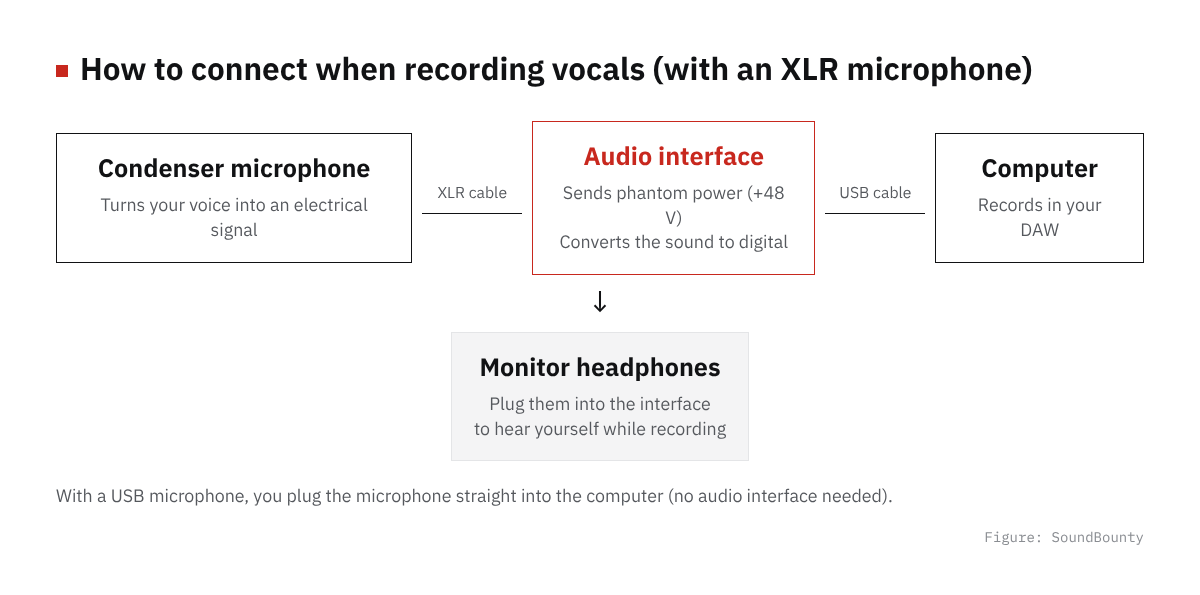
Figure: SoundBounty
Summary
Among the 23 audio interfaces, Studio 24c is rank C. The ranks run S, A, B and C, and C is the lowest. Averaging the scores for each criterion (out of 5) gives 2.4.
Strengths
- Ease of recording guitar and other instruments (2 Hi-Z inputs, 4 points): You can plug in a guitar or bass directly and record.
Things to keep in mind
- Microphone input quality (EIN -126dBu / Gain 50dB / DR 106dB, 1 point): The microphone input performance is modest among the products we compared.
- Ease of streaming (loopback: no, 1 point): It has no function (loopback) to combine the computer’s sound and your voice.
Who it suits: judging from the specifications, it suits people who want to plug in a guitar or bass directly.
Main features of Studio 24c
Two XMAX-L microphone preamps
It has two PreSonus XMAX-L microphone preamps, and both inputs take a microphone, an instrument or a line signal. There is also an instrument input with plenty of headroom for connecting a guitar or bass directly.
A ladder-style LED meter
You can check the level of the two inputs and two outputs on vertical LED meters. Even when you record alone, you can match the level by eye and see whether it is too loud.
MIDI in and out, and a mix knob
There are MIDI input and output jacks (5-pin) to connect a MIDI keyboard. A mix knob changes the balance between the microphone or guitar and the sound played back from the computer.
Two kinds of USB cable and a Fender Studio Pro trial
USB-C to USB-C and USB-C to USB-A cables are included, so you can connect it to most computers. If you register the product, you also get a six-month trial of the recording software Fender Studio Pro.
Where it is useful
- Recording singing and guitar at the same time
- Making songs with a MIDI keyboard connected
- Recording on a laptop that you carry around (it runs on USB power)
Rating by criterion
Microphone input quality: 1 / 5
How quietly and how loudly enough it can record a microphone (low noise, gain range and so on).
Studio 24c: EIN -126dBu / Gain 50dB / DR 106dB. That is a modest rating among the products we compared. The microphone input performance is modest among the products we compared.
Ease of streaming: 1 / 5
Whether it has a function (loopback) that lets you stream the computer’s sound (BGM and game sound) together with a microphone voice.
Studio 24c: loopback: no. That is a modest rating among the products we compared. It has no function (loopback) to combine the computer’s sound and your voice.
Ease of recording guitar and other instruments: 4 / 5
The number of inputs (Hi-Z) that take a guitar or bass directly.
Studio 24c: 2 Hi-Z inputs. That is a high rating among the products we compared. You can plug in a guitar or bass directly and record.
Number of inputs and outputs: 3 / 5
The number of inputs for microphones and instruments, and outputs for speakers and the like.
Studio 24c: 4 analog inputs and outputs. That is a standard rating among the products we compared.
Features for production: 3 / 5
Features for production such as MIDI ports, built-in effect processing (DSP) and digital I/O.
Studio 24c: 1 of 3. That is a standard rating among the products we compared.
The gray marks in the figure below (the dotted line on the pentagon) show the average of the 23 products we compared. Price is not part of the score.
How we score (Audio interfaces)
| Criterion | Basis | 5 pt | 4 pt | 3 pt | 2 pt | 1 pt |
|---|---|---|---|---|---|---|
| Microphone input quality | Quietness (EIN), gain range and dynamic range | Average 4.5 or more | 3.5 or more | 2.5 or more | 1.5 or more | Under 1.5 |
| Ease of streaming | Loopback (send the computer's sound together with the microphone for streaming or recording) | Yes | — | — | — | No |
| Ease of recording guitar and other instruments | Number of inputs that take a guitar or bass directly (Hi-Z) | 3 or more | 2 | 1 | — | None |
| Number of inputs and outputs | Analog inputs plus outputs (headphones excluded) | ≥8 | ≥6 | ≥4 | ≥3 | <3 |
| Features for production | Built-in DSP, MIDI ports and digital I/O | All 3 | 2 | 1 | — | None |
Scored only on the body specifications published by the manufacturer and the functions listed on the product page. Price and bundled software are not part of the score. "Microphone input quality" is the average of three scores: quietness (EIN: 5 points at -130 dBu or lower, 4 at -129, 3 at -128, 2 at -127), gain range (5 at 72 dB or more, 4 at 65, 3 at 57, 2 at 54) and dynamic range (5 at 118 dB or more, 4 at 116, 3 at 112, 2 at 108). It is scored when two or more numbers are published. "Ease of streaming" depends on whether the interface has loopback, which sends the BGM or game sound playing on the computer to the streaming software together with your voice.
Studio 24c connection and getting started
| Connection | USB-C to the computer |
|---|---|
| Power | Runs on USB power |
| In the box | USB cables (USB-C to USB-C and USB-C to USB-A) |
| Other | Bundled software: Fender Studio Pro (six-month trial, product registration required). Setup software: Universal Control (Mac and Windows) |
Checked on the manufacturer’s official pages on September 27, 2026.
Compared with other audio interfaces
Click a heading to sort. On a phone, the table scrolls sideways.
| Product | RankAvg. score | EINdBu | Max gaindB | Dynamic rangedB(A) | Inputsch | Hi-Z inputs | Outputsch | Loopback | DSP | MIDI | Digital I/O | Price (store, date) |
|---|---|---|---|---|---|---|---|---|---|---|---|---|
| FocusriteScarlett Solo 4th | B 3.0 | -127 | 57 | 113 | 2 | 1 | 2 | ● | — | — | — | Not disclosed |
| FocusriteScarlett 2i2 4th | B 3.2 | -127 | 69 | 116 | 2 | 2 | 2 | ● | — | — | — | Not disclosed |
| FocusriteScarlett 4i4 4th | A 4.0 | -127 | 69 | 116 | 4 | 2 | 4 | ● | — | ● | — | Not disclosed |
| Universal AudioVolt 1 | C 2.2 | -127 | 55 | 112 | 1 | 1 | 2 | — | — | ● | — | Not disclosed |
| Universal AudioVolt 2 | B 2.6 | -127 | 55 | 112 | 2 | 2 | 2 | — | — | ● | — | Not disclosed |
| ArturiaMiniFuse 1 | B 2.8 | -129 | 56 | 110 | 1 | 1 | 2 | ● | — | — | — | Not disclosed |
| ArturiaMiniFuse 2 | A 3.6 | -129 | 56 | 110 | 2 | 2 | 2 | ● | — | ● | — | Not disclosed |
| ArturiaMiniFuse 4 | S 4.2 | -129 | 56 | 110 | 4 | 4 | 4 | ● | — | ● | — | Not disclosed |
| PreSonusStudio 24c | C 2.4 | -126 | 50 | 106 | 2 | 2 | 2 | — | — | ● | — | Not disclosed |
| RMEBabyface Pro FS | S 4.8 | Not disclosed | 76 | 117 | 4 | 2 | 4 | ● | ● | ● | ● | Not disclosed |
| MOTUM2 | A 3.8 | -129 | Not disclosed | 115 | 2 | 2 | 2 | ● | — | ● | — | Not disclosed |
| MOTUM4 | S 4.2 | -129 | Not disclosed | 115 | 4 | 2 | 4 | ● | — | ● | — | Not disclosed |
| AudientiD4 MKII | A 3.6 | -129 | 58 | Not disclosed | 2 | 1 | 2 | ● | ● | — | — | Not disclosed |
| AudientiD14 MKII | A 4.0 | -129 | 58 | Not disclosed | 2 | 1 | 4 | ● | ● | — | ● | Not disclosed |
| Solid State LogicSSL 2 MKII | A 3.4 | -130.5 | 64 | 116.5 | 2 | 2 | 2 | ● | — | — | — | Not disclosed |
| Solid State LogicSSL 2+ MKII | A 4.0 | -130.5 | 64 | 116.5 | 2 | 2 | 4 | ● | — | ● | — | Not disclosed |
| Universal AudioVolt 176 | C 2.2 | -127 | 55 | 112 | 1 | 1 | 2 | — | — | ● | — | Not disclosed |
| Universal AudioVolt 276 | B 2.6 | -127 | 55 | 112 | 2 | 2 | 2 | — | — | ● | — | Not disclosed |
| AudientEVO 4 | B 3.2 | -128 | 58 | 113 | 2 | 2 | 2 | ● | — | — | — | Not disclosed |
| TASCAMUS-2x2HR | A 3.6 | -128 | 56 | Not disclosed | 2 | 2 | 2 | ● | — | ● | — | Not disclosed |
| FocusriteClarett+ 2Pre | A 3.4 | -129 | 57 | 118 | 2 | 2 | 4 | — | — | ● | ● | Not disclosed |
| RolandRubix22 | C 2.5 | Not disclosed | Not disclosed | 104 | 2 | 1 | 2 | — | — | ● | — | Not disclosed |
| MOTUM6 | S 4.4 | -129 | Not disclosed | 115 | 6 | 4 | 4 | ● | — | ● | — | Not disclosed |
Specifications are the manufacturer's published values for the microphone input (checked October 19, 2026). The RME Babyface Pro FS does not publish EIN, the Audient iD4 MKII and iD14 MKII do not publish dynamic range, and the MOTU M2 and M4 do not publish the gain range, so "Microphone input quality" for them is scored on the remaining numbers. The number of Hi-Z inputs counts inputs that take a guitar or bass directly (including combo jacks shared with microphone and line). The Babyface Pro FS dynamic range is the microphone-input signal-to-noise ratio in the manual (117 dBA).
Before you buy
- It has no loopback. To combine the computer’s sound and your voice for streaming, you need to set it up in the streaming software.
- It has 2 inputs in total for microphones and instruments. Check that the number you want to record at the same time does not exceed the number of inputs.
- It has 2 Hi-Z inputs that take a guitar or bass directly. When you record without effects pedals or an amplifier, you plug into a Hi-Z input.
- It has MIDI ports. You can connect keyboards and gear that have MIDI jacks directly.
Read next
- Rubix22: features and rating (rank C)
- Babyface Pro FS: features and rating (rank S)
- M6: features and rating (rank S)
- M4: features and rating (rank S)

Comments